Hoofdstuk 99Verlichting
Elk lamptype apart, world lighting, HDRI, lichtsterkte in watt
Blender kent vier lamptypes (Point, Sun, Spot, Area) plus licht dat van de World komt. Alle vier delen dezelfde basis — kleur, sterkte, schaduw — maar elk simuleert een andere fysieke lichtbron.
 RECCONCEPT00:00:00:00schoolium
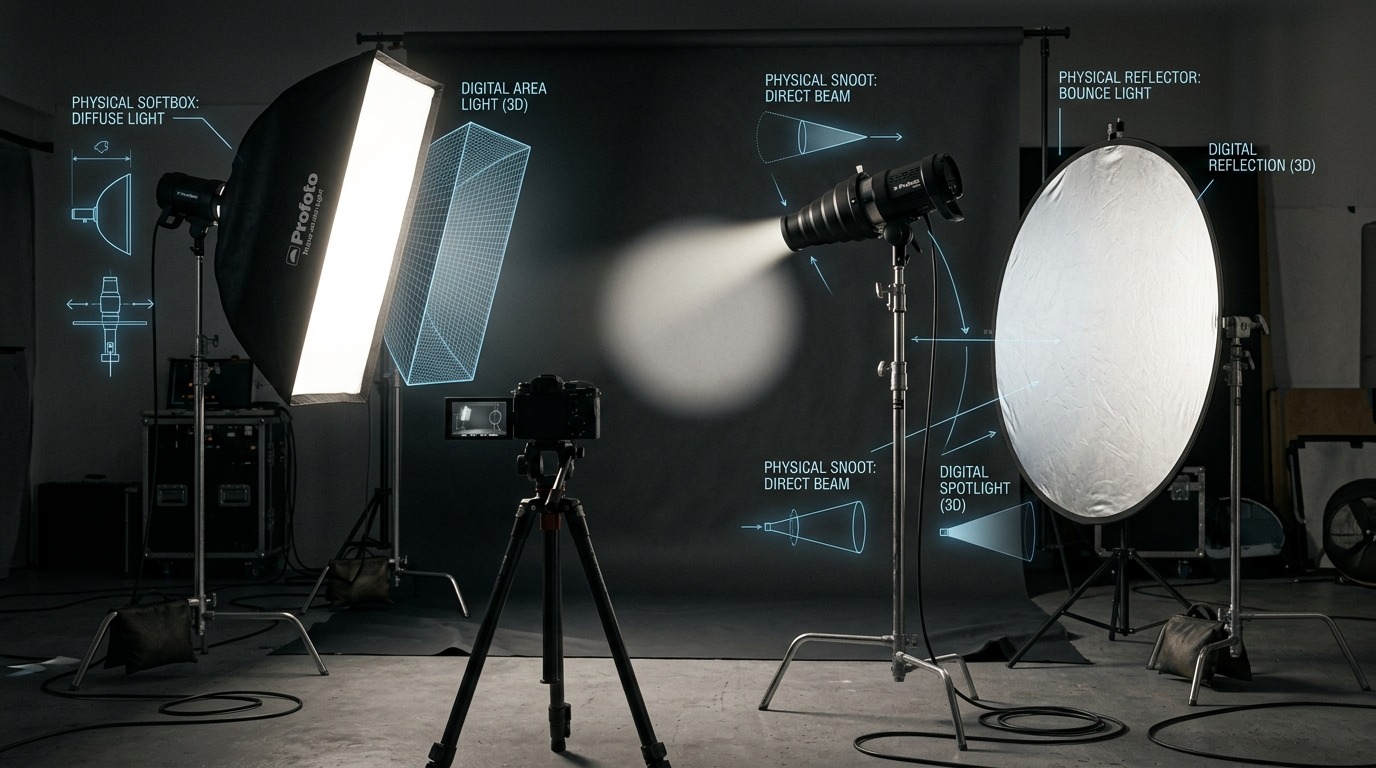
Point, Sun, Spot, Area — vier lichtbronnen
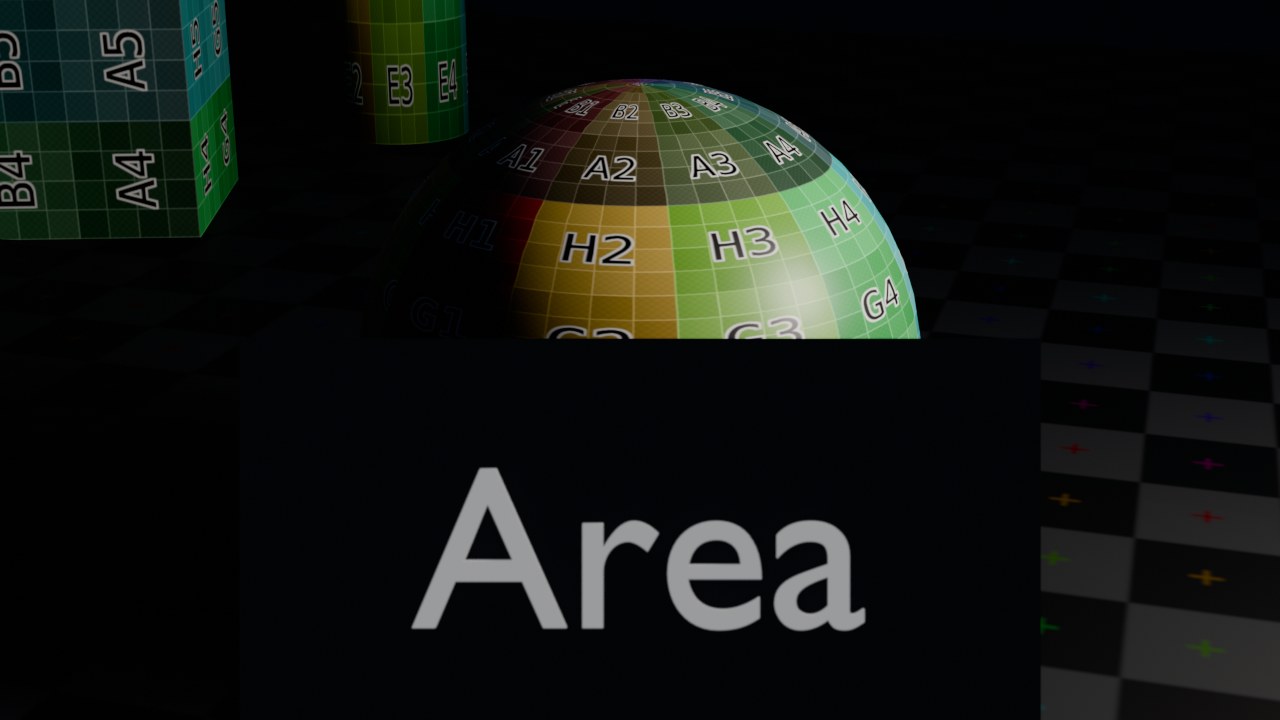
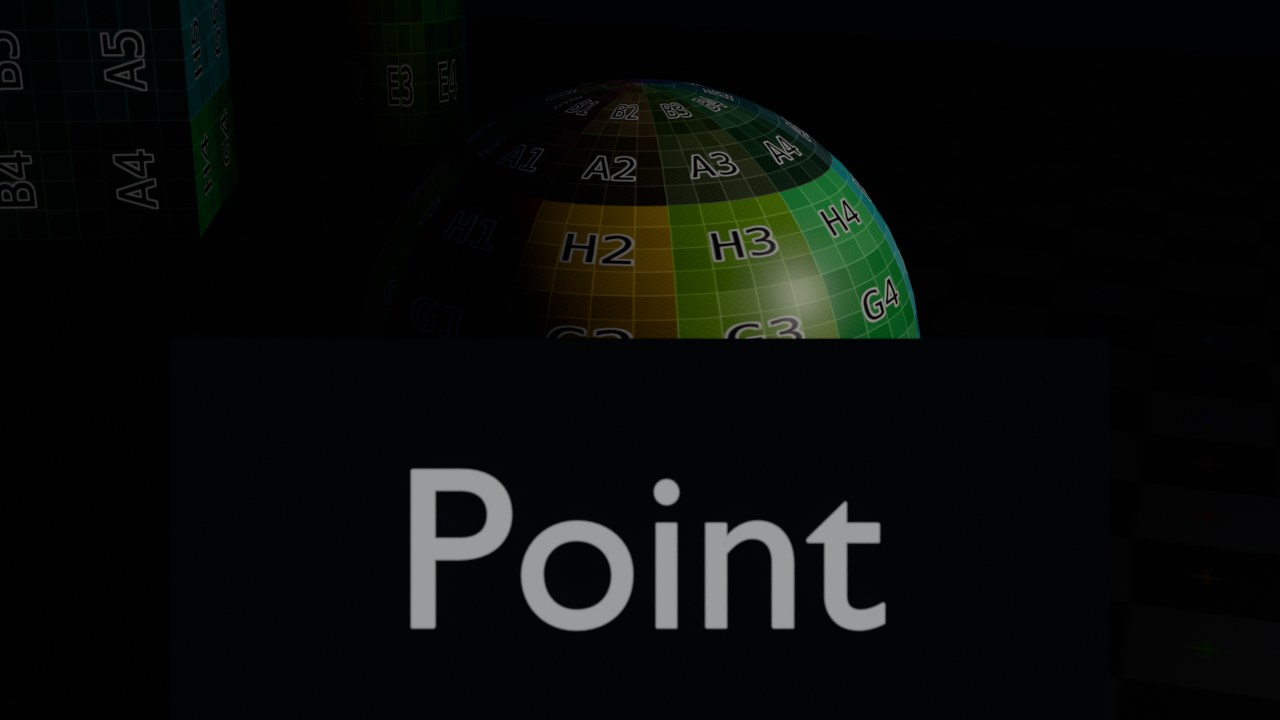
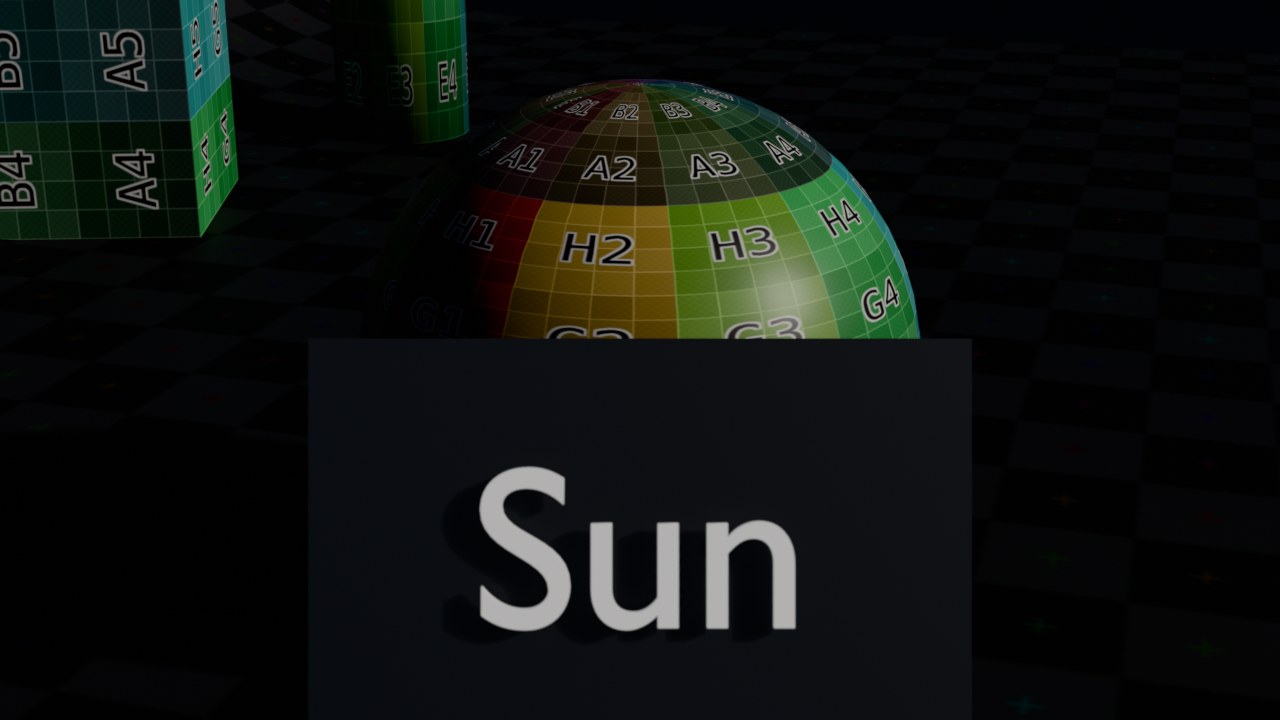
Point (puntlicht) straalt gelijk in alle richtingen vanaf één punt in de ruimte, zoals een kale gloeilamp — met Radius geef je het punt een fysieke grootte, wat de schaduwranden zachter maakt. Sun simuleert een oneindig ver lichtbron met evenwijdige stralen, zoals de zon: de positie van het Sun-object maakt niets uit, alleen de rotatie (de richting) telt, en Angle bepaalt hoe scherp of zacht de schaduwranden zijn (een kleine hoek geeft harde schaduwen zoals een felle middagzon, een grote hoek geeft zachte schaduwen zoals een bewolkte hemel).
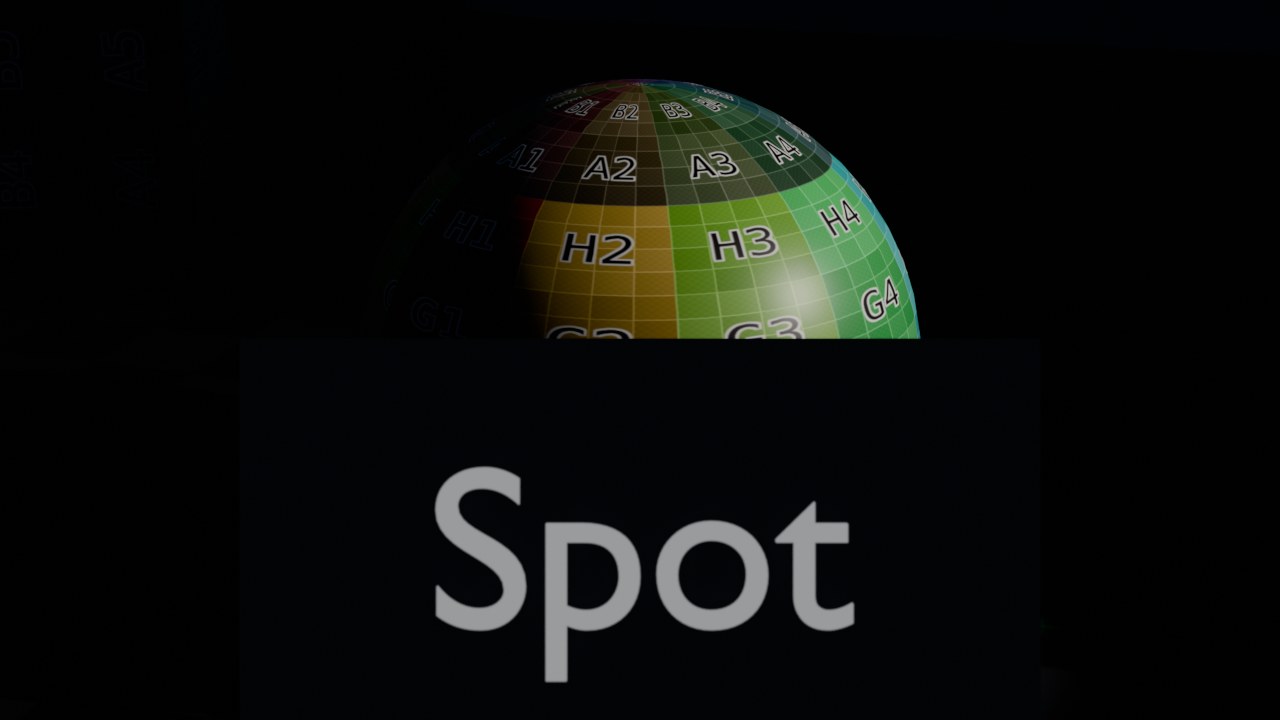
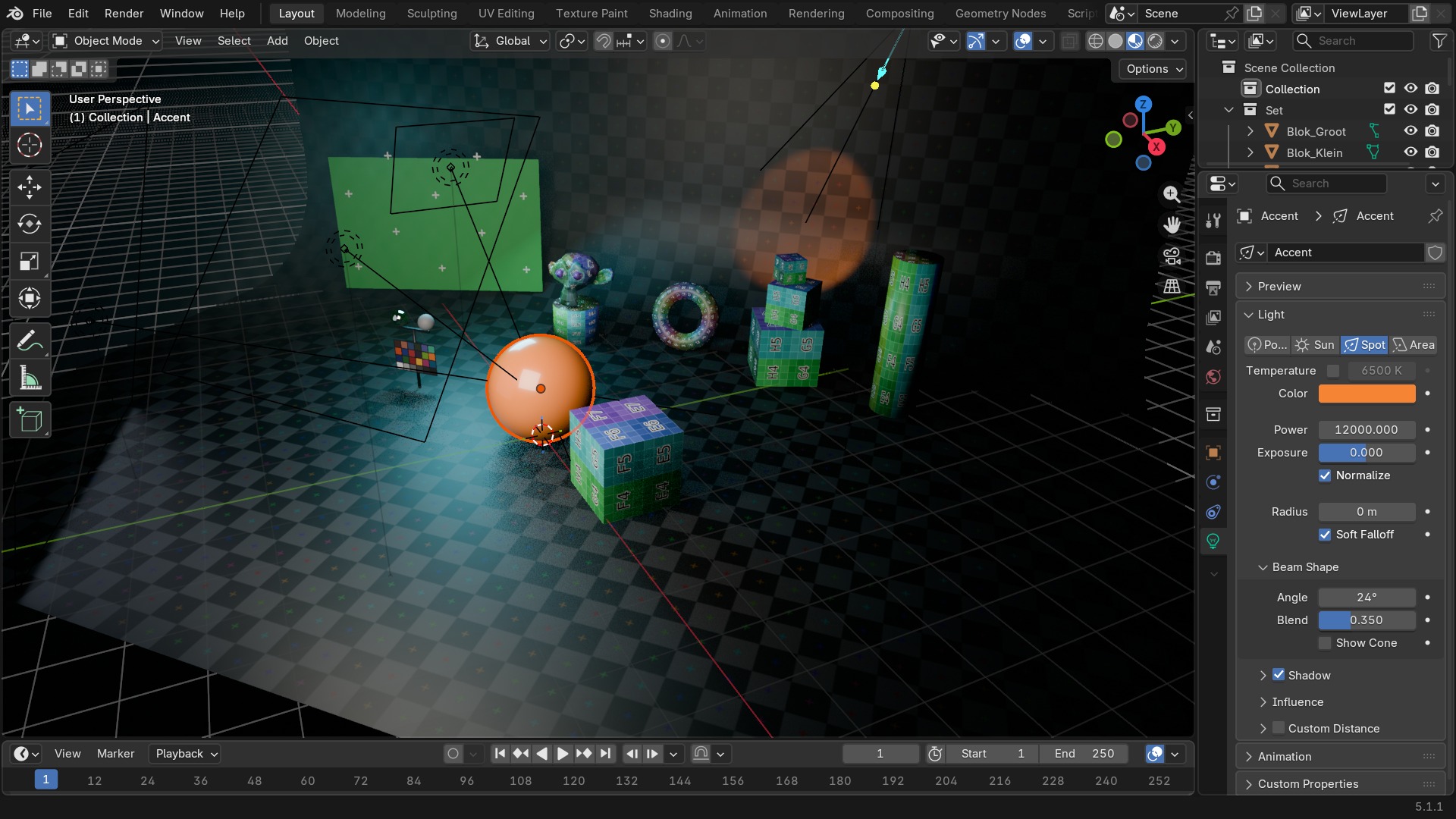
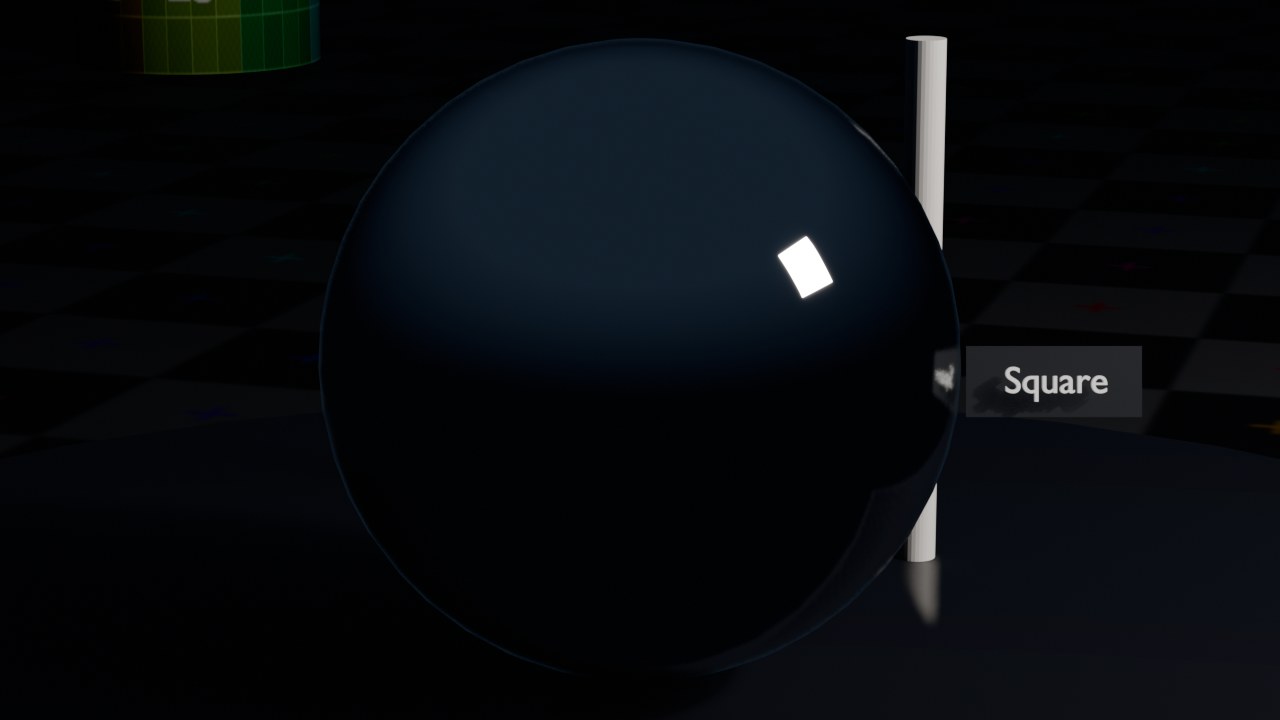
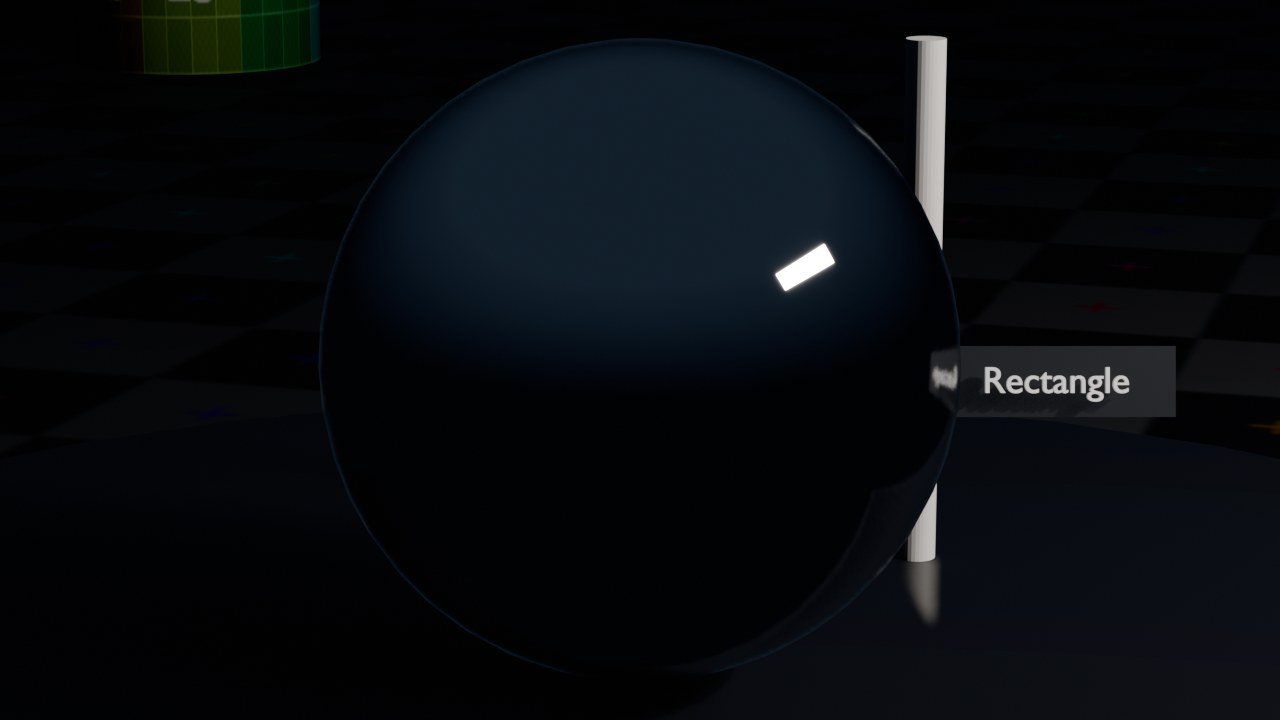
Spot is een puntlicht in een kegel, met Spot Size (de openingshoek) en Spot Blend (hoe zacht de rand van de kegel overgaat) — het digitale equivalent van een spot met een snoot. Area straalt van een plat vlak (Shape: Square, Rectangle, Disk, Ellipse) en geeft het zachtste, meest realistische licht van de vier: hoe groter het vlak ten opzichte van het onderwerp, hoe zachter de schaduwovergang — precies zoals een softbox in een fotostudio.
 RECRENDER · EEVEE00:00:00:001280×720
 RECRENDER · EEVEE00:00:00:001280×720
 RECRENDER · EEVEE00:00:00:001280×720
 RECRENDER · EEVEE00:00:00:001280×720
Lichtsterkte in watt, en waarom die anders aanvoelt dan bij een lamp thuis
De Power van Point/Spot/Area staat in watt — maar dat is **radiometrisch** vermogen, niet het vermogen dat op een lamp in de winkel staat (dat is elektrisch vermogen, met een rendement erbovenop). Vergelijk dus nooit rechtstreeks met een gloeilampverpakking; gebruik watt in Blender als een relatieve schaal en stel bij op oog, met View Transform op de uiteindelijke instelling (zie hoofdstuk 102) — anders is de indruk vertekend.
Belangrijk: dezelfde Power-waarde geeft een ander resultaat naargelang de Radius/grootte van de lamp. Een Area-licht van 0,1 × 0,1 m op 100 W is verblindend fel omdat al dat vermogen door een klein oppervlak straalt; hetzelfde vermogen over 2 × 2 m verspreid geeft een veel zachter licht over een groter gebied. Sun werkt anders: de Strength daar staat in W/m² (irradiantie, onafhankelijk van afstand — logisch, want de bron is “oneindig ver”).
 RECBLENDER 5.1 · PROP-LIGHT00:00:00:001920×1080
De vier vormen van een Area-light
Dezelfde bol, dezelfde Power (700 W), enkel de Shape van de Area-light verandert.
 RECRENDER · EEVEE00:00:00:001280×720
 RECRENDER · EEVEE00:00:00:001280×720
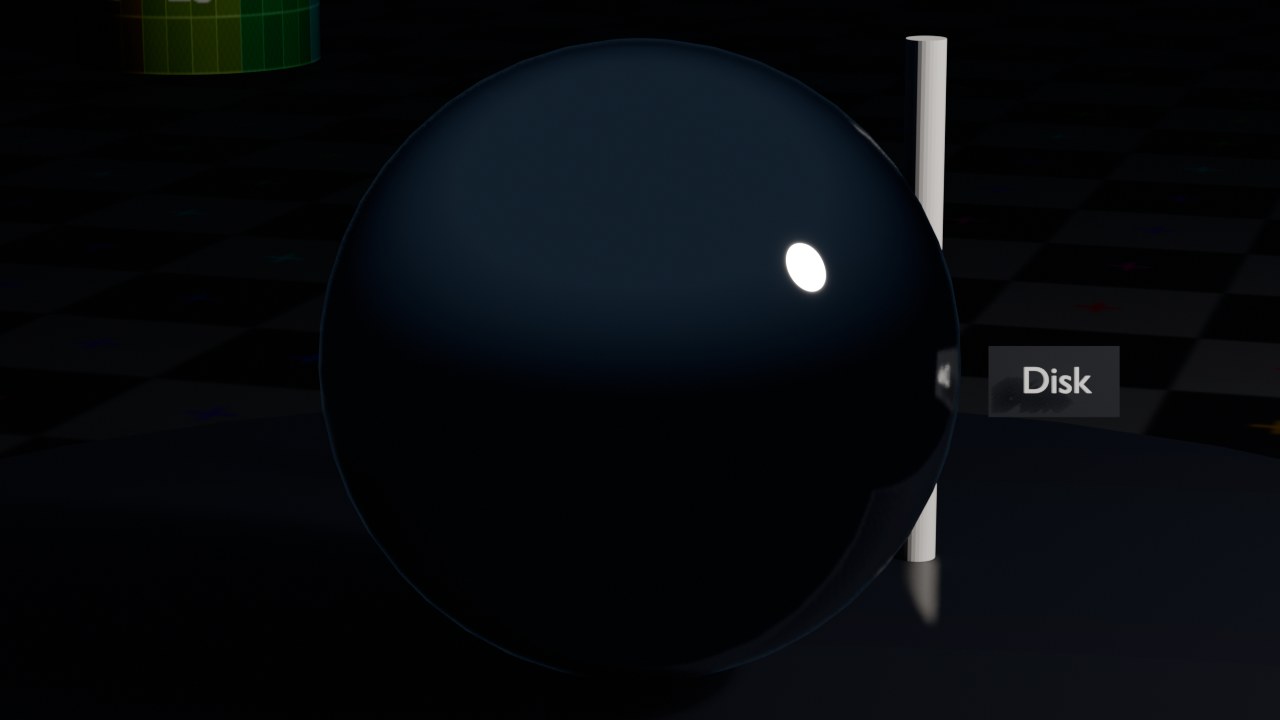 RECRENDER · EEVEE00:00:00:001280×720
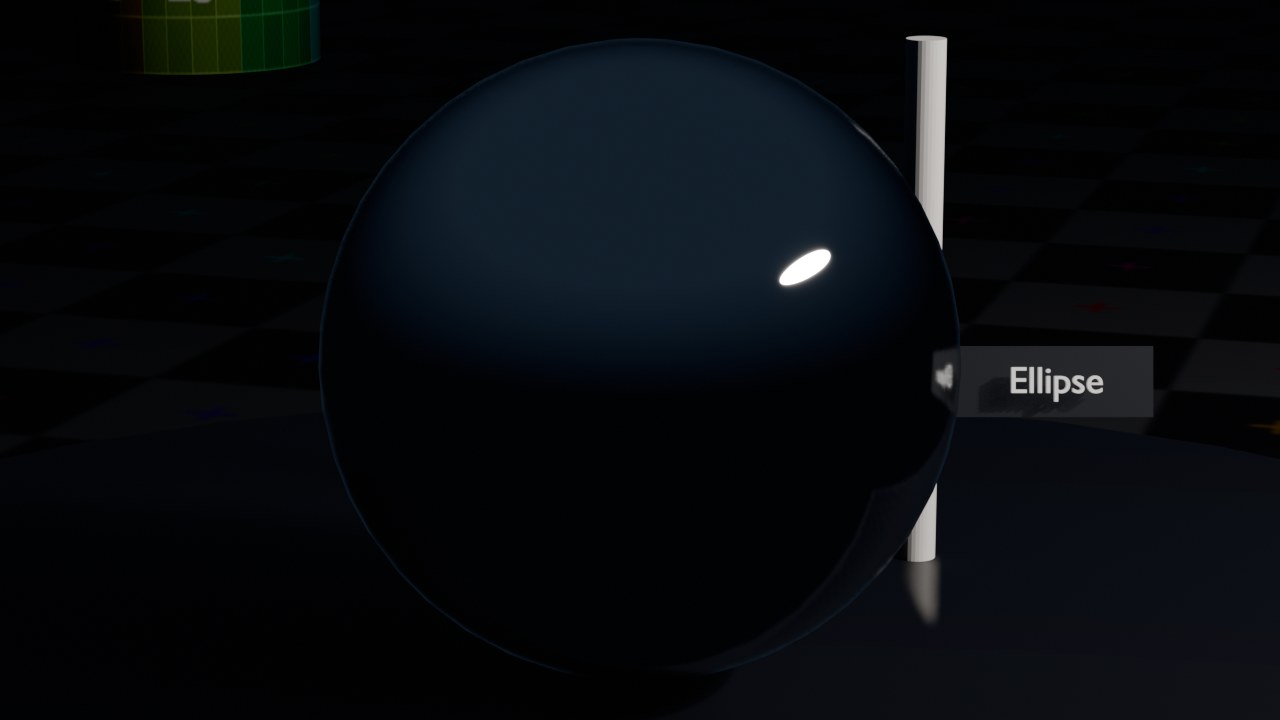 RECRENDER · EEVEE00:00:00:001280×720
World lighting en HDRI
De World-tab (zie ook hoofdstuk 56) is zelf ook een lichtbron: alles wat niet door een object wordt tegengehouden, ziet in Cycles en EEVEE de achtergrond en wordt erdoor belicht — een felle witte World Color licht de hele scène diffuus bij. De krachtigste vorm daarvan is een **HDRI** (High Dynamic Range Image): een 360°-panoramafoto van een echte omgeving, ingeplugd via een Environment Texture-node op de Background-node in de World's shadereditor. Omdat een HDRI ook de felheid van de zon en de lucht bewaart (in plaats van afgekapt te worden zoals een gewone foto), geeft het meteen realistische belichting én realistische reflecties — zonder dat je zelf lampen hoeft te plaatsen.
Strength op de Background-node schaalt de hele HDRI; Rotation (via een Mapping-node op de Texture Coordinate) draait de omgeving zodat de zon van de HDRI in de gewenste richting valt.
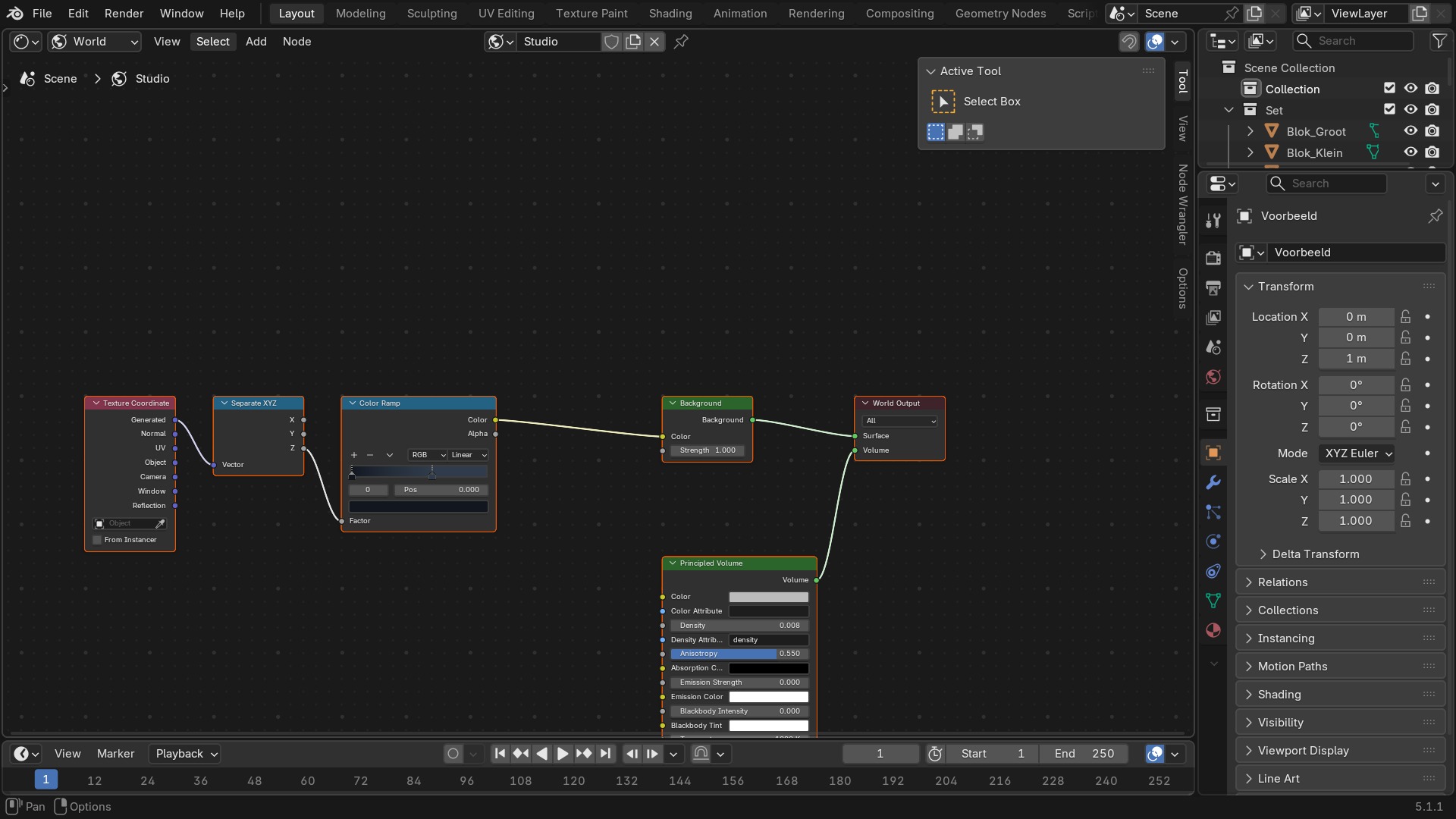 RECBLENDER 5.1 · EDITOR-SHADER-WORLD-HDRI00:00:00:001920×1080
Light-datablock — alle instellingen, en de belangrijkste World-instellingen
| Instelling | Type | Standaard | Bereik | Wat hij doet (tooltip uit Blender) |
|---|---|---|---|---|
| Name | STRING | – | – | Unique data-block ID name (within a same type and library) |
| Full Name | STRING | – | – | Unique data-block ID name, including library one if any |
| Type | ENUM | ACTION | Action, Armature, Brush, Cache File, Camera, Collection, Curve, Curves, Font, Grease Pencil, Grease Pencil v3, Image, Key, Lattice, Library, Light, Light Probe, Line Style, Mask, Material, Mesh, Metaball, Movie Clip, Node Tree, Object, Paint Curve, Palette, Particle, Point Cloud, Scene, Screen, Sound, Speaker, Text, Texture, Volume, Window Manager, Workspace, World | Type identifier of this data-block |
| Session UID | INT | 0 | -10000 – 10000 | A session-wide unique identifier for the data block that remains the same across renames and internal reallocations, unchanged when reloading the file |
| Is Evaluated | BOOLEAN | uit | – | Whether this ID is runtime-only, evaluated data-block, or actual data from .blend file |
| Users | INT | 0 | 0 – 10000 | Number of times this data-block is referenced |
| Fake User | BOOLEAN | uit | – | Save this data-block even if it has no users |
| Extra User | BOOLEAN | uit | – | Indicates whether an extra user is set or not (mainly for internal/debug usages) |
| Embedded Data | BOOLEAN | uit | – | This data-block is not an independent one, but is actually a sub-data of another ID (typical example: root node trees or master collections) |
| Linked Packed | BOOLEAN | uit | – | This data-block is linked and packed into the .blend file |
| Missing Data | BOOLEAN | uit | – | This data-block is a place-holder for missing linked data (i.e. it is [an override of] a linked data that could not be found anymore) |
| Runtime Data | BOOLEAN | uit | – | This data-block is runtime data, i.e. it won't be saved in .blend file. Note that e.g. evaluated IDs are always runtime, so this value is only editable for data-blocks in Main data-base. |
| Editable | BOOLEAN | uit | – | This data-block is editable in the user interface. Linked data-blocks are not editable, except if they were loaded as editable assets. |
| Tag | BOOLEAN | uit | – | Tools can use this to tag data for their own purposes (initial state is undefined) |
| Is Indirect | BOOLEAN | uit | – | Is this ID block linked indirectly |
| Type | ENUM | POINT | Point, Sun, Spot, Area | Type of light |
| Use Temperature | BOOLEAN | uit | – | Use blackbody temperature to define a natural light color |
| Color | FLOAT | 1 | 0 – 1 | Light color |
| Temperature | FLOAT | 6500 | 800 – 20000 | Light color temperature in Kelvin |
| Temperature Color | FLOAT | 0 | 0 – 1 | Color from Temperature |
| Specular Factor | FLOAT | 1 | 0 – 1 | Specular reflection multiplier |
| Diffuse Factor | FLOAT | 1 | 0 – 1 | Diffuse reflection multiplier |
| Transmission Factor | FLOAT | 1 | 0 – 1 | Transmission light multiplier |
| Volume Factor | FLOAT | 1 | 0 – 1 | Volume light multiplier |
| Custom Attenuation | BOOLEAN | uit | – | Use custom attenuation distance instead of global light threshold |
| Cutoff Distance | FLOAT | 40 | 0.01 – 100 | Distance at which the light influence will be set to 0 |
| use_shadow | BOOLEAN | aan | – | |
| Exposure | FLOAT | 0 | -10 – 10 | Scales the power of the light exponentially, multiplying the intensity by 2^exposure |
| Normalize | BOOLEAN | aan | – | Normalize intensity by light area, for consistent total light output regardless of size and shape |
| Use Nodes | BOOLEAN | uit | – | Use shader nodes to render the light |
| Instelling | Type | Standaard | Bereik | Wat hij doet (tooltip uit Blender) |
|---|---|---|---|---|
| Name | STRING | – | – | Unique data-block ID name (within a same type and library) |
| Full Name | STRING | – | – | Unique data-block ID name, including library one if any |
| Type | ENUM | ACTION | Action, Armature, Brush, Cache File, Camera, Collection, Curve, Curves, Font, Grease Pencil, Grease Pencil v3, Image, Key, Lattice, Library, Light, Light Probe, Line Style, Mask, Material, Mesh, Metaball, Movie Clip, Node Tree, Object, Paint Curve, Palette, Particle, Point Cloud, Scene, Screen, Sound, Speaker, Text, Texture, Volume, Window Manager, Workspace, World | Type identifier of this data-block |
| Session UID | INT | 0 | -10000 – 10000 | A session-wide unique identifier for the data block that remains the same across renames and internal reallocations, unchanged when reloading the file |
| Is Evaluated | BOOLEAN | uit | – | Whether this ID is runtime-only, evaluated data-block, or actual data from .blend file |
| Users | INT | 0 | 0 – 10000 | Number of times this data-block is referenced |
| Fake User | BOOLEAN | uit | – | Save this data-block even if it has no users |
| Extra User | BOOLEAN | uit | – | Indicates whether an extra user is set or not (mainly for internal/debug usages) |
| Embedded Data | BOOLEAN | uit | – | This data-block is not an independent one, but is actually a sub-data of another ID (typical example: root node trees or master collections) |
| Linked Packed | BOOLEAN | uit | – | This data-block is linked and packed into the .blend file |
| Missing Data | BOOLEAN | uit | – | This data-block is a place-holder for missing linked data (i.e. it is [an override of] a linked data that could not be found anymore) |
| Runtime Data | BOOLEAN | uit | – | This data-block is runtime data, i.e. it won't be saved in .blend file. Note that e.g. evaluated IDs are always runtime, so this value is only editable for data-blocks in Main data-base. |
| Editable | BOOLEAN | uit | – | This data-block is editable in the user interface. Linked data-blocks are not editable, except if they were loaded as editable assets. |
| Tag | BOOLEAN | uit | – | Tools can use this to tag data for their own purposes (initial state is undefined) |
| Is Indirect | BOOLEAN | uit | – | Is this ID block linked indirectly |
| Finite Volume | BOOLEAN | uit | – | The world's volume used to be rendered by EEVEE Legacy. Conversion is needed for it to render properly. |
| Color | FLOAT | 0.05 | 0 – 1 | Color of the background |
| Use Nodes | BOOLEAN | uit | – | Use shader nodes to render the world |
| Lightgroup | STRING | – | – | Lightgroup that the world belongs to |
| Resolution | ENUM | 1024 | 128, 256, 512, 1024, 2048, 4096 | Resolution when baked to a texture |
| Sun Threshold | FLOAT | 10 | 0 – onbegrensd | If non-zero, the maximum value for world contribution that will be recorded inside the world light probe. The excess contribution is converted to a sun light. This reduces the light bleeding caused by very bright light sources. |
| Sun Angle | FLOAT | 0.009 | 0 – 3.1416 | Angular diameter of the Sun as seen from the Earth |
| Use Shadow | BOOLEAN | aan | – | Enable sun shadow casting |
| Shadows Resolution Limit | FLOAT | 0.001 | 0.00010 – 0.02 | Maximum size of a shadow map pixel. Higher values use less memory at the cost of shadow quality. |
| Shadow Filter Radius | FLOAT | 1 | 0 – 5 | Blur shadow aliasing using Percentage Closer Filtering |
| Shadow Jitter | BOOLEAN | uit | – | Enable jittered soft shadows to increase shadow precision (disabled in viewport unless enabled in the render settings). Has a high performance impact. |
| Shadow Jitter Overblur | FLOAT | 10 | 0 – 20 | Apply shadow tracing to each jittered sample to reduce under-sampling artifacts |
Zelf proberen: drie-punts belichting opbouwen
Open start_verlichting.blend: een onderwerp zonder enig licht. Bouw een klassieke drie-punts belichting op: Key (Area, fel, schuin vooraan), Fill (Area, zwakker, andere kant) en Rim (Spot, van achter, om de contour los te trekken van de achtergrond).
- 1Voeg een Area-light toe als Key, 45° schuin voor het onderwerp, Power hoog.
- 2Voeg een tweede Area-light toe als Fill aan de andere kant, Power op ongeveer een derde van de Key.
- 3Voeg een Spot toe achter het onderwerp als Rim, gericht op de rand van de silhouet.
- 4Vervang tot slot de World Color door een neutrale HDRI met lage Strength voor bounce-licht, en render.