Hoofdstuk 63Object Data per objecttype
Hetzelfde icoon, dertien totaal verschillende inhouden
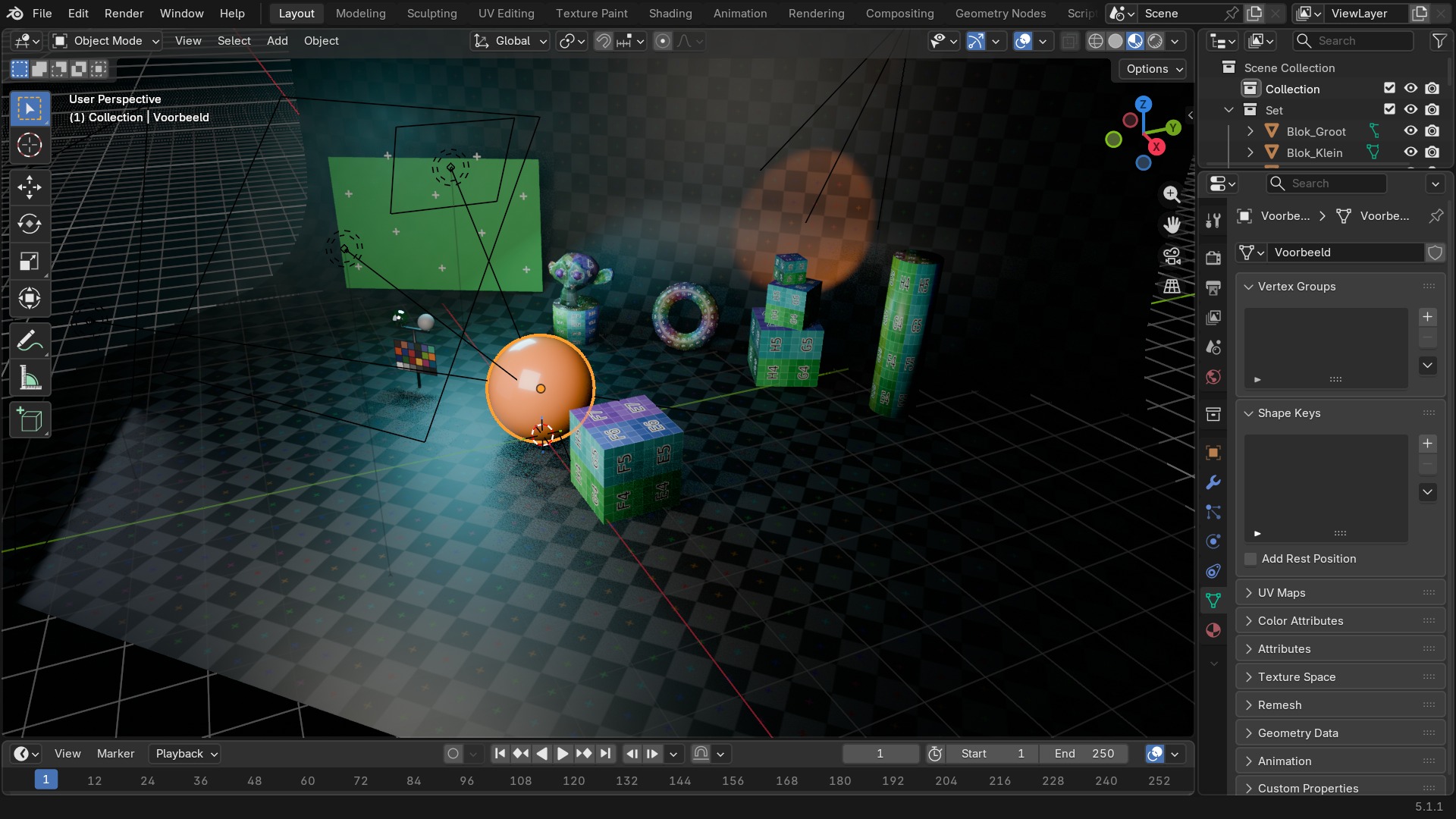
De Object Data Properties-tab (het groene icoon, verandert van vorm per type) toont de gegevens die uniek zijn voor het huidige objecttype: mesh-vertices bij een mesh, brandpuntsafstand bij een camera, kleurtemperatuur bij een lamp. Alle panelen op deze tab horen bij dezelfde context (data), maar Blender toont er per objecttype een andere subset van — dit hoofdstuk splitst ze uit, type per type.
 RECCONCEPT00:00:00:00schoolium
Waarom dit dertien keer een andere tab is
Elk objecttype heeft een eigen datablock (Mesh, Curve, Camera, Light, ...) en dus een eigen set panelen op de Object Data-tab — vandaar dat het icoon zelf meeverandert: een driehoekig mesh-icoon voor een mesh, een lampje voor een lamp. Deze tab is niet te verwarren met de Object-tab (hoofdstuk 58), die voor élk type identiek blijft.
Twaalf van de dertien Blender-objecttypes hebben elk hun eigen sectie hieronder: mesh, curve/surface, metaball, text, volume, grease pencil, armature, lattice, empty, camera, light (met lightprobe apart) en speaker. Voor elk type staat hier de paneelstructuur, rechtstreeks uit Blender 5.1 uitgelezen; waar Blender ook instellingen met standaardwaarden en bereik bijhoudt, staat die tabel erbij.
 RECBLENDER 5.1 · OBJECT-DATA-OVERZICHT00:00:00:001920×1080
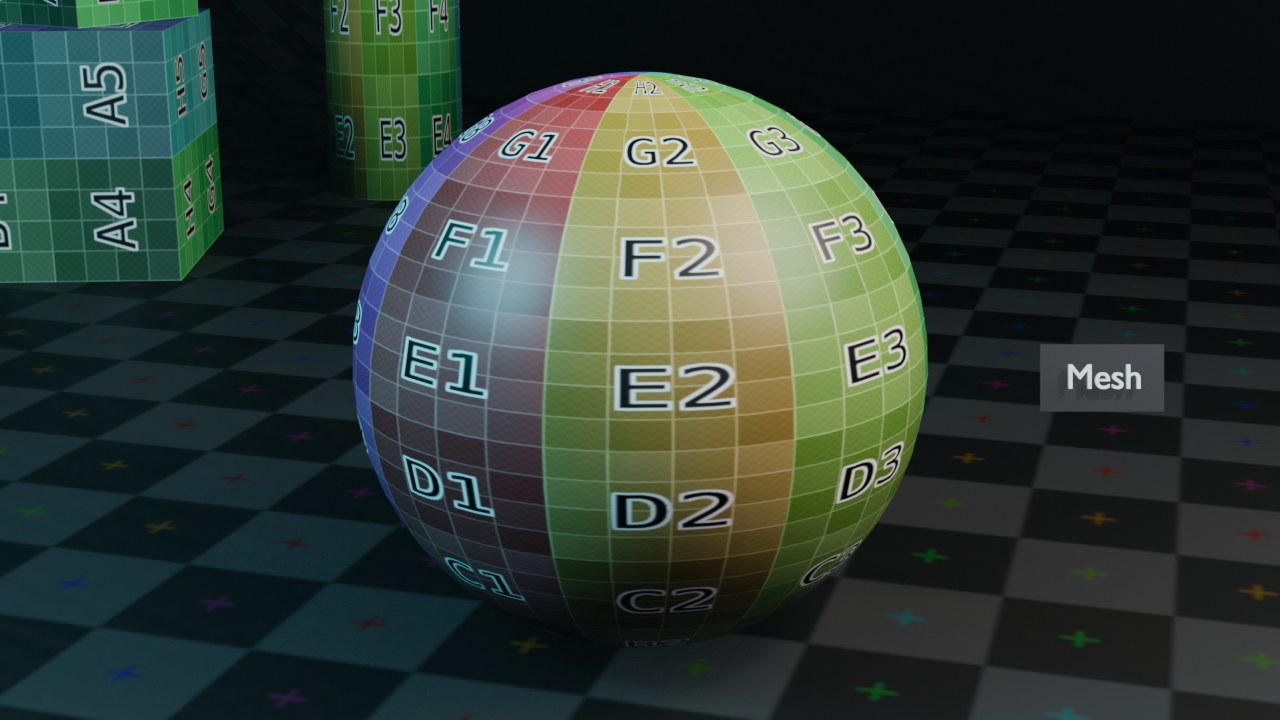
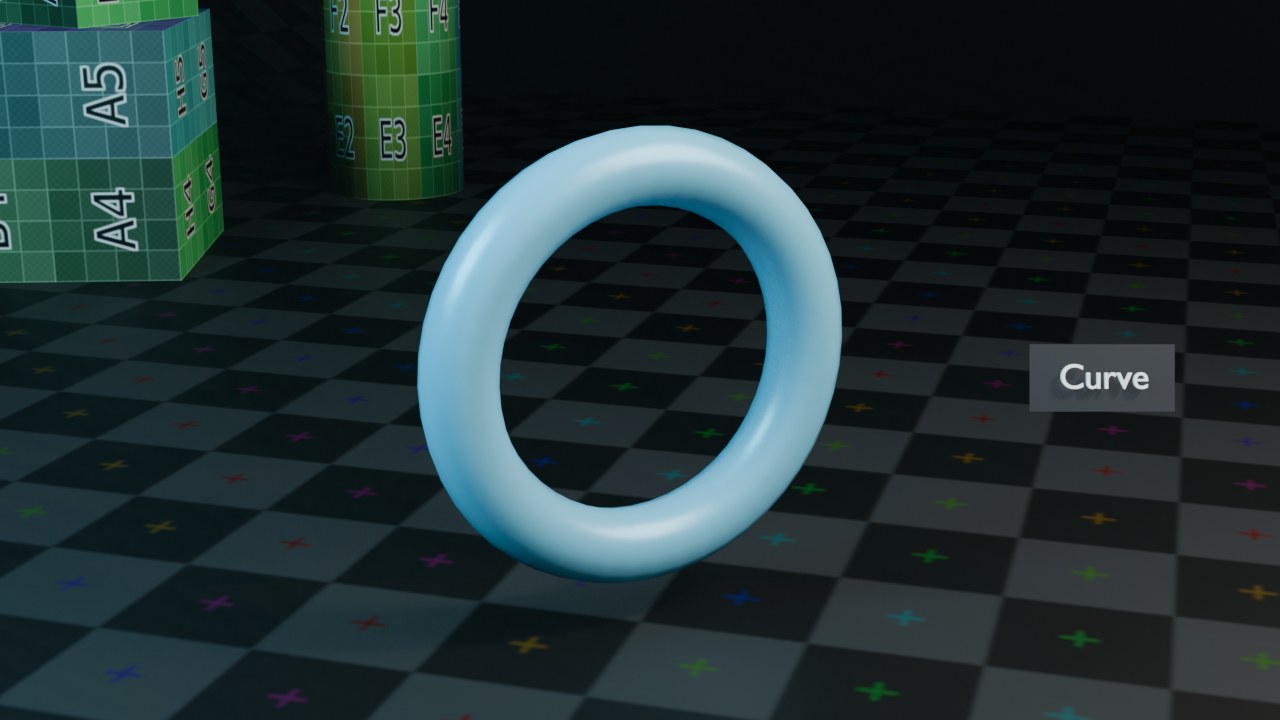
Alle dertien objecttypes gerenderd, één voor één
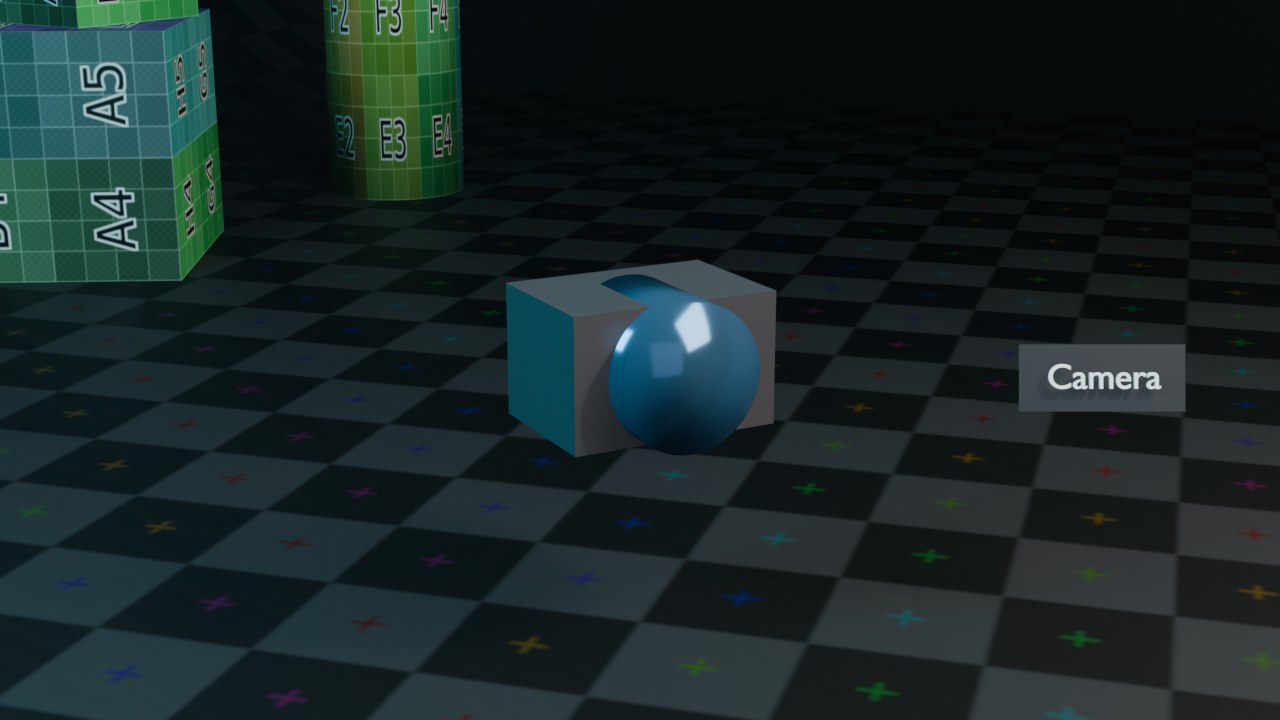
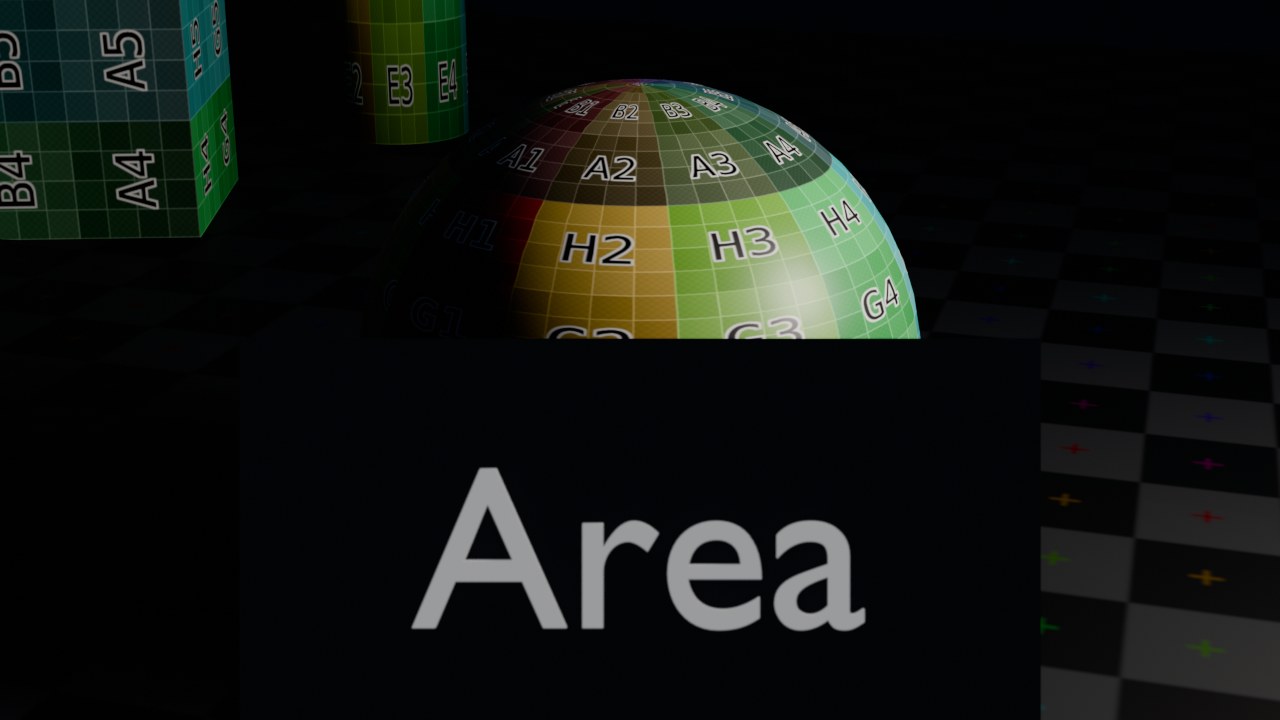
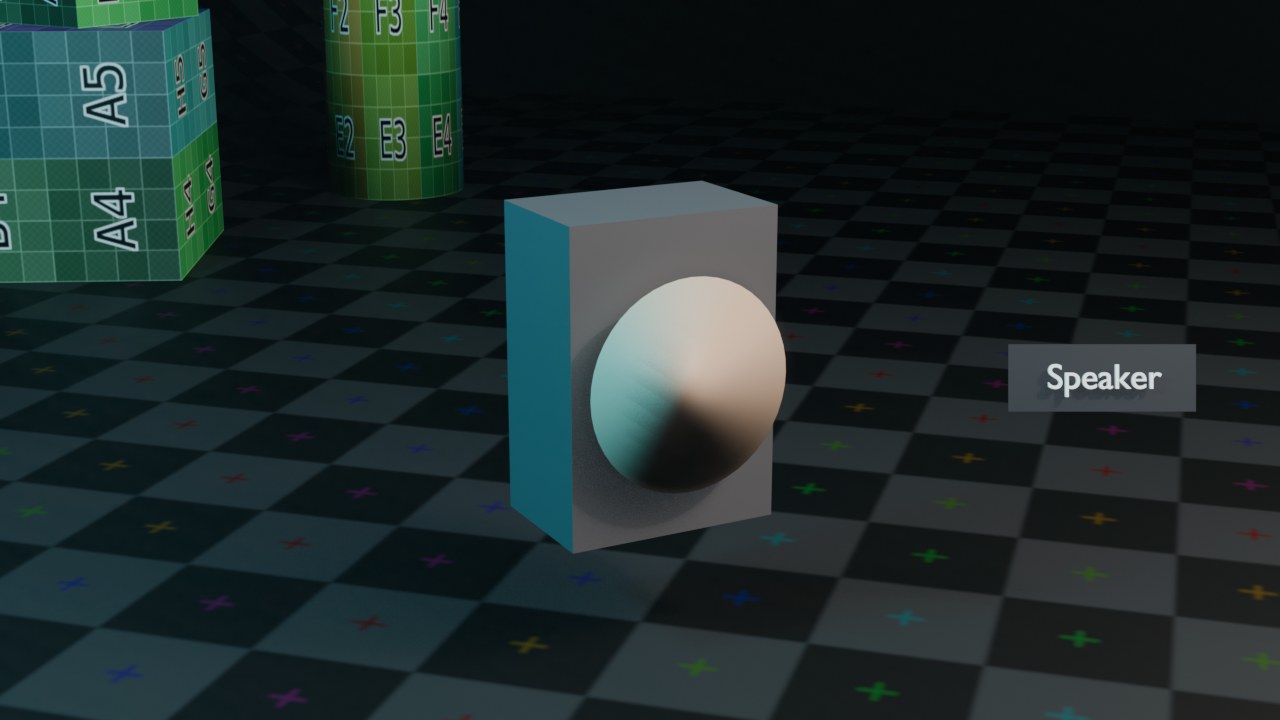
Dezelfde camera en studioset, telkens één ander objecttype op precies dezelfde plek. Zeven types renderen gewoon zichzelf (Mesh, Curve, Surface, Metaball, Text, Grease Pencil en — via een render met Cycles, zie het bijschrift — Volume). Vijf types laten in een render van zichzelf NIETS zien (Armature, Lattice, Empty, Camera en Speaker tonen normaal enkel een viewport-gizmo, geen render-geometrie): daarvoor staat hier een zelfgebouwde mesh-vervanger die toont wat het type betekent, eerlijk zo genoemd in het bijschrift. Light leent de render van hoofdstuk 99 — een Area-light die een bol belicht IS letterlijk wat een Light-datablock rendert.
 RECRENDER · EEVEE00:00:00:001280×720
 RECRENDER · EEVEE00:00:00:001280×720
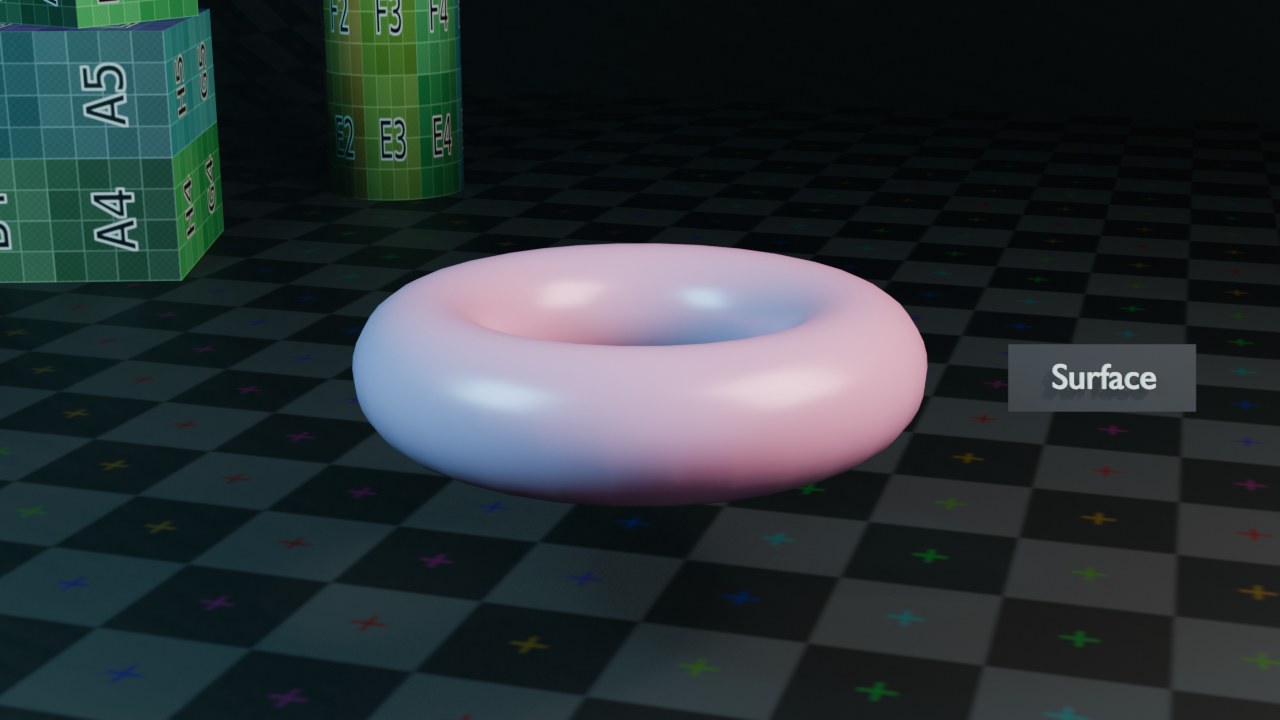 RECRENDER · EEVEE00:00:00:001280×720
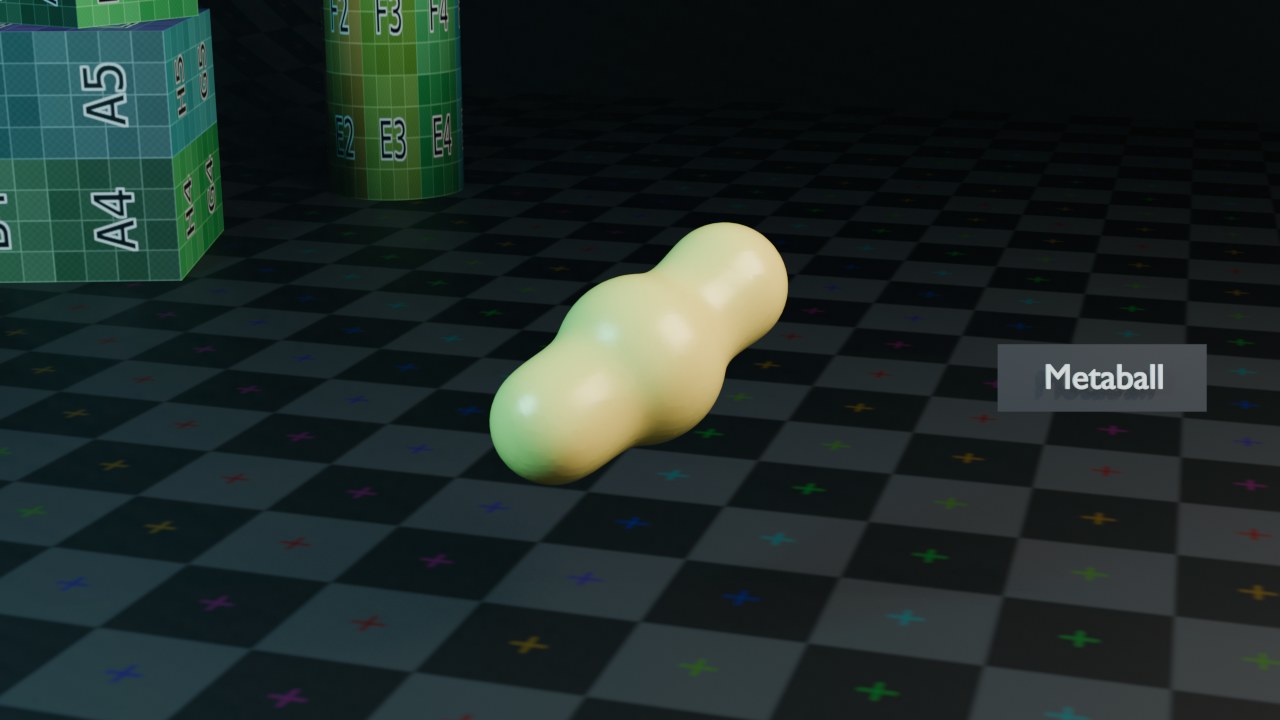 RECRENDER · EEVEE00:00:00:001280×720
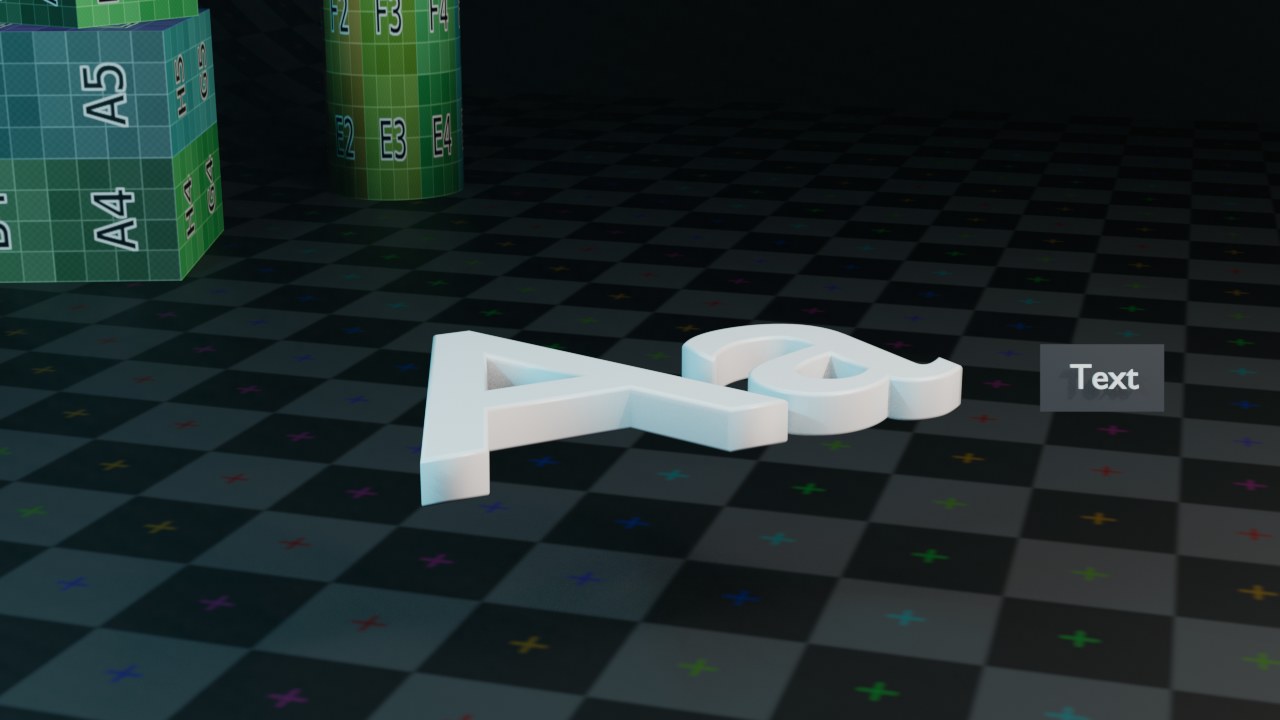 RECRENDER · EEVEE00:00:00:001280×720
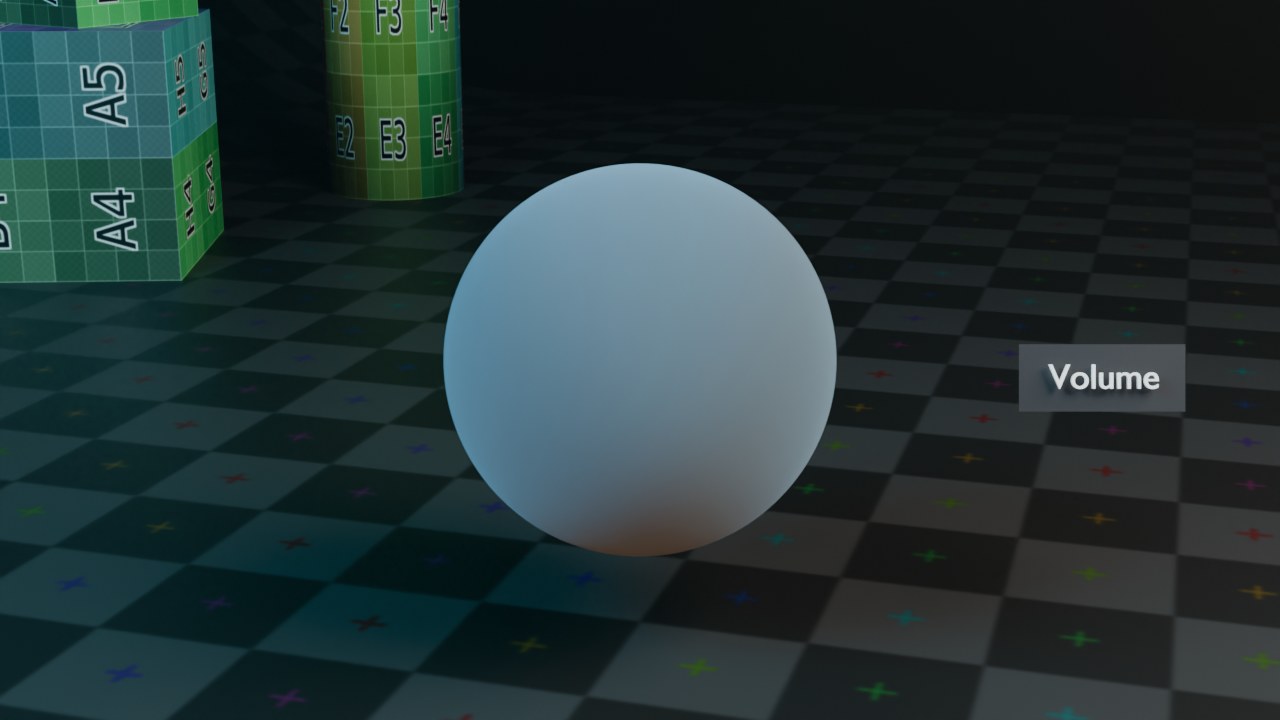 RECRENDER · EEVEE00:00:00:001280×720
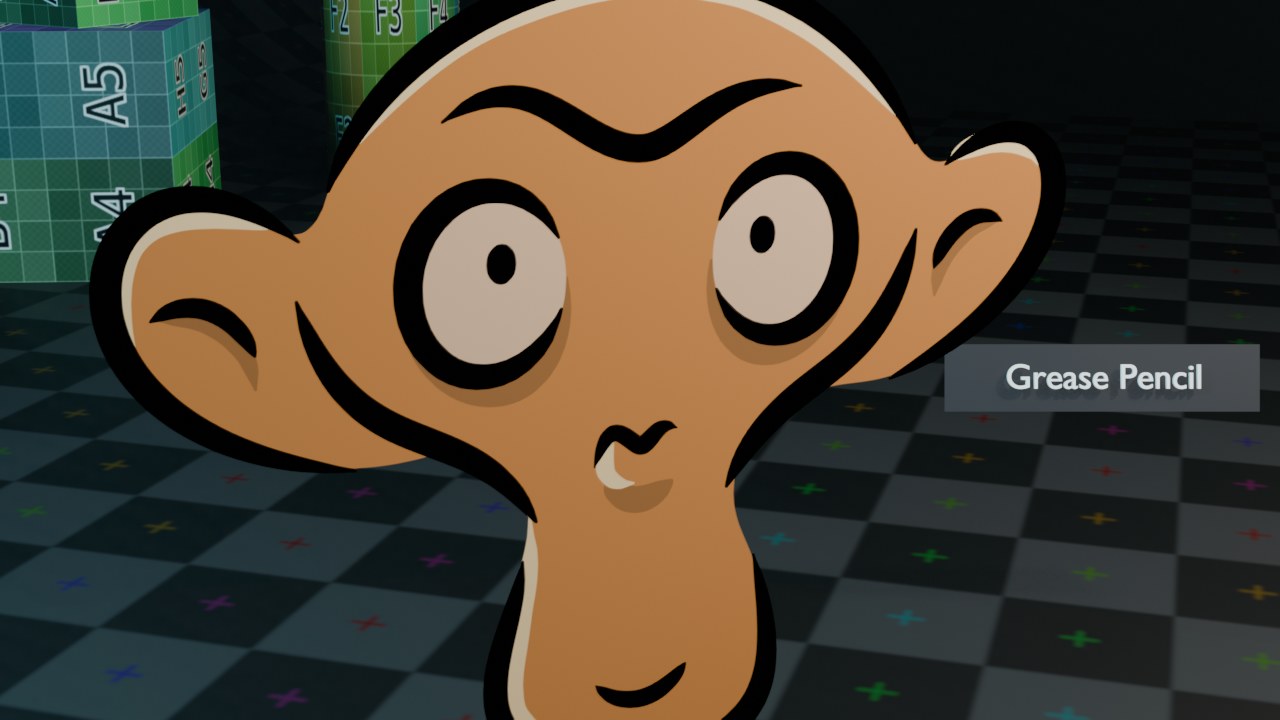 RECRENDER · EEVEE00:00:00:001280×720
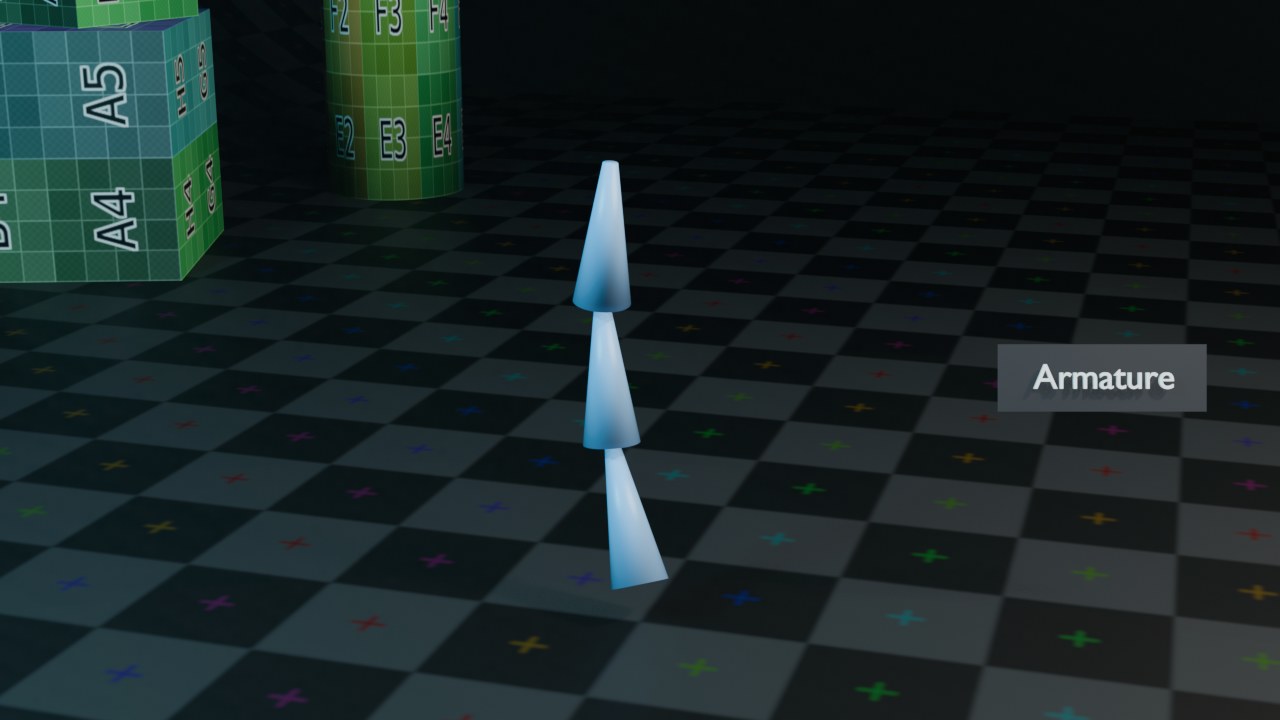 RECRENDER · EEVEE00:00:00:001280×720
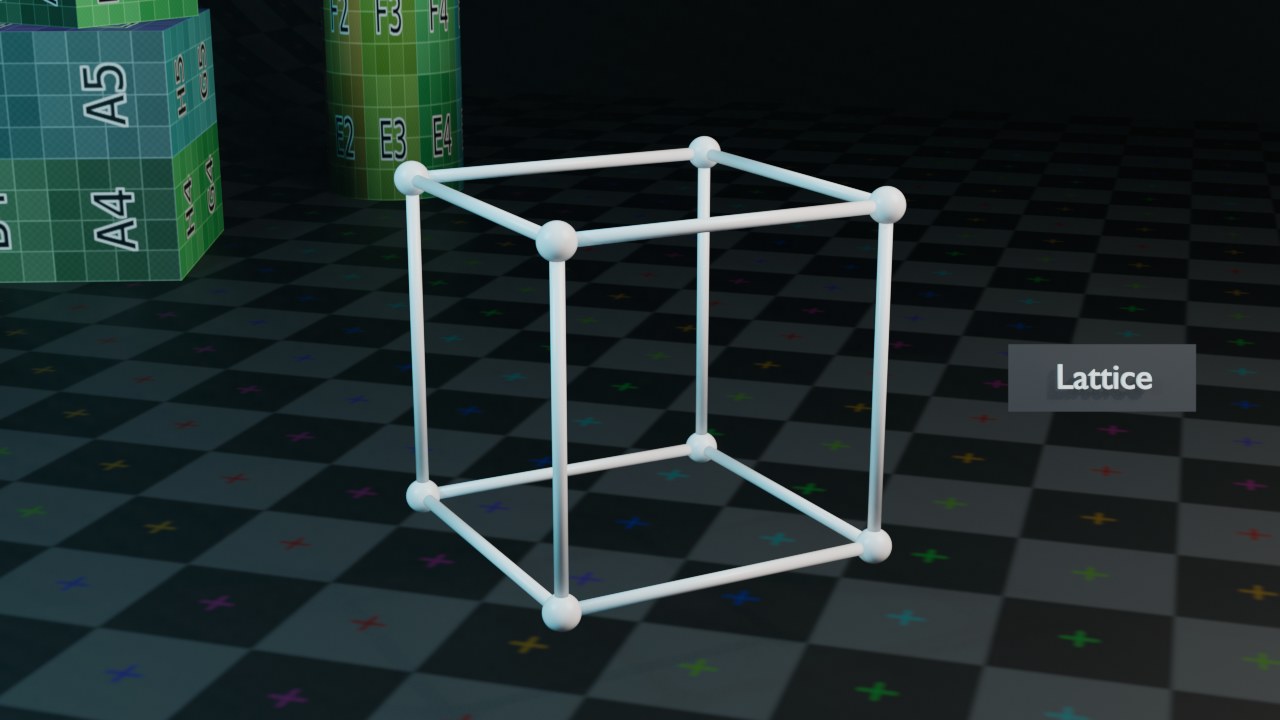 RECRENDER · EEVEE00:00:00:001280×720
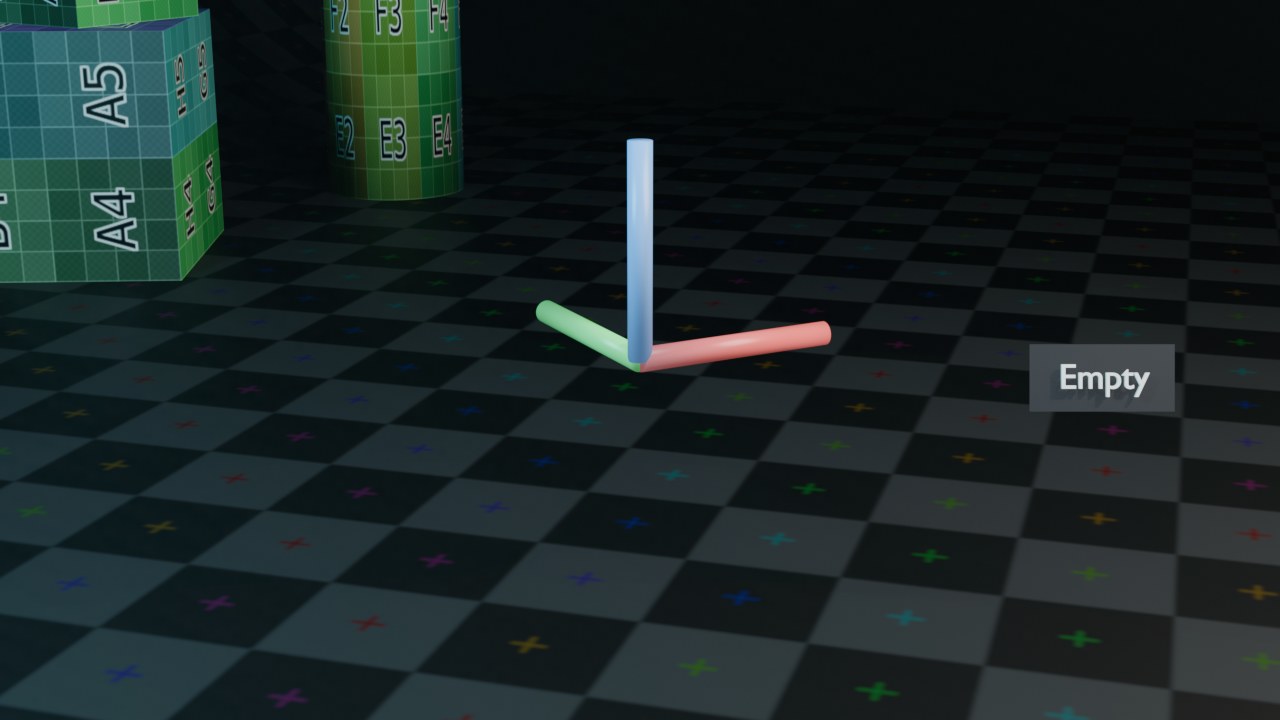 RECRENDER · EEVEE00:00:00:001280×720
 RECRENDER · EEVEE00:00:00:001280×720
 RECRENDER · EEVEE00:00:00:001280×720
 RECRENDER · EEVEE00:00:00:001280×720
Mesh en Curve/Surface
Curve en Surface-objecten delen dezelfde Object Data-panelen (DATA_PT_context_curve e.a.) — Blender maakt in de Properties-editor geen onderscheid tussen de twee onderliggende curve-vormen.
| Paneel |
|---|
| Animation |
| Attributes |
| Color Attributes |
| Custom Properties |
| DATA_PT_context_mesh |
| Geometry Data |
| Preview |
| Remesh |
| Shape Keys |
| Texture Space |
| UV Maps |
| Vertex Groups |
| Instelling | Type | Standaard | Bereik | Wat hij doet (tooltip uit Blender) |
|---|---|---|---|---|
| Name | STRING | – | – | Unique data-block ID name (within a same type and library) |
| Full Name | STRING | – | – | Unique data-block ID name, including library one if any |
| Type | ENUM | ACTION | Action, Armature, Brush, Cache File, Camera, Collection, Curve, Curves, Font, Grease Pencil, Grease Pencil v3, Image, Key, Lattice, Library, Light, Light Probe, Line Style, Mask, Material, Mesh, Metaball, Movie Clip, Node Tree, Object, Paint Curve, Palette, Particle, Point Cloud, Scene, Screen, Sound, Speaker, Text, Texture, Volume, Window Manager, Workspace, World | Type identifier of this data-block |
| Session UID | INT | 0 | -10000 – 10000 | A session-wide unique identifier for the data block that remains the same across renames and internal reallocations, unchanged when reloading the file |
| Is Evaluated | BOOLEAN | uit | – | Whether this ID is runtime-only, evaluated data-block, or actual data from .blend file |
| Users | INT | 0 | 0 – 10000 | Number of times this data-block is referenced |
| Fake User | BOOLEAN | uit | – | Save this data-block even if it has no users |
| Extra User | BOOLEAN | uit | – | Indicates whether an extra user is set or not (mainly for internal/debug usages) |
| Embedded Data | BOOLEAN | uit | – | This data-block is not an independent one, but is actually a sub-data of another ID (typical example: root node trees or master collections) |
| Linked Packed | BOOLEAN | uit | – | This data-block is linked and packed into the .blend file |
| Missing Data | BOOLEAN | uit | – | This data-block is a place-holder for missing linked data (i.e. it is [an override of] a linked data that could not be found anymore) |
| Runtime Data | BOOLEAN | uit | – | This data-block is runtime data, i.e. it won't be saved in .blend file. Note that e.g. evaluated IDs are always runtime, so this value is only editable for data-blocks in Main data-base. |
| Editable | BOOLEAN | uit | – | This data-block is editable in the user interface. Linked data-blocks are not editable, except if they were loaded as editable assets. |
| Tag | BOOLEAN | uit | – | Tools can use this to tag data for their own purposes (initial state is undefined) |
| Is Indirect | BOOLEAN | uit | – | Is this ID block linked indirectly |
| Vertices | COLLECTION | – | – | Vertices of the mesh |
| Edges | COLLECTION | – | – | Edges of the mesh |
| Loops | COLLECTION | – | – | Loops of the mesh (face corners) |
| Polygons | COLLECTION | – | – | Polygons of the mesh |
| Normal Domain | ENUM | FACE | Point, Face, Corner | The attribute domain that gives enough information to represent the mesh's normals |
| Vertex Normals | COLLECTION | – | – | The normal direction of each vertex, defined as the average of the surrounding face normals |
| Polygon Normals | COLLECTION | – | – | The normal direction of each face, defined by the winding order and position of its vertices |
| Corner Normals | COLLECTION | – | – | The "slit" normal direction of each face corner, influenced by vertex normals, sharp faces, sharp edges, and custom normals. May be empty. |
| Loop Triangles | COLLECTION | – | – | Tessellation of mesh polygons into triangles |
| Triangle Faces | COLLECTION | – | – | The face index for each loop triangle |
| UV Loop Layers | COLLECTION | – | – | All UV loop layers |
| Clone UV Loop Layer Index | INT | 0 | 0 – 10000 | Clone UV loop layer index |
| Mask UV Loop Layer Index | INT | 0 | 0 – 10000 | Mask UV loop layer index |
| Vertex Colors | COLLECTION | – | – | Legacy vertex color layers. Deprecated, use color attributes instead. |
| Skin Vertices | COLLECTION | – | – | All skin vertices |
| Attributes | COLLECTION | – | – | Geometry attributes |
| Color Attributes | COLLECTION | – | – | Geometry color attributes |
| Voxel Size | FLOAT | 0.1 | 0.00010 – onbegrensd | Size of the voxel in object space used for volume evaluation. Lower values preserve finer details. |
| Adaptivity | FLOAT | 0 | 0 – 1 | Reduces the final face count by simplifying geometry where detail is not needed, generating triangles. A value greater than 0 disables Fix Poles. |
| Fix Poles | BOOLEAN | uit | – | Produces fewer poles and a better topology flow |
| Preserve Volume | BOOLEAN | uit | – | Projects the mesh to preserve the volume and details of the original mesh |
| Preserve Attributes | BOOLEAN | uit | – | Transfer all attributes to the new mesh |
| Remesh Mode | ENUM | VOXEL | Voxel, Quad | |
| X | BOOLEAN | uit | – | Enable symmetry in the X axis |
| Y | BOOLEAN | uit | – | Enable symmetry in the Y axis |
| Z | BOOLEAN | uit | – | Enable symmetry in the Z axis |
| Mirror Vertex Groups | BOOLEAN | aan | – | Mirror the left/right vertex groups when painting. The symmetry axis is determined by the symmetry settings. |
| Radial Symmetry Count | INT | 1 | 1 – 32 | Number of mirrored regions around a central axis |
| Has Custom Normals | BOOLEAN | uit | – | True if there is custom normal data for this mesh |
| Auto Texture Space | BOOLEAN | aan | – | Adjust active object's texture space automatically when transforming object |
| Topology Mirror | BOOLEAN | uit | – | Use topology based mirroring (for when both sides of mesh have matching, unique topology) |
| Bone Selection | BOOLEAN | aan | – | Bone selection during painting |
| Paint Mask | BOOLEAN | uit | – | Face selection masking for painting |
| Vertex Selection | BOOLEAN | uit | – | Vertex selection masking for painting |
| Selected Vertex Total | INT | 0 | 0 – 10000 | Selected vertex count in editmode |
| Selected Edge Total | INT | 0 | 0 – 10000 | Selected edge count in editmode |
| Selected Face Total | INT | 0 | 0 – 10000 | Selected face count in editmode |
| Is Editmode | BOOLEAN | uit | – | True when used in editmode |
| Auto Texture Space | BOOLEAN | aan | – | Adjust active object's texture space automatically when transforming object |
| Texture Space Location | FLOAT | 0 | -10000 – 10000 | Texture space location |
| Texture Space Size | FLOAT | 0 | -10000 – 10000 | Texture space size |
| Materials | COLLECTION | – | – |
| Paneel |
|---|
| Animation |
| Custom Properties |
| DATA_PT_context_curve |
| Geometry |
| – Bevel |
| – Start & End Mapping |
| Path Animation |
| Shape |
| Texture Space |
| Instelling | Type | Standaard | Bereik | Wat hij doet (tooltip uit Blender) |
|---|---|---|---|---|
| Name | STRING | – | – | Unique data-block ID name (within a same type and library) |
| Full Name | STRING | – | – | Unique data-block ID name, including library one if any |
| Type | ENUM | ACTION | Action, Armature, Brush, Cache File, Camera, Collection, Curve, Curves, Font, Grease Pencil, Grease Pencil v3, Image, Key, Lattice, Library, Light, Light Probe, Line Style, Mask, Material, Mesh, Metaball, Movie Clip, Node Tree, Object, Paint Curve, Palette, Particle, Point Cloud, Scene, Screen, Sound, Speaker, Text, Texture, Volume, Window Manager, Workspace, World | Type identifier of this data-block |
| Session UID | INT | 0 | -10000 – 10000 | A session-wide unique identifier for the data block that remains the same across renames and internal reallocations, unchanged when reloading the file |
| Is Evaluated | BOOLEAN | uit | – | Whether this ID is runtime-only, evaluated data-block, or actual data from .blend file |
| Users | INT | 0 | 0 – 10000 | Number of times this data-block is referenced |
| Fake User | BOOLEAN | uit | – | Save this data-block even if it has no users |
| Extra User | BOOLEAN | uit | – | Indicates whether an extra user is set or not (mainly for internal/debug usages) |
| Embedded Data | BOOLEAN | uit | – | This data-block is not an independent one, but is actually a sub-data of another ID (typical example: root node trees or master collections) |
| Linked Packed | BOOLEAN | uit | – | This data-block is linked and packed into the .blend file |
| Missing Data | BOOLEAN | uit | – | This data-block is a place-holder for missing linked data (i.e. it is [an override of] a linked data that could not be found anymore) |
| Runtime Data | BOOLEAN | uit | – | This data-block is runtime data, i.e. it won't be saved in .blend file. Note that e.g. evaluated IDs are always runtime, so this value is only editable for data-blocks in Main data-base. |
| Editable | BOOLEAN | uit | – | This data-block is editable in the user interface. Linked data-blocks are not editable, except if they were loaded as editable assets. |
| Tag | BOOLEAN | uit | – | Tools can use this to tag data for their own purposes (initial state is undefined) |
| Is Indirect | BOOLEAN | uit | – | Is this ID block linked indirectly |
| Splines | COLLECTION | – | – | Collection of splines in this curve data object |
| Path Duration | INT | 100 | 1 – 1048574 | The number of frames that are needed to traverse the path, defining the maximum value for the 'Evaluation Time' setting |
| Path | BOOLEAN | uit | – | Enable the curve to become a translation path |
| Follow | BOOLEAN | uit | – | Make curve path children rotate along the path |
| Clamp | BOOLEAN | uit | – | Clamp the curve path children so they cannot travel past the start/end point of the curve |
| Stretch | BOOLEAN | uit | – | Option for curve-deform: make deformed child stretch along entire path |
| Bounds Clamp | BOOLEAN | uit | – | Option for curve-deform: Use the mesh bounds to clamp the deformation |
| Radius | BOOLEAN | aan | – | Option for paths and curve-deform: apply the curve radius to objects following it and to deformed objects |
| Bevel Mode | ENUM | ROUND | Round, Object, Profile | Determine how to build the curve's bevel geometry |
| Bevel Resolution | INT | 4 | 0 – 32 | The number of segments in each quarter-circle of the bevel |
| Offset | FLOAT | 0 | -1 – 1 | Distance to move the curve parallel to its normals |
| Extrude | FLOAT | 0 | 0 – onbegrensd | Length of the depth added in the local Z direction along the curve, perpendicular to its normals |
| Bevel Depth | FLOAT | 0 | 0 – 100 | Radius of the bevel geometry, not including extrusion |
| Resolution U | INT | 12 | 1 – 64 | Number of computed points in the U direction between every pair of control points |
| Resolution V | INT | 12 | 1 – 1024 | The number of computed points in the V direction between every pair of control points |
| Render Resolution U | INT | 0 | 0 – 64 | Surface resolution in U direction used while rendering (zero uses preview resolution) |
| Render Resolution V | INT | 0 | 0 – 1024 | Surface resolution in V direction used while rendering (zero uses preview resolution) |
| Evaluation Time | FLOAT | 0 | -10000 – 10000 | Parametric position along the length of the curve that Objects 'following' it should be at (position is evaluated by dividing by the 'Path Length' value) |
| Dimensions | ENUM | 2D | 2D, 3D | Select 2D or 3D curve type |
| Fill Mode | ENUM | FULL | Full, Back, Front, Half | Mode of filling curve |
| Fill Solver | ENUM | SWEEP_LINE | Sweep Line, Delaunay | Triangulation solver for filling 2D curves |
| Fill Rule | ENUM | EVEN_ODD | Even-Odd, Non-Zero | Fill rule for Delaunay fill solver |
| Twist Method | ENUM | MINIMUM | Z-Up, Minimum, Tangent | The type of tilt calculation for 3D Curves |
| Taper Radius | ENUM | OVERRIDE | Override, Multiply, Add | Determine how the effective radius of the spline point is computed when a taper object is specified |
| Start Mapping Type | ENUM | RESOLUTION | Resolution, Segments, Spline | Determine how the geometry start factor is mapped to a spline |
| End Mapping Type | ENUM | RESOLUTION | Resolution, Segments, Spline | Determine how the geometry end factor is mapped to a spline |
| Twist Smooth | FLOAT | 0 | 0 – 100 | Smoothing iteration for tangents |
| Fill Caps | BOOLEAN | uit | – | Fill caps for beveled curves |
| Map Taper | BOOLEAN | uit | – | Map effect of the taper object to the beveled part of the curve |
| Auto Texture Space | BOOLEAN | aan | – | Adjust active object's texture space automatically when transforming object |
| Texture Space Location | FLOAT | 0 | – | |
| Texture Space Size | FLOAT | 0 | -10000 – 10000 | |
| Materials | COLLECTION | – | – | |
| Geometry Start Factor | FLOAT | 0 | 0 – 1 | Define where along the spline the curve geometry starts (0 for the beginning, 1 for the end) |
| Geometry End Factor | FLOAT | 1 | 0 – 1 | Define where along the spline the curve geometry ends (0 for the beginning, 1 for the end) |
| Is Editmode | BOOLEAN | uit | – | True when used in editmode |
Mesh Attributes: de motor achter moderne workflows
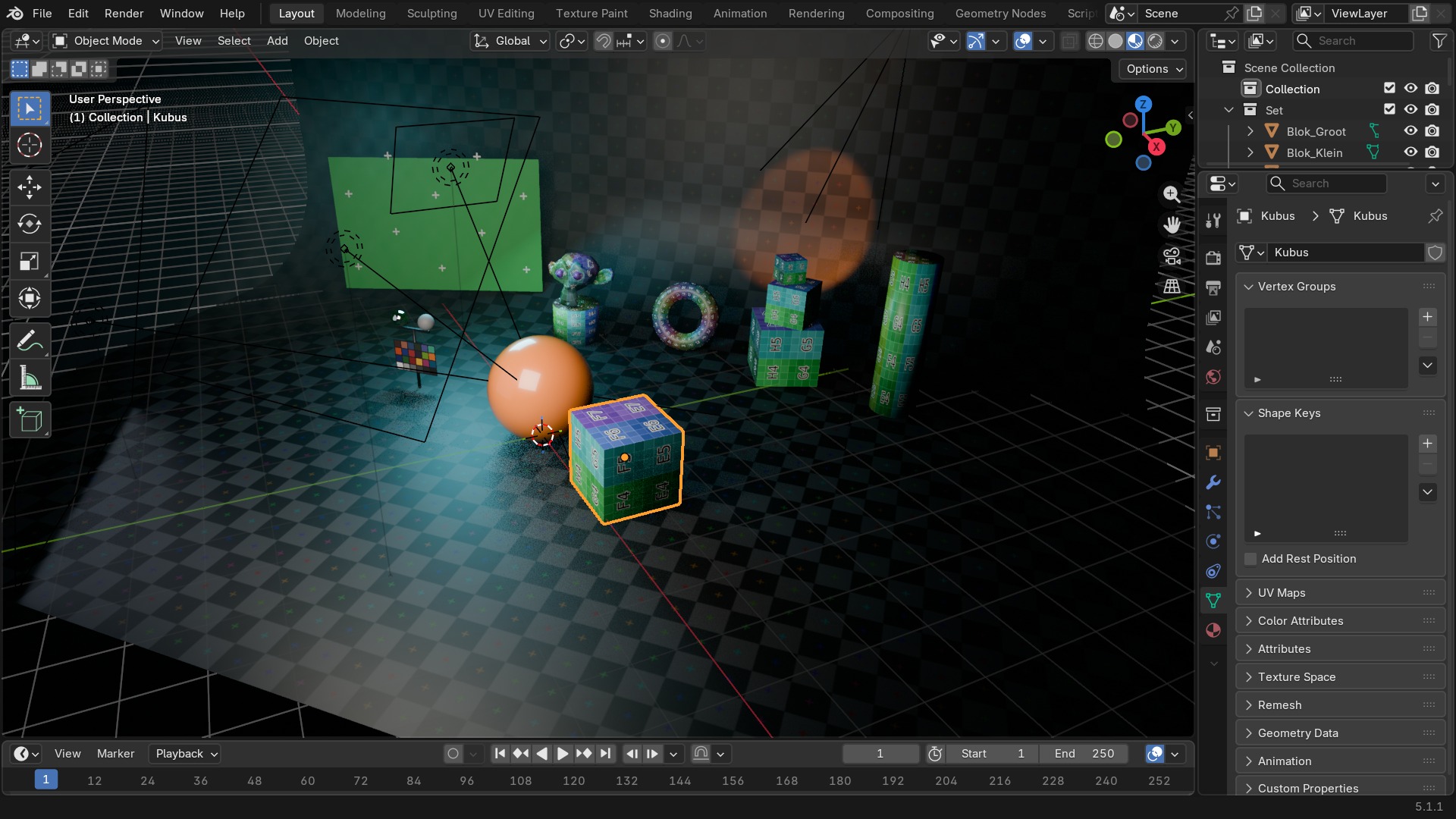
Attributes (onder Geometry Data) is waar Vertex Groups, UV Maps, Color Attributes en aangepaste Geometry Nodes-data eigenlijk allemaal vandaan komen: het zijn stuk voor stuk gespecialiseerde attributen, met een Domain (Point, Edge, Face, Face Corner) en een Data Type. De oudere panelen (UV Maps, Vertex Groups, Color Attributes) zijn in feite gefilterde weergaven van dezelfde onderliggende attributenlijst.
Voor Curve-objecten is Geometry het equivalent van veel mesh-instellingen: Bevel geeft de curve dikte, Start & End Mapping bepaalt hoever een bevel-profiel langs de curve loopt.
 RECBLENDER 5.1 · DATA-ATTRIBUTES00:00:00:001920×1080
Metaball en Text
Metaballs smelten samen op basis van hun Influence; Text-objecten gebruiken intern hetzelfde curve-systeem, met een eigen Font- en Paragraph-paneel erbovenop.
| Paneel |
|---|
| Active Element |
| Animation |
| Custom Properties |
| DATA_PT_context_metaball |
| Metaball |
| Texture Space |
| Paneel |
|---|
| Font |
| – Transform |
| Paragraph |
| – Alignment |
| – Spacing |
| Text Boxes |
Volume en Grease Pencil
Volume laadt externe OpenVDB-data; Grease Pencil bouwt zijn eigen laag-gebaseerde tekenobject.
| Paneel |
|---|
| Animation |
| Custom Properties |
| DATA_PT_context_volume |
| Grids |
| OpenVDB File |
| Render |
| Viewport Display |
| – DATA_PT_volume_viewport_display_slicing |
| Paneel |
|---|
| Animation |
| Attributes |
| Custom Properties |
| DATA_PT_context_grease_pencil |
| Display |
| Layers |
| – Adjustments |
| – Display |
| – Masks |
| – Relations |
| – Transform |
| Onion Skinning |
| – Custom Colors |
| – Display |
| Settings |
Armature: bone collections in plaats van losse lagen
Een Armature-datablock bevat de bots zelf niet als losse objecten, maar als een boom binnen één datablock. Bone Collections (de opvolger van de oude bone layers) groepeert bots zodat je bv. alleen de vingerbotten kan tonen of verbergen tijdens het animeren, zonder ze te verwijderen. Pose-instellingen gelden voor de hele armature tegelijk, zoals Rest Position om tijdelijk terug te schakelen naar de ongeanimeerde pose om iets te controleren.
Custom Properties op een armature (in plaats van op één bot) zijn de gangbare plek voor rig-brede schakelaars, zoals een IK/FK-blend die meerdere botketens tegelijk aanstuurt.
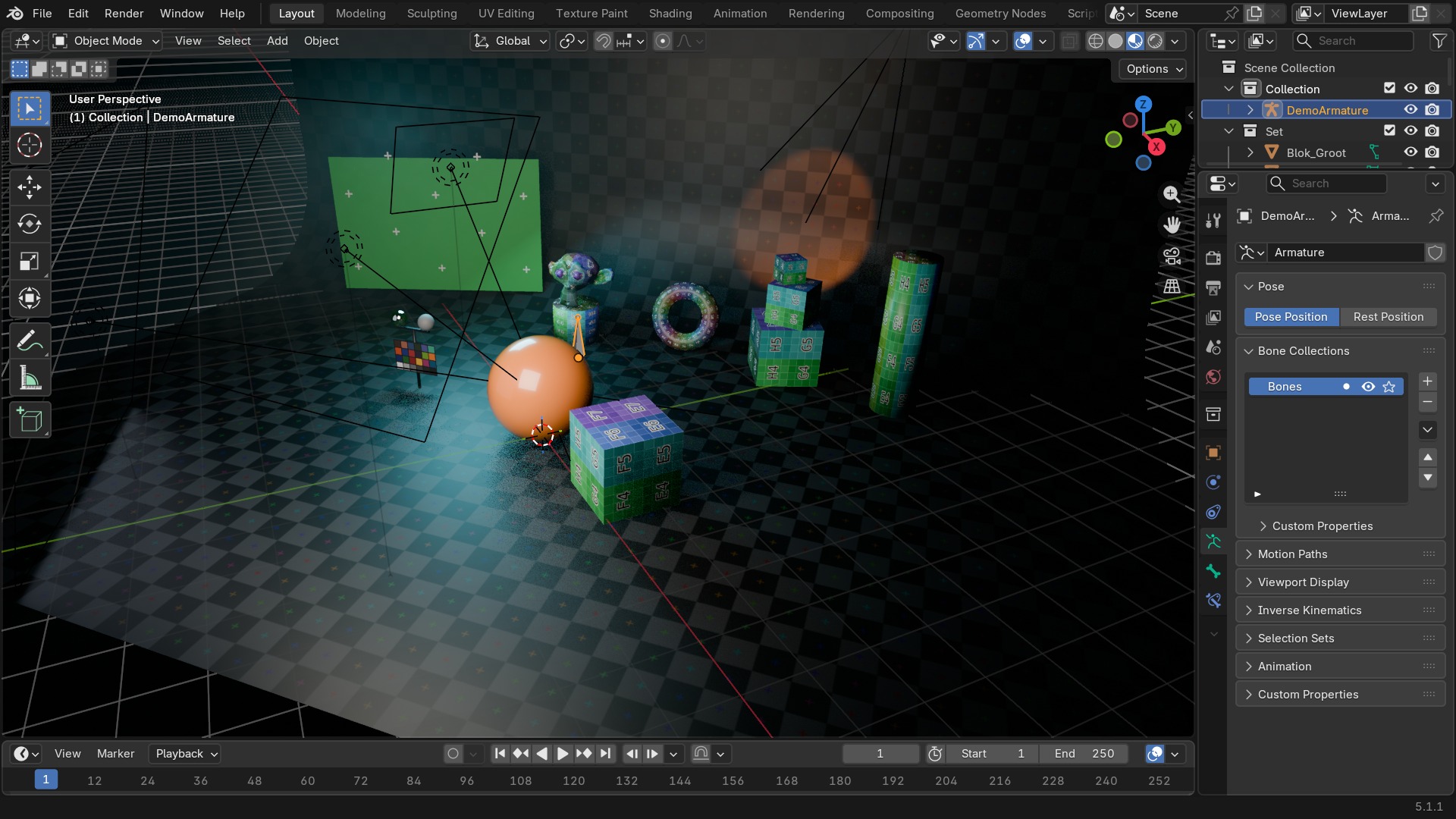 RECBLENDER 5.1 · DATA-ARMATURE00:00:00:001920×1080
Armature en Lattice
| Paneel |
|---|
| Animation |
| Bone Collections |
| – Custom Properties |
| Custom Properties |
| DATA_PT_context_arm |
| Inverse Kinematics |
| Pose |
| Selection Sets |
| Instelling | Type | Standaard | Bereik | Wat hij doet (tooltip uit Blender) |
|---|---|---|---|---|
| Name | STRING | – | – | Unique data-block ID name (within a same type and library) |
| Full Name | STRING | – | – | Unique data-block ID name, including library one if any |
| Type | ENUM | ACTION | Action, Armature, Brush, Cache File, Camera, Collection, Curve, Curves, Font, Grease Pencil, Grease Pencil v3, Image, Key, Lattice, Library, Light, Light Probe, Line Style, Mask, Material, Mesh, Metaball, Movie Clip, Node Tree, Object, Paint Curve, Palette, Particle, Point Cloud, Scene, Screen, Sound, Speaker, Text, Texture, Volume, Window Manager, Workspace, World | Type identifier of this data-block |
| Session UID | INT | 0 | -10000 – 10000 | A session-wide unique identifier for the data block that remains the same across renames and internal reallocations, unchanged when reloading the file |
| Is Evaluated | BOOLEAN | uit | – | Whether this ID is runtime-only, evaluated data-block, or actual data from .blend file |
| Users | INT | 0 | 0 – 10000 | Number of times this data-block is referenced |
| Fake User | BOOLEAN | uit | – | Save this data-block even if it has no users |
| Extra User | BOOLEAN | uit | – | Indicates whether an extra user is set or not (mainly for internal/debug usages) |
| Embedded Data | BOOLEAN | uit | – | This data-block is not an independent one, but is actually a sub-data of another ID (typical example: root node trees or master collections) |
| Linked Packed | BOOLEAN | uit | – | This data-block is linked and packed into the .blend file |
| Missing Data | BOOLEAN | uit | – | This data-block is a place-holder for missing linked data (i.e. it is [an override of] a linked data that could not be found anymore) |
| Runtime Data | BOOLEAN | uit | – | This data-block is runtime data, i.e. it won't be saved in .blend file. Note that e.g. evaluated IDs are always runtime, so this value is only editable for data-blocks in Main data-base. |
| Editable | BOOLEAN | uit | – | This data-block is editable in the user interface. Linked data-blocks are not editable, except if they were loaded as editable assets. |
| Tag | BOOLEAN | uit | – | Tools can use this to tag data for their own purposes (initial state is undefined) |
| Is Indirect | BOOLEAN | uit | – | Is this ID block linked indirectly |
| Bones | COLLECTION | – | – | |
| Edit Bones | COLLECTION | – | – | |
| Bone Collections (Roots) | COLLECTION | – | – | |
| Bone Collections (All) | COLLECTION | – | – | List of all bone collections of the armature |
| Pose Position | ENUM | POSE | Pose Position, Rest Position | Show armature in binding pose or final posed state |
| Display Type | ENUM | OCTAHEDRAL | Octahedral, Stick, B-Bone, Envelope, Wire | |
| Display Axes | BOOLEAN | uit | – | Display bone axes |
| Axes Position | FLOAT | 0 | 0 – 1 | The position for the axes on the bone. Increasing the value moves it closer to the tip; decreasing moves it closer to the root. |
| Relation Line Position | ENUM | TAIL | Tail, Head | The start position of the relation lines from parent to child bones |
| Display Names | BOOLEAN | uit | – | Display bone names |
| X-Axis Mirror | BOOLEAN | uit | – | Apply changes to matching bone on opposite side of X-Axis |
| Display Custom Bone Shapes | BOOLEAN | aan | – | Display bones with their custom shapes |
| Display Bone Colors | BOOLEAN | aan | – | Display bone colors |
| Is Editmode | BOOLEAN | uit | – | True when used in editmode |
| Paneel |
|---|
| Animation |
| Custom Properties |
| DATA_PT_context_lattice |
| Lattice |
Empty en Camera
Een Empty heeft nauwelijks Object Data (alleen zijn weergavevorm); een Camera heeft de meeste harde getallen van alle objecttypes.
| Paneel |
|---|
| Empty |
| Image |
| Paneel |
|---|
| Animation |
| Background Images |
| Camera |
| Custom Properties |
| DATA_PT_context_camera |
| Depth of Field |
| Depth of Field |
| – Aperture |
| Lens |
| Safe Areas |
| – Center-Cut Safe Areas |
| Stereoscopy |
| Viewport Display |
| – Composition Guides |
| Instelling | Type | Standaard | Bereik | Wat hij doet (tooltip uit Blender) |
|---|---|---|---|---|
| Name | STRING | – | – | Unique data-block ID name (within a same type and library) |
| Full Name | STRING | – | – | Unique data-block ID name, including library one if any |
| Type | ENUM | ACTION | Action, Armature, Brush, Cache File, Camera, Collection, Curve, Curves, Font, Grease Pencil, Grease Pencil v3, Image, Key, Lattice, Library, Light, Light Probe, Line Style, Mask, Material, Mesh, Metaball, Movie Clip, Node Tree, Object, Paint Curve, Palette, Particle, Point Cloud, Scene, Screen, Sound, Speaker, Text, Texture, Volume, Window Manager, Workspace, World | Type identifier of this data-block |
| Session UID | INT | 0 | -10000 – 10000 | A session-wide unique identifier for the data block that remains the same across renames and internal reallocations, unchanged when reloading the file |
| Is Evaluated | BOOLEAN | uit | – | Whether this ID is runtime-only, evaluated data-block, or actual data from .blend file |
| Users | INT | 0 | 0 – 10000 | Number of times this data-block is referenced |
| Fake User | BOOLEAN | uit | – | Save this data-block even if it has no users |
| Extra User | BOOLEAN | uit | – | Indicates whether an extra user is set or not (mainly for internal/debug usages) |
| Embedded Data | BOOLEAN | uit | – | This data-block is not an independent one, but is actually a sub-data of another ID (typical example: root node trees or master collections) |
| Linked Packed | BOOLEAN | uit | – | This data-block is linked and packed into the .blend file |
| Missing Data | BOOLEAN | uit | – | This data-block is a place-holder for missing linked data (i.e. it is [an override of] a linked data that could not be found anymore) |
| Runtime Data | BOOLEAN | uit | – | This data-block is runtime data, i.e. it won't be saved in .blend file. Note that e.g. evaluated IDs are always runtime, so this value is only editable for data-blocks in Main data-base. |
| Editable | BOOLEAN | uit | – | This data-block is editable in the user interface. Linked data-blocks are not editable, except if they were loaded as editable assets. |
| Tag | BOOLEAN | uit | – | Tools can use this to tag data for their own purposes (initial state is undefined) |
| Is Indirect | BOOLEAN | uit | – | Is this ID block linked indirectly |
| Type | ENUM | PERSP | Perspective, Orthographic, Panoramic, Custom | Camera types |
| Sensor Fit | ENUM | AUTO | Auto, Horizontal, Vertical | Method to fit image and field of view angle inside the sensor |
| Passepartout Alpha | FLOAT | 0.5 | 0 – 1 | Opacity (alpha) of the darkened overlay in Camera view |
| Horizontal FOV | FLOAT | 0 | 0.0064 – 3.0167 | Camera lens horizontal field of view |
| Vertical FOV | FLOAT | 0 | 0.0064 – 3.0167 | Camera lens vertical field of view |
| Field of View | FLOAT | 0.691 | 0.0064 – 3.0167 | Camera lens field of view |
| Clip Start | FLOAT | 0.1 | 0.001 – onbegrensd | Camera near clipping distance |
| Clip End | FLOAT | 1000 | 0.001 – onbegrensd | Camera far clipping distance |
| Focal Length | FLOAT | 50 | 1 – 5000 | Perspective Camera focal length value in millimeters |
| Sensor Width | FLOAT | 36 | 1 – 100 | Horizontal size of the image sensor area in millimeters |
| Sensor Height | FLOAT | 24 | 1 – 100 | Vertical size of the image sensor area in millimeters |
| Orthographic Scale | FLOAT | 6 | 0.001 – 10000 | Orthographic Camera scale (similar to zoom) |
| Display Size | FLOAT | 1 | 0.01 – 100 | Apparent size of the Camera object in the 3D View |
| Shift X | FLOAT | 0 | -2 – 2 | Camera horizontal shift |
| Shift Y | FLOAT | 0 | -2 – 2 | Camera vertical shift |
| Show Limits | BOOLEAN | uit | – | Display the clipping range and focus point on the camera |
| Show Mist | BOOLEAN | uit | – | Display a line from the Camera to indicate the mist area |
| Show Passepartout | BOOLEAN | aan | – | Show a darkened overlay outside the image area in Camera view |
| Show Safe Areas | BOOLEAN | uit | – | Show TV title safe and action safe areas in Camera view |
| Show Center-Cut Safe Areas | BOOLEAN | uit | – | Show safe areas to fit content in a different aspect ratio |
| Show Name | BOOLEAN | uit | – | Show the active Camera's name in Camera view |
| Show Sensor Size | BOOLEAN | uit | – | Show sensor size (film gate) in Camera view |
| Display Background Images | BOOLEAN | uit | – | Display reference images behind objects in the 3D View |
| Lens Unit | ENUM | MILLIMETERS | Millimeters, Field of View | Unit to edit lens in for the user interface |
| Composition Guide Color | FLOAT | 0 | 0 – 1 | Color and alpha for compositional guide overlays |
| Center | BOOLEAN | uit | – | Display center composition guide inside the camera view |
| Center Diagonal | BOOLEAN | uit | – | Display diagonal center composition guide inside the camera view |
| Thirds | BOOLEAN | uit | – | Display rule of thirds composition guide inside the camera view |
| Golden Ratio | BOOLEAN | uit | – | Display golden ratio composition guide inside the camera view |
| Golden Triangle A | BOOLEAN | uit | – | Display golden triangle A composition guide inside the camera view |
| Golden Triangle B | BOOLEAN | uit | – | Display golden triangle B composition guide inside the camera view |
| Harmonious Triangle A | BOOLEAN | uit | – | Display harmony A composition guide inside the camera view |
| Harmonious Triangle B | BOOLEAN | uit | – | Display harmony B composition guide inside the camera view |
| Panorama Type | ENUM | FISHEYE_EQUISOLID | Equirectangular, Equiangular Cubemap Face, Mirror Ball, Fisheye Equidistant, Fisheye Equisolid, Fisheye Lens Polynomial, Central Cylindrical | Distortion to use for the calculation |
| Field of View | FLOAT | 3.142 | 0.1745 – 6.2832 | Field of view for the fisheye lens |
| Fisheye Lens | FLOAT | 10.5 | 0.01 – 15 | Lens focal length (mm) |
| Min Latitude | FLOAT | -1.571 | -1.5708 – 1.5708 | Minimum latitude (vertical angle) for the equirectangular lens |
| Max Latitude | FLOAT | 1.571 | -1.5708 – 1.5708 | Maximum latitude (vertical angle) for the equirectangular lens |
| Min Longitude | FLOAT | -3.142 | -3.1416 – 3.1416 | Minimum longitude (horizontal angle) for the equirectangular lens |
| Max Longitude | FLOAT | 3.142 | -3.1416 – 3.1416 | Maximum longitude (horizontal angle) for the equirectangular lens |
| Fisheye Polynomial K0 | FLOAT | -0 | – | Coefficient K0 of the lens polynomial |
| Fisheye Polynomial K1 | FLOAT | -0.02 | – | Coefficient K1 of the lens polynomial |
| Fisheye Polynomial K2 | FLOAT | -0 | – | Coefficient K2 of the lens polynomial |
| Fisheye Polynomial K3 | FLOAT | 0 | – | Coefficient K3 of the lens polynomial |
| Fisheye Polynomial K4 | FLOAT | -0 | – | Coefficient K4 of the lens polynomial |
| Min Longitude | FLOAT | -3.142 | -3.1416 – 3.1416 | Minimum Longitude value for the central cylindrical lens |
| Max Longitude | FLOAT | 3.142 | -3.1416 – 3.1416 | Maximum Longitude value for the central cylindrical lens |
| Min Height | FLOAT | -1 | -10 – 10 | Minimum Height value for the central cylindrical lens |
| Max Height | FLOAT | 1 | -10 – 10 | Maximum Height value for the central cylindrical lens |
| Cylinder Radius | FLOAT | 1 | 0.00001 – 10 | Radius of the virtual cylinder |
| Custom File Path | STRING | – | – | Path to the shader defining the custom camera |
| Custom shader source | ENUM | INTERNAL | Internal, External | |
| Custom Bytecode | STRING | – | – | Compiled bytecode of the custom shader |
| Custom Bytecode Hash | STRING | – | – | Hash of the compiled bytecode of the custom shader, for quick equality checking |
| Background Images | COLLECTION | – | – | List of background images |
Camera en Light: de twee die je het vaakst bijstelt
Van de Camera-instellingen raak je in de praktijk vooral Lens (Focal Length in mm, of Field of View in graden), Depth of Field (met een Focus Object in plaats van een vaste afstand, zodat de scherptediepte meebeweegt), en Clip Start/End (te ver ingesteld en dichtbij geometrie verdwijnt door z-fighting) echt aan.
Bij Light zijn dat Power (in Watt — hoger dan intuïtief verwacht bij realistische schaal), Color (met Blackbody-node voor een fysisch correcte kleurtemperatuur), en Radius/Size (een groter licht geeft zachtere schaduwranden, een puntbron harde).
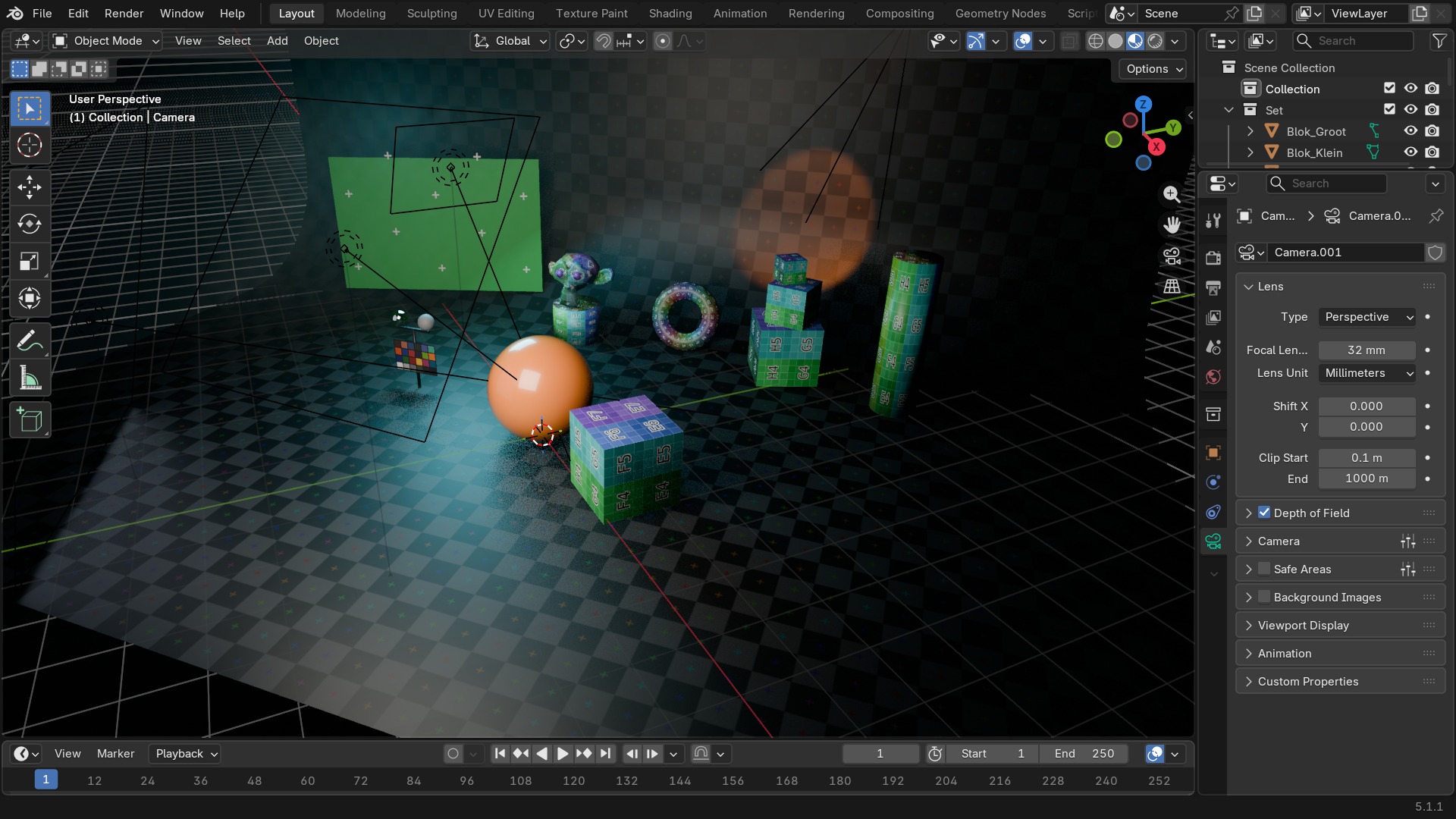 RECBLENDER 5.1 · DATA-CAMERA-LIGHT00:00:00:001920×1080
Light, Light Probe en Speaker
| Paneel |
|---|
| Animation |
| Cone |
| Custom Properties |
| DATA_PT_context_light |
| Distance |
| Light |
| – Beam Shape |
| Light |
| – Beam Shape |
| – Custom Distance |
| – Influence |
| – Shadow |
| Light |
| Nodes |
| Preview |
| Preview |
| Settings |
| Instelling | Type | Standaard | Bereik | Wat hij doet (tooltip uit Blender) |
|---|---|---|---|---|
| Name | STRING | – | – | Unique data-block ID name (within a same type and library) |
| Full Name | STRING | – | – | Unique data-block ID name, including library one if any |
| Type | ENUM | ACTION | Action, Armature, Brush, Cache File, Camera, Collection, Curve, Curves, Font, Grease Pencil, Grease Pencil v3, Image, Key, Lattice, Library, Light, Light Probe, Line Style, Mask, Material, Mesh, Metaball, Movie Clip, Node Tree, Object, Paint Curve, Palette, Particle, Point Cloud, Scene, Screen, Sound, Speaker, Text, Texture, Volume, Window Manager, Workspace, World | Type identifier of this data-block |
| Session UID | INT | 0 | -10000 – 10000 | A session-wide unique identifier for the data block that remains the same across renames and internal reallocations, unchanged when reloading the file |
| Is Evaluated | BOOLEAN | uit | – | Whether this ID is runtime-only, evaluated data-block, or actual data from .blend file |
| Users | INT | 0 | 0 – 10000 | Number of times this data-block is referenced |
| Fake User | BOOLEAN | uit | – | Save this data-block even if it has no users |
| Extra User | BOOLEAN | uit | – | Indicates whether an extra user is set or not (mainly for internal/debug usages) |
| Embedded Data | BOOLEAN | uit | – | This data-block is not an independent one, but is actually a sub-data of another ID (typical example: root node trees or master collections) |
| Linked Packed | BOOLEAN | uit | – | This data-block is linked and packed into the .blend file |
| Missing Data | BOOLEAN | uit | – | This data-block is a place-holder for missing linked data (i.e. it is [an override of] a linked data that could not be found anymore) |
| Runtime Data | BOOLEAN | uit | – | This data-block is runtime data, i.e. it won't be saved in .blend file. Note that e.g. evaluated IDs are always runtime, so this value is only editable for data-blocks in Main data-base. |
| Editable | BOOLEAN | uit | – | This data-block is editable in the user interface. Linked data-blocks are not editable, except if they were loaded as editable assets. |
| Tag | BOOLEAN | uit | – | Tools can use this to tag data for their own purposes (initial state is undefined) |
| Is Indirect | BOOLEAN | uit | – | Is this ID block linked indirectly |
| Type | ENUM | POINT | Point, Sun, Spot, Area | Type of light |
| Use Temperature | BOOLEAN | uit | – | Use blackbody temperature to define a natural light color |
| Color | FLOAT | 1 | 0 – 1 | Light color |
| Temperature | FLOAT | 6500 | 800 – 20000 | Light color temperature in Kelvin |
| Temperature Color | FLOAT | 0 | 0 – 1 | Color from Temperature |
| Specular Factor | FLOAT | 1 | 0 – 1 | Specular reflection multiplier |
| Diffuse Factor | FLOAT | 1 | 0 – 1 | Diffuse reflection multiplier |
| Transmission Factor | FLOAT | 1 | 0 – 1 | Transmission light multiplier |
| Volume Factor | FLOAT | 1 | 0 – 1 | Volume light multiplier |
| Custom Attenuation | BOOLEAN | uit | – | Use custom attenuation distance instead of global light threshold |
| Cutoff Distance | FLOAT | 40 | 0.01 – 100 | Distance at which the light influence will be set to 0 |
| use_shadow | BOOLEAN | aan | – | |
| Exposure | FLOAT | 0 | -10 – 10 | Scales the power of the light exponentially, multiplying the intensity by 2^exposure |
| Normalize | BOOLEAN | aan | – | Normalize intensity by light area, for consistent total light output regardless of size and shape |
| Use Nodes | BOOLEAN | uit | – | Use shader nodes to render the light |
| Paneel |
|---|
| Animation |
| Bake |
| – Capture |
| – Clamping |
| – Offset |
| – Resolution |
| Capture |
| Custom Parallax |
| DATA_PT_context_lightprobe |
| Probe |
| – Visibility |
| Probe |
| Viewport Display |
| Viewport Display |
| Paneel |
|---|
| Animation |
| Custom Properties |
| DATA_PT_context_speaker |
| Sound |
Zelf proberen: van punt-licht naar softbox
Vergroot een lamp fysiek zonder z'n helderheid te veranderen, en zie het effect op de schaduwrand.
- 1Open
blends/start_data_light_size.blend(een object met scherpe schaduw onder een Point-lamp). - 2Selecteer de lamp, ga naar Object Data Properties.
- 3Noteer Power, en verhoog Radius van 0.1 m naar 1 m.
- 4Render met F12: de schaduwrand wordt zichtbaar zachter.
- 5Corrigeer Power zodat de algemene helderheid ongeveer gelijk blijft — een groter licht spreidt dezelfde energie uit.