Hoofdstuk 58Object
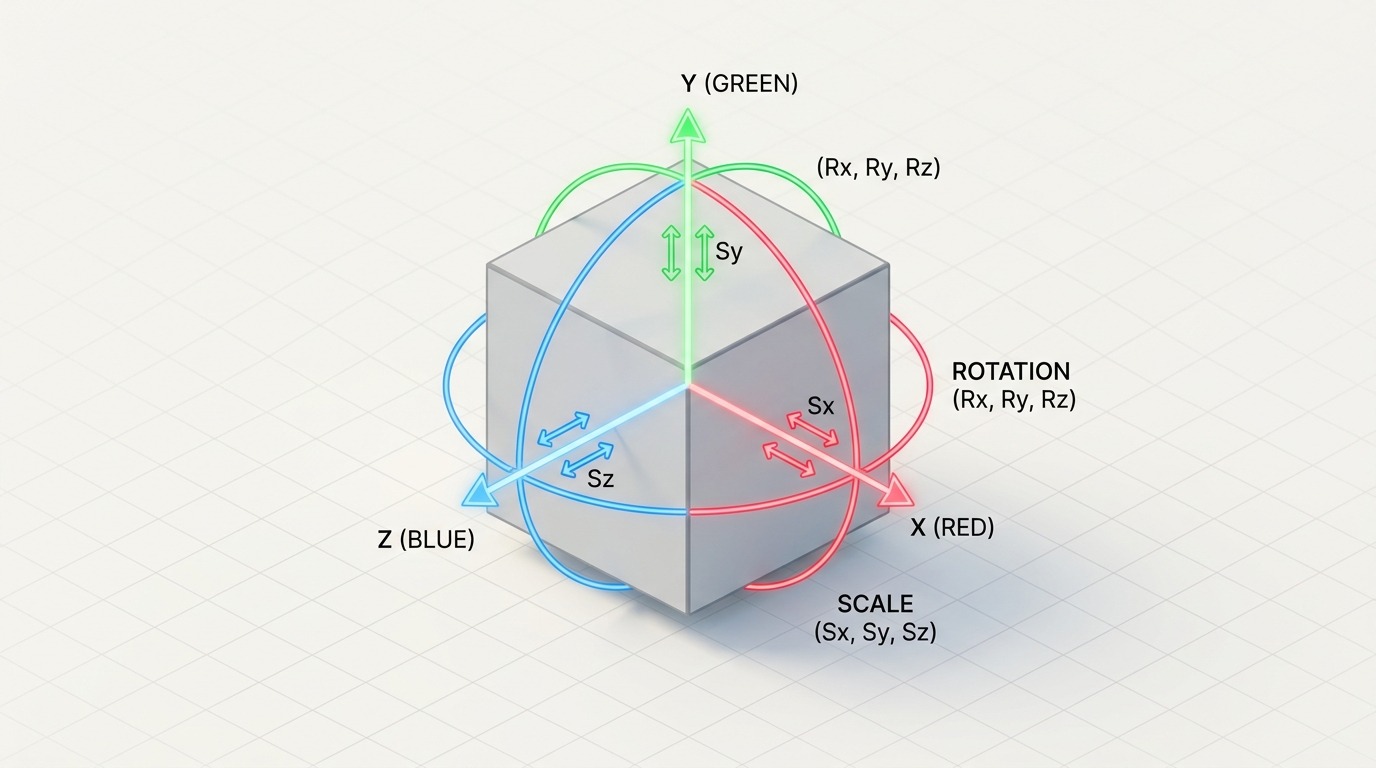
Transform, relaties, zichtbaarheid en de andere eigenschappen van elk object
De Object Properties-tab is de tab die bij élk object hetzelfde blijft, ongeacht het type: Transform, Relations (parent, collections), Delta Transform, Visibility en de EEVEE/Cycles-specifieke Shading- en Ray Visibility-opties. Wat per objecttype verandert, staat in de Object Data-tab (hoofdstuk 63), niet hier.
 RECCONCEPT00:00:00:00schoolium
Wat deze tab doet
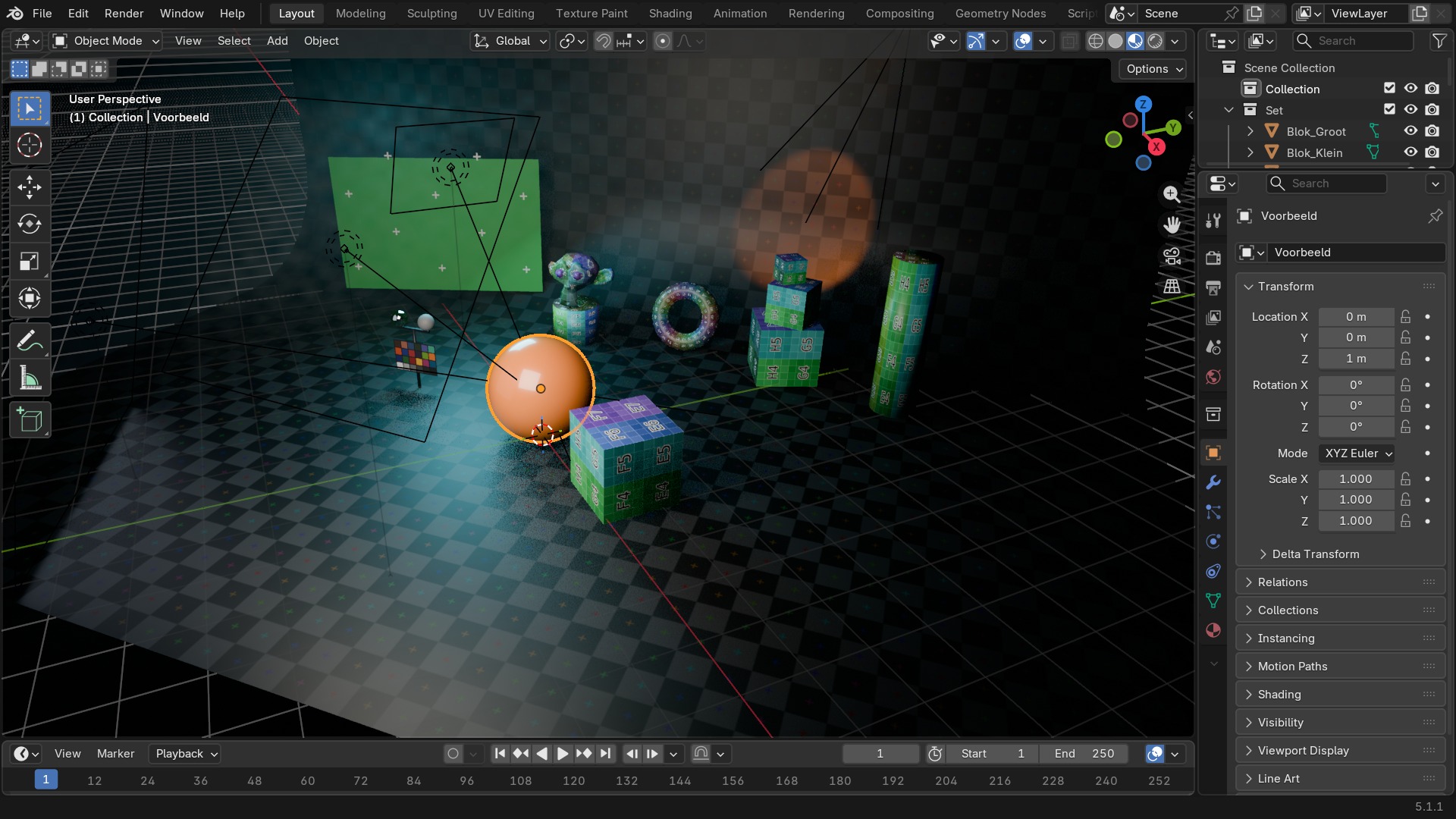
De Object Properties-tab (het oranje kubus-icoon) toont de eigenschappen die élk object heeft, los van of het een mesh, camera, lamp of curve is: Transform (locatie/rotatie/schaal — dezelfde waarden als de N-sidebar), Relations (welke collections, welke parent), Visibility (viewport- en render-zichtbaarheid, selecteerbaarheid), en bij Cycles nog Shading en Ray Visibility.
Verwar dit niet met de Object Data-tab (het groene icoon dat verandert per objecttype): die bevat de mesh-, curve- of lampgegevens zélf, dit hier is altijd hetzelfde grid van panelen.
 RECBLENDER 5.1 · OBJECT00:00:00:001920×1080
Alle panelen van de Object-tab
Rechtstreeks uit Blender 5.1 uitgelezen.
| Paneel |
|---|
| Animation |
| Collections |
| Custom Properties |
| Instancing |
| – Scale by Face Size |
| Line Art |
| Motion Blur |
| Motion Paths |
| – Display |
| OBJECT_PT_context_object |
| Relations |
| Shading |
| – Caustics |
| – Fast GI Approximation |
| – Light Group |
| – Light Linking |
| – Shadow Linking |
| – Shadow Terminator |
| Transform |
| – Delta Transform |
| – Parent Inverse Transform |
| Viewport Display |
| Visibility |
| – Culling |
| – Ray Visibility |
| Visibility |
Object-instellingen — de volledige datablock
Object heeft in totaal 139 properties in Blender 5.1; de meeste zijn technisch (interne verwijzingen, caches) en komen elders in de cursus terug in context. Deze tabel toont ze allemaal, als naslag.
| Instelling | Type | Standaard | Bereik | Wat hij doet (tooltip uit Blender) |
|---|---|---|---|---|
| Name | STRING | – | – | Unique data-block ID name (within a same type and library) |
| Full Name | STRING | – | – | Unique data-block ID name, including library one if any |
| Type | ENUM | ACTION | Action, Armature, Brush, Cache File, Camera, Collection, Curve, Curves, Font, Grease Pencil, Grease Pencil v3, Image, Key, Lattice, Library, Light, Light Probe, Line Style, Mask, Material, Mesh, Metaball, Movie Clip, Node Tree, Object, Paint Curve, Palette, Particle, Point Cloud, Scene, Screen, Sound, Speaker, Text, Texture, Volume, Window Manager, Workspace, World | Type identifier of this data-block |
| Session UID | INT | 0 | -10000 – 10000 | A session-wide unique identifier for the data block that remains the same across renames and internal reallocations, unchanged when reloading the file |
| Is Evaluated | BOOLEAN | uit | – | Whether this ID is runtime-only, evaluated data-block, or actual data from .blend file |
| Users | INT | 0 | 0 – 10000 | Number of times this data-block is referenced |
| Fake User | BOOLEAN | uit | – | Save this data-block even if it has no users |
| Extra User | BOOLEAN | uit | – | Indicates whether an extra user is set or not (mainly for internal/debug usages) |
| Embedded Data | BOOLEAN | uit | – | This data-block is not an independent one, but is actually a sub-data of another ID (typical example: root node trees or master collections) |
| Linked Packed | BOOLEAN | uit | – | This data-block is linked and packed into the .blend file |
| Missing Data | BOOLEAN | uit | – | This data-block is a place-holder for missing linked data (i.e. it is [an override of] a linked data that could not be found anymore) |
| Runtime Data | BOOLEAN | uit | – | This data-block is runtime data, i.e. it won't be saved in .blend file. Note that e.g. evaluated IDs are always runtime, so this value is only editable for data-blocks in Main data-base. |
| Editable | BOOLEAN | uit | – | This data-block is editable in the user interface. Linked data-blocks are not editable, except if they were loaded as editable assets. |
| Tag | BOOLEAN | uit | – | Tools can use this to tag data for their own purposes (initial state is undefined) |
| Is Indirect | BOOLEAN | uit | – | Is this ID block linked indirectly |
| Type | ENUM | EMPTY | Mesh, Curve, Surface, Metaball, Text, Hair Curves, Point Cloud, Volume, Grease Pencil, Armature, Lattice, Empty, Light, Light Probe, Camera, Speaker | Type of object |
| Mode | ENUM | OBJECT | Object Mode, Edit Mode, Pose Mode, Sculpt Mode, Vertex Paint, Weight Paint, Texture Paint, Particle Edit, Edit Mode, Sculpt Mode, Draw Mode, Weight Paint, Vertex Paint, Sculpt Mode | Object interaction mode |
| Bounding Box | FLOAT | 0 | -10000 – 10000 | Object's bounding box in object-space coordinates, all values are -1.0 when not available |
| Parent Type | ENUM | OBJECT | Object, Armature, Lattice, Vertex, 3 Vertices, Bone | Type of parent relation |
| Parent Vertices | INT | 0 | 0 – 10000 | Indices of vertices in case of a vertex parenting relation |
| Parent Bone | STRING | – | – | Name of parent bone in case of a bone parenting relation |
| Use Final Indices | BOOLEAN | uit | – | Use the final evaluated indices rather than the original mesh indices |
| Camera Parent Lock | BOOLEAN | uit | – | View Lock 3D viewport camera transformation affects the object's parent instead |
| Track Axis | ENUM | POS_X | +X, +Y, +Z, -X, -Y, -Z | Axis that points in the 'forward' direction (applies to Instance Vertices when Align to Vertex Normal is enabled) |
| Up Axis | ENUM | X | X, Y, Z | Axis that points in the upward direction (applies to Instance Vertices when Align to Vertex Normal is enabled) |
| Material Slots | COLLECTION | – | – | Material slots in the object |
| Active Material Index | INT | 0 | 0 – 10000 | Index of active material slot |
| Location | FLOAT | 0 | – | Location of the object |
| Quaternion Rotation | FLOAT | 0 | -10000 – 10000 | Rotation in Quaternions |
| Axis-Angle Rotation | FLOAT | 0 | -10000 – 10000 | Angle of Rotation for Axis-Angle rotation representation |
| Euler Rotation | FLOAT | 0 | – | Rotation in Eulers |
| Rotation Mode | ENUM | XYZ | Quaternion (WXYZ), XYZ Euler, XZY Euler, YXZ Euler, YZX Euler, ZXY Euler, ZYX Euler, Axis Angle | The kind of rotation to apply, values from other rotation modes are not used |
| Scale | FLOAT | 0 | – | Scaling of the object |
| Dimensions | FLOAT | 0 | 0 – onbegrensd | Absolute bounding box dimensions of the object. Warning: Assigning to it or its members multiple consecutive times will not work correctly, as this needs up-to-date evaluated data |
| Delta Location | FLOAT | 0 | – | Extra translation added to the location of the object |
| Delta Rotation (Euler) | FLOAT | 0 | – | Extra rotation added to the rotation of the object (when using Euler rotations) |
| Delta Rotation (Quaternion) | FLOAT | 0 | -10000 – 10000 | Extra rotation added to the rotation of the object (when using Quaternion rotations) |
| Delta Scale | FLOAT | 0 | – | Extra scaling added to the scale of the object |
| Lock Location | BOOLEAN | uit | – | Lock editing of location when transforming |
| Lock Rotation | BOOLEAN | uit | – | Lock editing of rotation when transforming |
| Lock Rotation (4D Angle) | BOOLEAN | uit | – | Lock editing of 'angle' component of four-component rotations when transforming |
| Lock Rotations (4D) | BOOLEAN | aan | – | Lock editing of four component rotations by components (instead of as Eulers) |
| Lock Scale | BOOLEAN | uit | – | Lock editing of scale when transforming |
| Matrix World | FLOAT | 0 | -10000 – 10000 | Worldspace transformation matrix |
| Local Matrix | FLOAT | 0 | -10000 – 10000 | Parent relative transformation matrix. Warning: Only takes into account object parenting, so e.g. in case of bone parenting you get a matrix relative to the Armature object, not to the actual parent bone |
| Input Matrix | FLOAT | 0 | -10000 – 10000 | Matrix access to location, rotation and scale (including deltas), before constraints and parenting are applied |
| Parent Inverse Matrix | FLOAT | 0 | -10000 – 10000 | Inverse of object's parent matrix at time of parenting |
| Modifiers | COLLECTION | – | – | Modifiers affecting the geometric data of the object |
| Shader Effects | COLLECTION | – | – | Effects affecting display of object |
| Constraints | COLLECTION | – | – | Constraints affecting the transformation of the object |
| Vertex Groups | COLLECTION | – | – | Vertex groups of the object |
| Empty Display Type | ENUM | PLAIN_AXES | Plain Axes, Arrows, Single Arrow, Circle, Cube, Sphere, Cone, Image | Viewport display style for empties |
| Empty Display Size | FLOAT | 1 | 0.01 – 100 | Size of display for empties in the viewport |
| Origin Offset | FLOAT | 0 | – | Origin offset distance |
| Empty Image Depth | ENUM | DEFAULT | Default, Front, Back | Determine which other objects will occlude the image |
| Display in Perspective Mode | BOOLEAN | aan | – | Display image in perspective mode |
| Display in Orthographic Mode | BOOLEAN | aan | – | Display image in orthographic mode |
| Display Only Axis Aligned | BOOLEAN | uit | – | Only display the image when it is aligned with the view axis |
| Use Alpha | BOOLEAN | uit | – | Use alpha blending instead of alpha test (can produce sorting artifacts) |
| Empty Image Side | ENUM | DOUBLE_SIDED | Both, Front, Back | Show front/back side |
| Add Rest Position | BOOLEAN | uit | – | Add a "rest_position" attribute that is a copy of the position attribute before shape keys and modifiers are evaluated |
| Pass Index | INT | 0 | 0 – 32767 | Index number for the "Object Index" render pass |
| Color | FLOAT | 0 | 0 – 1 | Object color and alpha, used when the Object Color mode is enabled |
| Particle Systems | COLLECTION | – | – | Particle systems emitted from the object |
| Use Simulation Cache | BOOLEAN | aan | – | Cache frames during simulation nodes playback |
| Disable in Viewports | BOOLEAN | uit | – | Globally disable in viewports |
| Disable Selection | BOOLEAN | uit | – | Disable selection in viewport |
| Disable in Renders | BOOLEAN | uit | – | Globally disable in renders |
| Disable in Volume Probes | BOOLEAN | uit | – | Globally disable in volume probes |
| Disable in Spherical Light Probes | BOOLEAN | uit | – | Globally disable in spherical light probes |
| Disable in Planar Light Probes | BOOLEAN | uit | – | Globally disable in planar light probes |
| Disable in Surface Picking | BOOLEAN | uit | – | Disable surface influence during selection, snapping and depth-picking operators. Usually used to avoid semi-transparent objects to affect scene navigation |
| Render Instancer | BOOLEAN | aan | – | Make instancer visible when rendering |
| Display Instancer | BOOLEAN | aan | – | Make instancer visible in the viewport |
| Camera Visibility | BOOLEAN | aan | – | Object visibility to camera rays |
| Diffuse Visibility | BOOLEAN | aan | – | Object visibility to diffuse rays |
| Glossy Visibility | BOOLEAN | aan | – | Object visibility to glossy rays |
| Transmission Visibility | BOOLEAN | aan | – | Object visibility to transmission rays |
| Volume Scatter Visibility | BOOLEAN | aan | – | Object visibility to volume scattering rays |
| Shadow Visibility | BOOLEAN | aan | – | Object visibility to shadow rays |
| Holdout | BOOLEAN | uit | – | Render objects as a holdout or matte, creating a hole in the image with zero alpha, to fill out in compositing with real footage or another render |
| Shadow Catcher | BOOLEAN | uit | – | Only render shadows and reflections on this object, for compositing renders into real footage. Objects with this setting are considered to already exist in the footage, objects without it are synthetic objects being composited into it. |
| Instance Type | ENUM | NONE | None, Vertices, Faces, Collection | If not None, object instancing method to use |
| Orient with Normals | BOOLEAN | uit | – | Rotate instance according to vertex normal |
| Scale to Face Sizes | BOOLEAN | uit | – | Scale instance based on face size |
| Instance Faces Scale | FLOAT | 1 | 0.001 – 10000 | Scale the face instance objects |
| is_instancer | BOOLEAN | uit | – | |
| Display As | ENUM | TEXTURED | Bounds, Wire, Solid, Textured | How to display object in viewport |
| Display Bounds | BOOLEAN | uit | – | Display the object's bounds |
| Display Bounds Type | ENUM | BOX | Box, Sphere, Cylinder, Cone, Capsule | Object boundary display type |
| Display Name | BOOLEAN | uit | – | Display the object's name |
| Display Axes | BOOLEAN | uit | – | Display the object's origin and axes |
| Display Texture Space | BOOLEAN | uit | – | Display the object's texture space |
| Display Wire | BOOLEAN | uit | – | Display the object's wireframe over solid shading |
| Display All Edges | BOOLEAN | uit | – | Display all edges for mesh objects |
| Use Lights | BOOLEAN | aan | – | Lights affect Grease Pencil object |
| Display Transparent | BOOLEAN | uit | – | Display material transparency in the object |
| In Front | BOOLEAN | uit | – | Make the object display in front of others |
| Solo Active Shape Key | BOOLEAN | uit | – | Only show the active shape key at full value |
| Shape Key Edit Mode | BOOLEAN | uit | – | Display shape keys in edit mode (for meshes only) |
| Active Shape Key Index | INT | 0 | -32768 – 32767 | Current shape key index |
| Dynamic Topology Sculpting | BOOLEAN | uit | – | |
| Base from Instancer | BOOLEAN | uit | – | Object comes from a instancer |
| Base from Set | BOOLEAN | uit | – | Object comes from a background set |
| X | BOOLEAN | uit | – | Enable mesh symmetry in the X axis |
| Y | BOOLEAN | uit | – | Enable mesh symmetry in the Y axis |
| Z | BOOLEAN | uit | – | Enable mesh symmetry in the Z axis |
| Lightgroup | STRING | – | – | Lightgroup that the object belongs to |
| Shadow Terminator Normal Offset | FLOAT | 0 | 0 – 10 | Offset rays from the surface to reduce shadow terminator artifact on low poly geometry. Only affect triangles that are affected by the geometry offset |
| Shadow Terminator Geometry Offset | FLOAT | 0.1 | 0 – 1 | Offset rays from the surface to reduce shadow terminator artifact on low poly geometry. Only affects triangles at grazing angles to light |
| Shadow Terminator Shading Offset | FLOAT | 0 | 0 – 1 | Push the shadow terminator towards the light to hide artifacts on low poly geometry |
| Selection Sets | COLLECTION | – | – | List of groups of bones for easy selection |
| Active Selection Set | INT | 0 | – | Index of the currently active selection set |
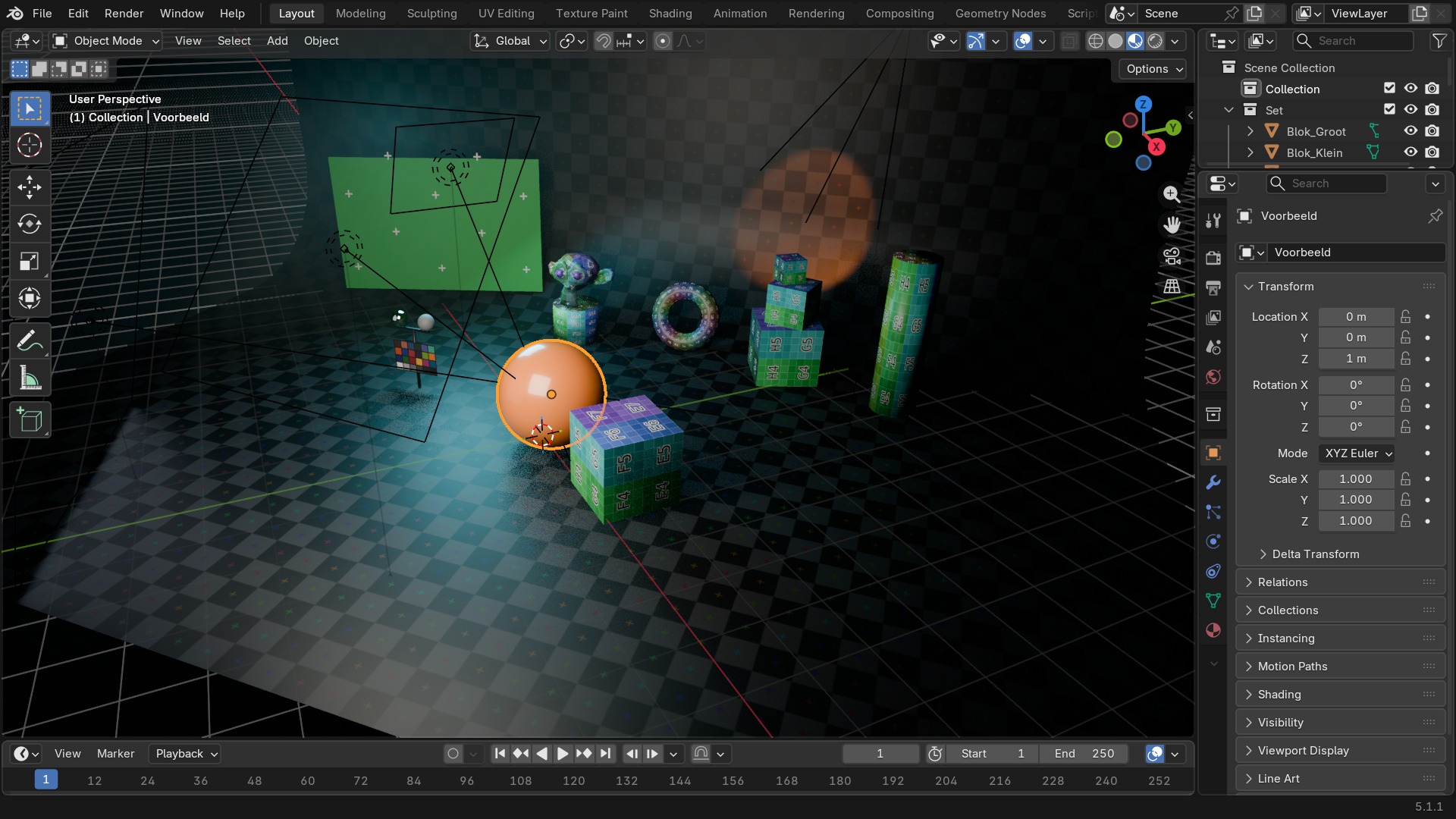
Transform tegenover Delta Transform
Transform is de locatie/rotatie/schaal die je met G/R/S verandert en die ook in keyframes terechtkomt. Delta Transform is een tweede, onzichtbare laag daarbovenop die niet in de N-sidebar staat en niet standaard gekeyframed wordt — bedoeld voor een permanente correctie die niet door animatie overschreven mag worden, bijvoorbeeld een geïmporteerd model dat 90° verkeerd om staat.
Praktisch: zet een correctie in Delta Transform in plaats van in Transform zelf zodra je wéét dat er straks nog animatie of een constraint op dat object komt die met Transform zelf gaat rekenen — zo blijft de correctie gegarandeerd staan.
 RECBLENDER 5.1 · OBJECT-DELTA00:00:00:001920×1080
Visibility ontleed
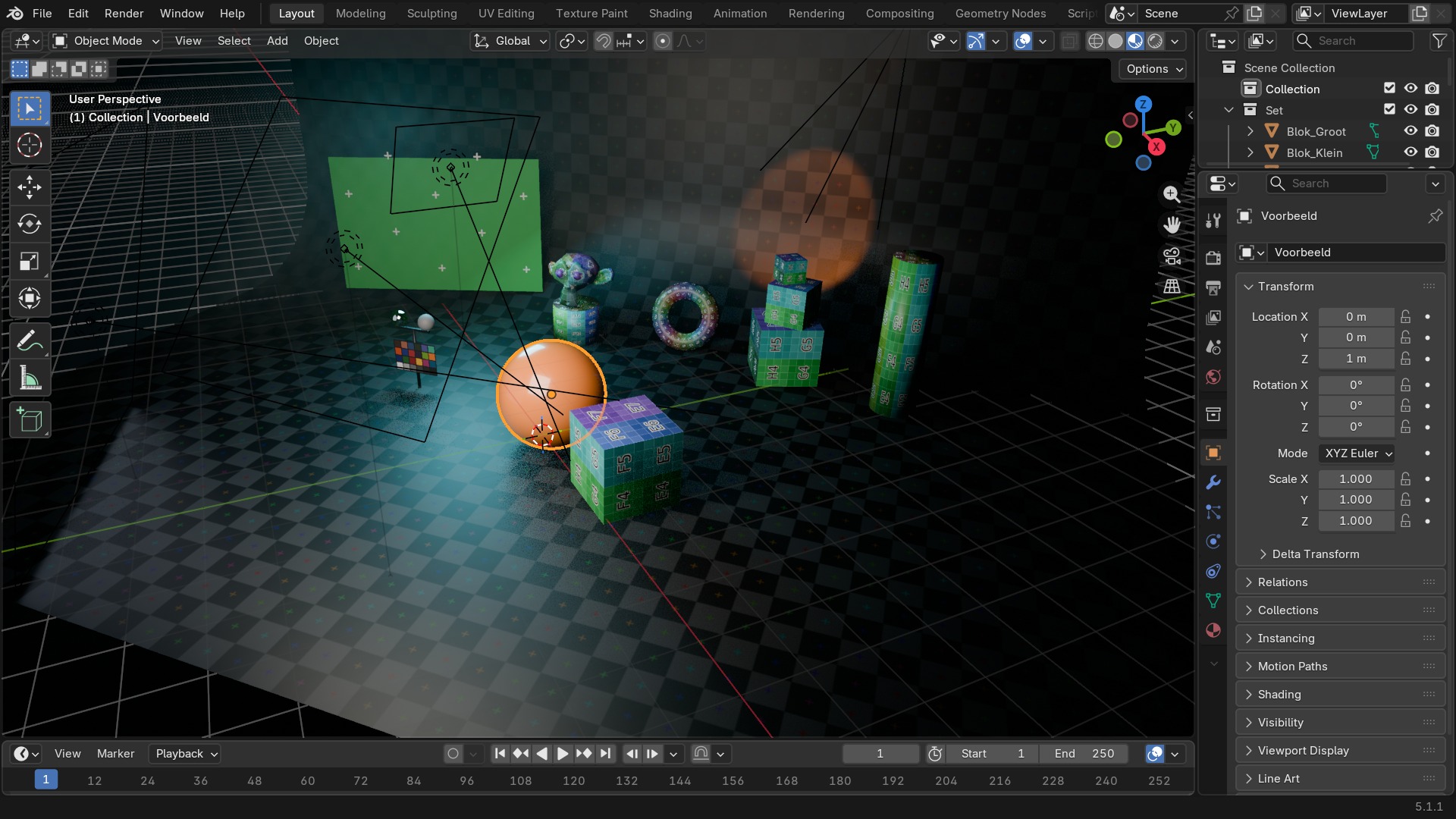
- 1Show in Viewports / Renders
Twee aparte schakelaars — een object kan wel in de viewport staan maar buiten de render blijven, of omgekeerd. Het paneel “Visibility” staat in deze screenshot ingeklapt.
- 2Selectable
Zet uit om een achtergrondobject per ongeluk niet meer te kunnen aanklikken, zonder het te verbergen. Ook dit staat in het ingeklapte paneel “Visibility”.
- 3Show in ... (Shadow, Holdout, Indirect Only)
Fijnere zichtbaarheid voor Cycles: wel een schaduw werpen zonder zelf in beeld te komen, bijvoorbeeld. Idem, in “Visibility”.
- 4Mask (Holdout)
Snijdt het object volledig uit de render (alfa 0) terwijl het wél schaduw en reflecties blijft geven — voor compositing tegen live-action. Klap “Visibility” open om dit te zien.
Relations: parenting zonder de 3D Viewport
Relations toont dezelfde Parent-koppeling die je met Ctrl+P in de 3D Viewport zet, maar hier kan je 'm ook direct intypen of wissen zonder eerst het juiste object te selecteren. Parent Type bepaalt hoe: Object (gewone parenting), Bone (aan één specifiek bot van een armature), of Vertex/Vertex(3) (aan een of drie vertices, wat meebuigt met een gedeformeerde mesh).
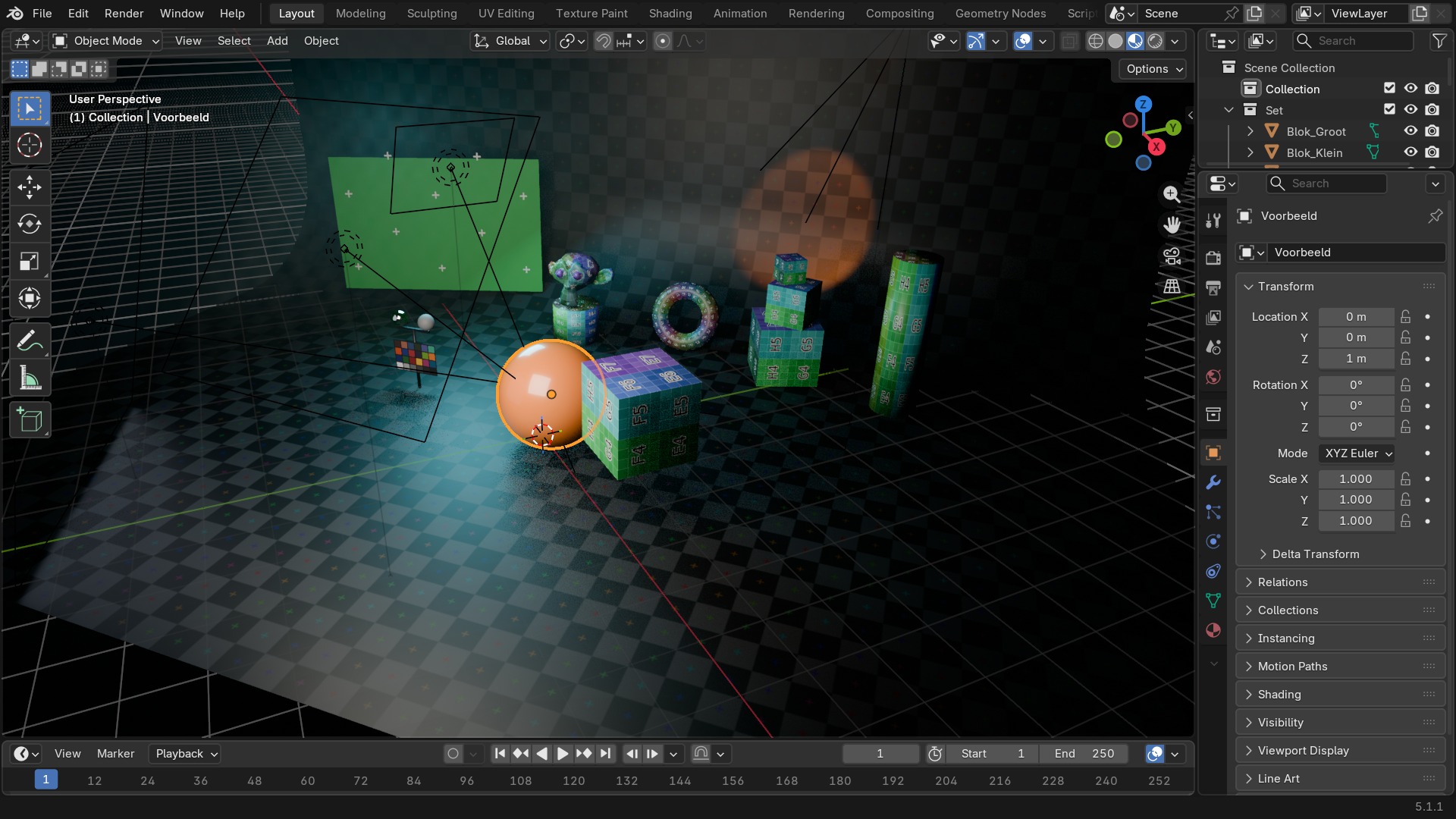 RECBLENDER 5.1 · OBJECT-RELATIONS00:00:00:001920×1080
Waarom dit dé plek is voor scripting-metadata
Onderaan de tab staat Custom Properties: vrije sleutel/waarde-paren die je aan een object hangt zonder een apart systeem te bouwen. Rigs gebruiken dit volop voor custom bot-attributen die in de Graph Editor of via drivers worden aangestuurd; pipelines gebruiken het voor asset-ID's of LOD-niveaus die een exportscript uitleest. Zichtbaar maken als schuifbalk in de N-sidebar kan via Edit > Edit Property op de eigenschap zelf.
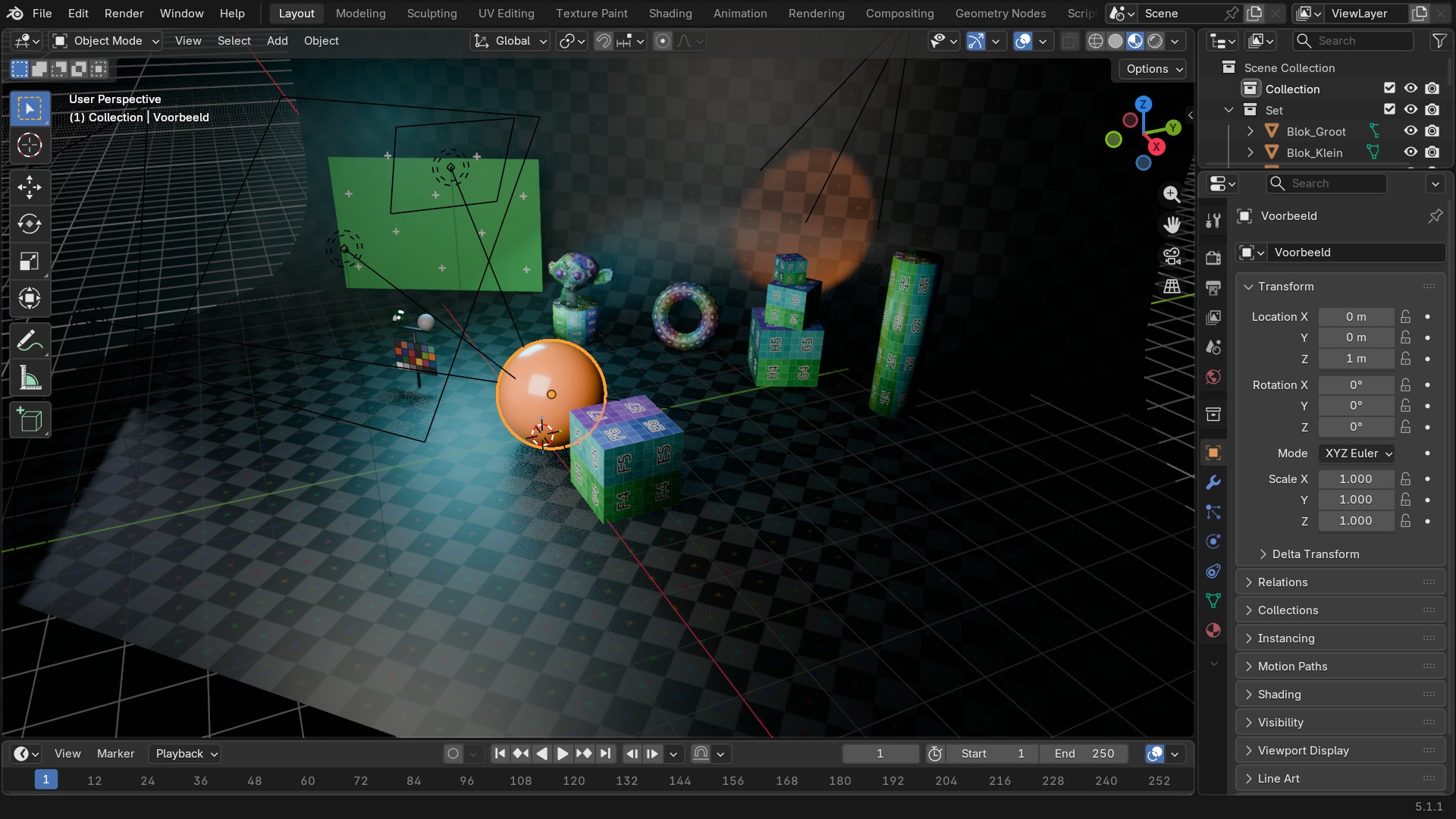 RECBLENDER 5.1 · OBJECT-CUSTOMPROPS00:00:00:001920×1080
Zelf proberen: een holdout-object voor compositing
Maak een vloer die schaduw ontvangt maar zelf onzichtbaar blijft in het eindbeeld.
- 1Open
blends/start_object_holdout.blend(een object met een schaduwwerpende vloer). - 2Selecteer de vloer en ga naar Object Properties > Visibility.
- 3Zet Film > Transparent aan in Render Properties.
- 4Zet bij de vloer
Show in Shadowaan enCamera/Diffuse/Glossy-zichtbaarheid uit onder Ray Visibility (Cycles). - 5Render met F12: de vloer zelf is onzichtbaar, de schaduw erop blijft zichtbaar op de alfa-transparante achtergrond.