Hoofdstuk 55Scene
De hub die camera, world, framebereik en eenheden aan elkaar knoopt
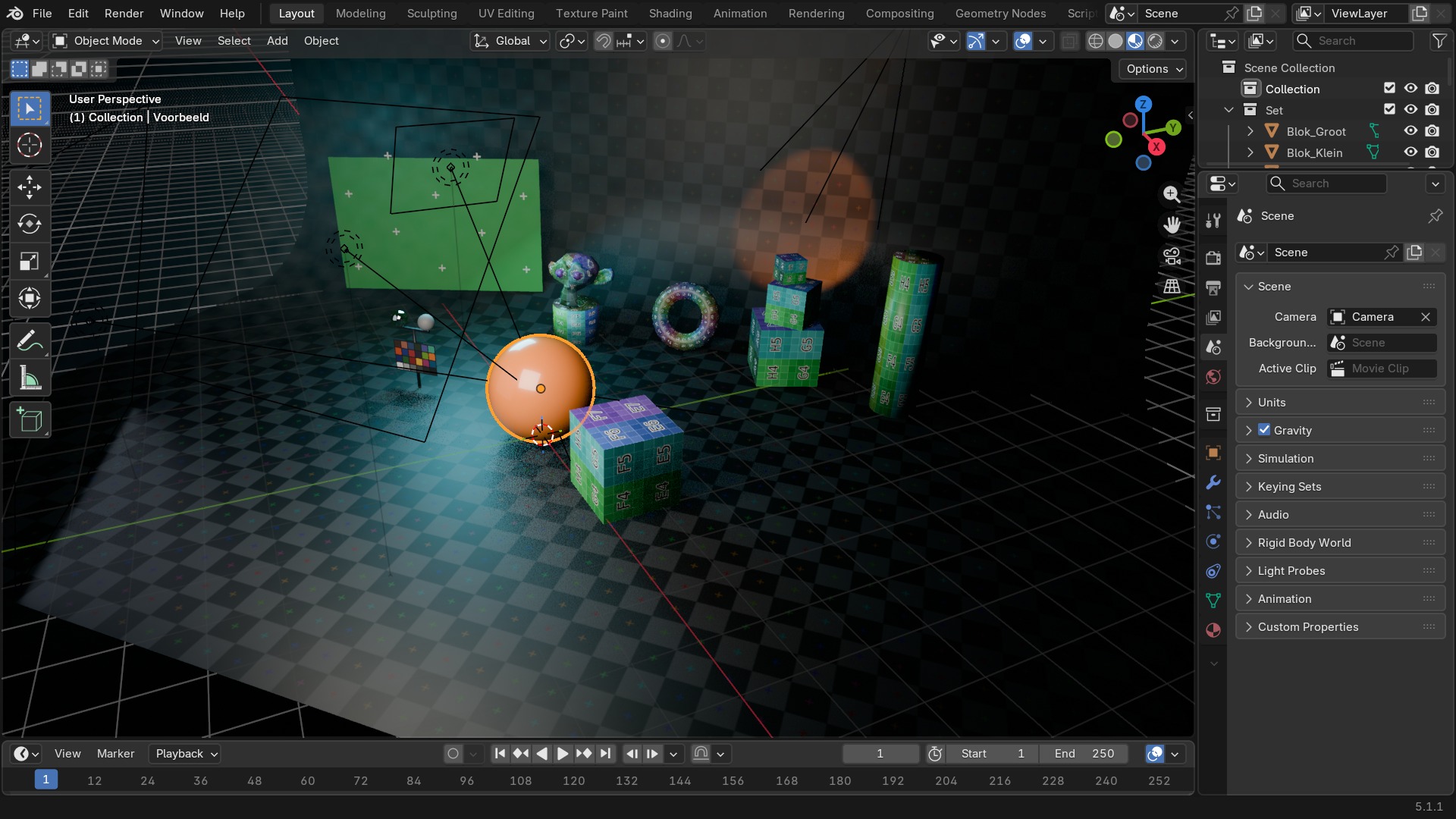
De Scene Properties-tab is het administratieve hart van een scène: welke camera actief is, welke World erbij hoort, het animatie-framebereik, de eenheden waarin je werkt, en de Keying Sets voor snel keyframen.
 RECCONCEPT00:00:00:00schoolium
Wat deze tab doet
De Scene Properties-tab verwijst vooral door: naar de actieve Camera, naar de World die bij deze scène hoort, naar View Layers, en naar het gebruikte Compositing-nodetree. Wat écht op deze tab zelf leeft, is de basisadministratie: het animatie-Frame Range, Units (metrisch/imperiaal en de schaal daarvan), Audio en Keying Sets.
Elke .blend kan meerdere scènes bevatten (zie de scene-kiezer in de topbar); deze tab toont altijd de instellingen van de scène die daar op dat moment actief is.
 RECBLENDER 5.1 · SCENE00:00:00:001920×1080
Alle scene-instellingen
Rechtstreeks uit Blender 5.1 uitgelezen.
| Instelling | Type | Standaard | Bereik | Wat hij doet (tooltip uit Blender) |
|---|---|---|---|---|
| Name | STRING | – | – | Unique data-block ID name (within a same type and library) |
| Full Name | STRING | – | – | Unique data-block ID name, including library one if any |
| Type | ENUM | ACTION | Action, Armature, Brush, Cache File, Camera, Collection, Curve, Curves, Font, Grease Pencil, Grease Pencil v3, Image, Key, Lattice, Library, Light, Light Probe, Line Style, Mask, Material, Mesh, Metaball, Movie Clip, Node Tree, Object, Paint Curve, Palette, Particle, Point Cloud, Scene, Screen, Sound, Speaker, Text, Texture, Volume, Window Manager, Workspace, World | Type identifier of this data-block |
| Session UID | INT | 0 | -10000 – 10000 | A session-wide unique identifier for the data block that remains the same across renames and internal reallocations, unchanged when reloading the file |
| Is Evaluated | BOOLEAN | uit | – | Whether this ID is runtime-only, evaluated data-block, or actual data from .blend file |
| Users | INT | 0 | 0 – 10000 | Number of times this data-block is referenced |
| Fake User | BOOLEAN | uit | – | Save this data-block even if it has no users |
| Extra User | BOOLEAN | uit | – | Indicates whether an extra user is set or not (mainly for internal/debug usages) |
| Embedded Data | BOOLEAN | uit | – | This data-block is not an independent one, but is actually a sub-data of another ID (typical example: root node trees or master collections) |
| Linked Packed | BOOLEAN | uit | – | This data-block is linked and packed into the .blend file |
| Missing Data | BOOLEAN | uit | – | This data-block is a place-holder for missing linked data (i.e. it is [an override of] a linked data that could not be found anymore) |
| Runtime Data | BOOLEAN | uit | – | This data-block is runtime data, i.e. it won't be saved in .blend file. Note that e.g. evaluated IDs are always runtime, so this value is only editable for data-blocks in Main data-base. |
| Editable | BOOLEAN | uit | – | This data-block is editable in the user interface. Linked data-blocks are not editable, except if they were loaded as editable assets. |
| Tag | BOOLEAN | uit | – | Tools can use this to tag data for their own purposes (initial state is undefined) |
| Is Indirect | BOOLEAN | uit | – | Is this ID block linked indirectly |
| Objects | COLLECTION | – | – | |
| Current Frame | INT | 1 | -1048574 – 1048574 | Current frame, to update animation data from Python frame_set() instead |
| Current Subframe | FLOAT | 0 | 0 – 1 | |
| Current Subframe | FLOAT | 0 | -1048574 – 1048574 | |
| Start Frame | INT | 1 | 0 – 1048574 | First frame of the playback/rendering range |
| End Frame | INT | 250 | 0 – 1048574 | Final frame of the playback/rendering range |
| Frame Step | INT | 1 | 1 – 100 | Number of frames to skip forward while rendering/playing back each frame |
| Time Jump Unit | ENUM | SECOND | Frame, Second | Which unit to use for time jumps in the timeline |
| Time Jump Delta | FLOAT | 1 | 0.1 – onbegrensd | Number of frames or seconds to jump forward or backward |
| Current Frame Final | FLOAT | 0 | -1048574 – 1048574 | Current frame with subframe and time remapping applied |
| Lock Frame Selection | BOOLEAN | uit | – | Don't allow frame to be selected with mouse outside of frame range |
| Use Preview Range | BOOLEAN | uit | – | Use an alternative start/end frame range for animation playback and view renders |
| Preview Range Start Frame | INT | 0 | -10000 – 10000 | Alternative start frame for UI playback |
| Preview Range End Frame | INT | 0 | -10000 – 10000 | Alternative end frame for UI playback |
| Show Subframe | BOOLEAN | uit | – | Display and allow setting fractional frame values for the current frame |
| Only Show Selected | BOOLEAN | aan | – | Only include channels relating to selected objects and data |
| Stamp Note | STRING | – | – | User defined note for the render stamping |
| NLA Tweak Mode | BOOLEAN | uit | – | Whether there is any action referenced by NLA being edited (strictly read-only) |
| Custom Simulation Range | BOOLEAN | uit | – | Use a simulation range that is different from the scene range for simulation nodes that don't override the frame range themselves |
| Simulation Frame Start | INT | 1 | -10000 – 10000 | Frame at which simulations start |
| Simulation Frame End | INT | 250 | -10000 – 10000 | Frame at which simulations end |
| Sync Mode | ENUM | AUDIO_SYNC | Play Every Frame, Frame Dropping, Sync to Audio | How to sync playback |
| Use Nodes | BOOLEAN | uit | – | Enable the compositing node group. |
| Absolute Keying Sets | COLLECTION | – | – | Absolute Keying Sets for this Scene |
| All Keying Sets | COLLECTION | – | – | All Keying Sets available for use (Builtins and Absolute Keying Sets for this Scene) |
| Gravity | FLOAT | 0 | -200 – 200 | Constant acceleration in a given direction |
| Global Gravity | BOOLEAN | aan | – | Use global gravity for all dynamics |
| Timeline Markers | COLLECTION | – | – | Markers used in all timelines for the current scene |
| Transform Orientation Slots | COLLECTION | – | – | |
| Play Audio | BOOLEAN | uit | – | Play back of audio from Sequence Editor, otherwise mute audio |
| Audio Scrubbing | BOOLEAN | uit | – | Play audio from Sequence Editor while scrubbing |
| Speed of Sound | FLOAT | 343.3 | 0.01 – onbegrensd | Speed of sound for Doppler effect calculation |
| Doppler Factor | FLOAT | 1 | 0 – onbegrensd | Pitch factor for Doppler effect calculation |
| Distance Model | ENUM | INVERSE_CLAMPED | None, Inverse, Inverse Clamped, Linear, Linear Clamped, Exponential, Exponential Clamped | Distance model for distance attenuation calculation |
| Volume | FLOAT | 1 | 0 – 100 | Audio volume |
| View Layers | COLLECTION | – | – | |
| camera_items | COLLECTION | – | – | |
| camera_list_index | INT | 0 | – | |
| Busy Drawing! | STRING | – | – | An internal property used to store only the first mouse position |
| Lazy Source! | STRING | – | – | An internal property used to store the first node in a Lazy Connect operation |
| Lazy Target! | STRING | – | – | An internal property used to store the last node in a Lazy Connect operation |
| Source Socket! | INT | 0 | – | An internal property used to store the source socket in a Lazy Connect operation |
| Email address | STRING | – | – | Your RenderStreet login email (the email you registered with on the site) |
| Password | STRING | – | – | Your RenderStreet password (same password you use on the site) |
| Token | STRING | – | – | Token used for saving RenderStreet credentials |
| Job Name | STRING | – | – | Job name to be created on RenderStreet - leave blank for using the file name |
| Uploading | INT | 0 | 0 – 100 | How much has been uploaded to RenderStreet |
| Rendering Device | ENUM | The rendering device to use on RenderStreet | ||
| Plan to use | ENUM | The plan to use when launching the job | ||
| Just upload, don't launch any render | BOOLEAN | uit | – | If checked, the addon will only upload the file and no job will be launched from it |
| Enable splitting | BOOLEAN | uit | – | If checked, a still render can be launched that will be rendered in parallel on multiple servers |
Units: waarom 1 blender-unit niet vanzelf 1 meter is
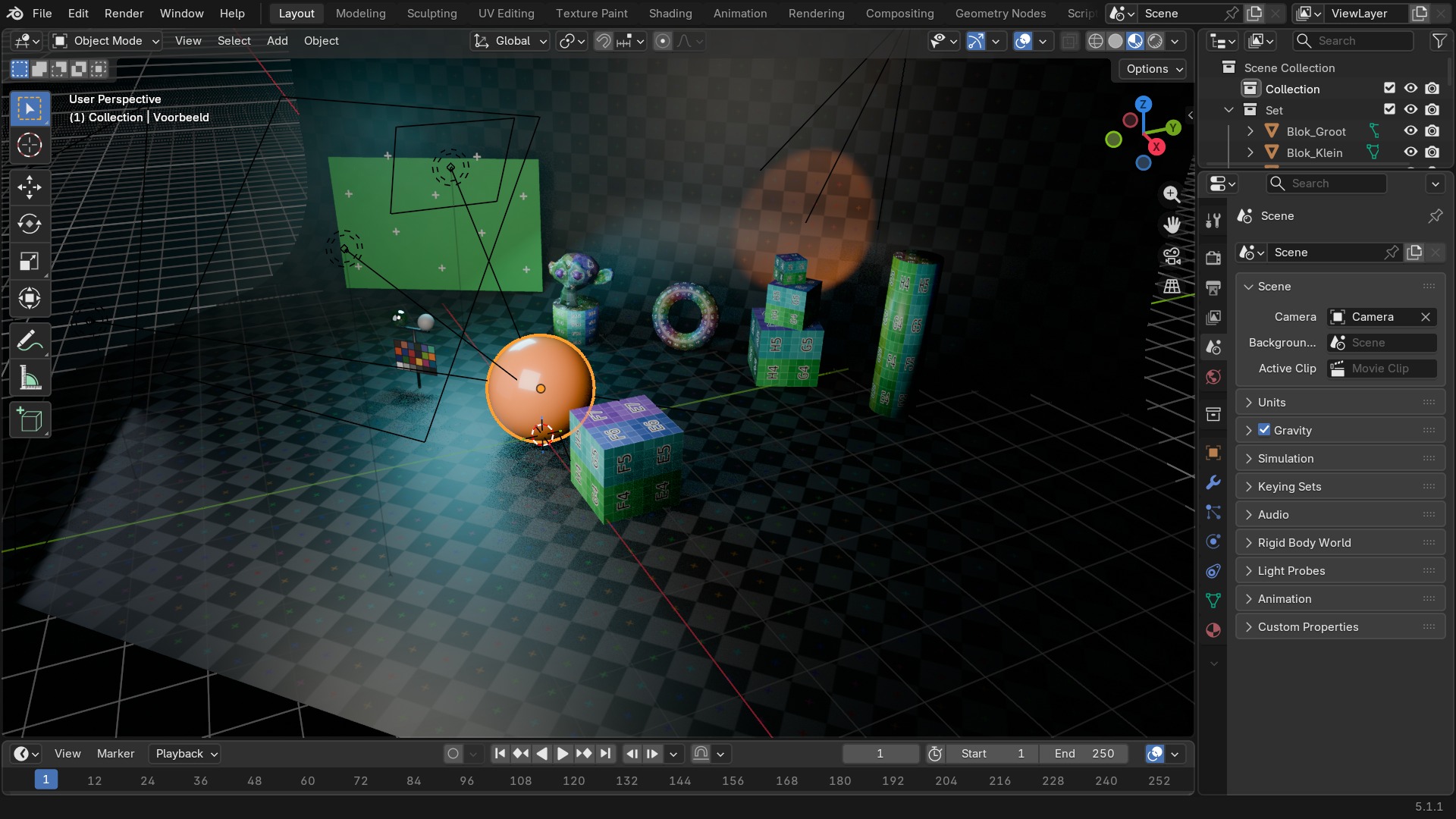
Standaard telt Blender in Blender Units, die pas een echte lengtemaat worden zodra je Unit System op Metric of Imperial zet. Unit Scale schaalt daar bovenop: op 1.0 is één unit één meter; zet je 'm op 0.01, dan is één unit één centimeter, wat handig is bij zeer kleine of zeer grote scènes om precisieproblemen met de viewport-clipping te vermijden.
Zet units altijd vóór je begint te modelleren, niet achteraf: fysica-simulaties, lichtsterkte in Watt, en de schaal van geïmporteerde assets rekenen allemaal op een kloppende eenheid.
 RECBLENDER 5.1 · SCENE-UNITS00:00:00:001920×1080
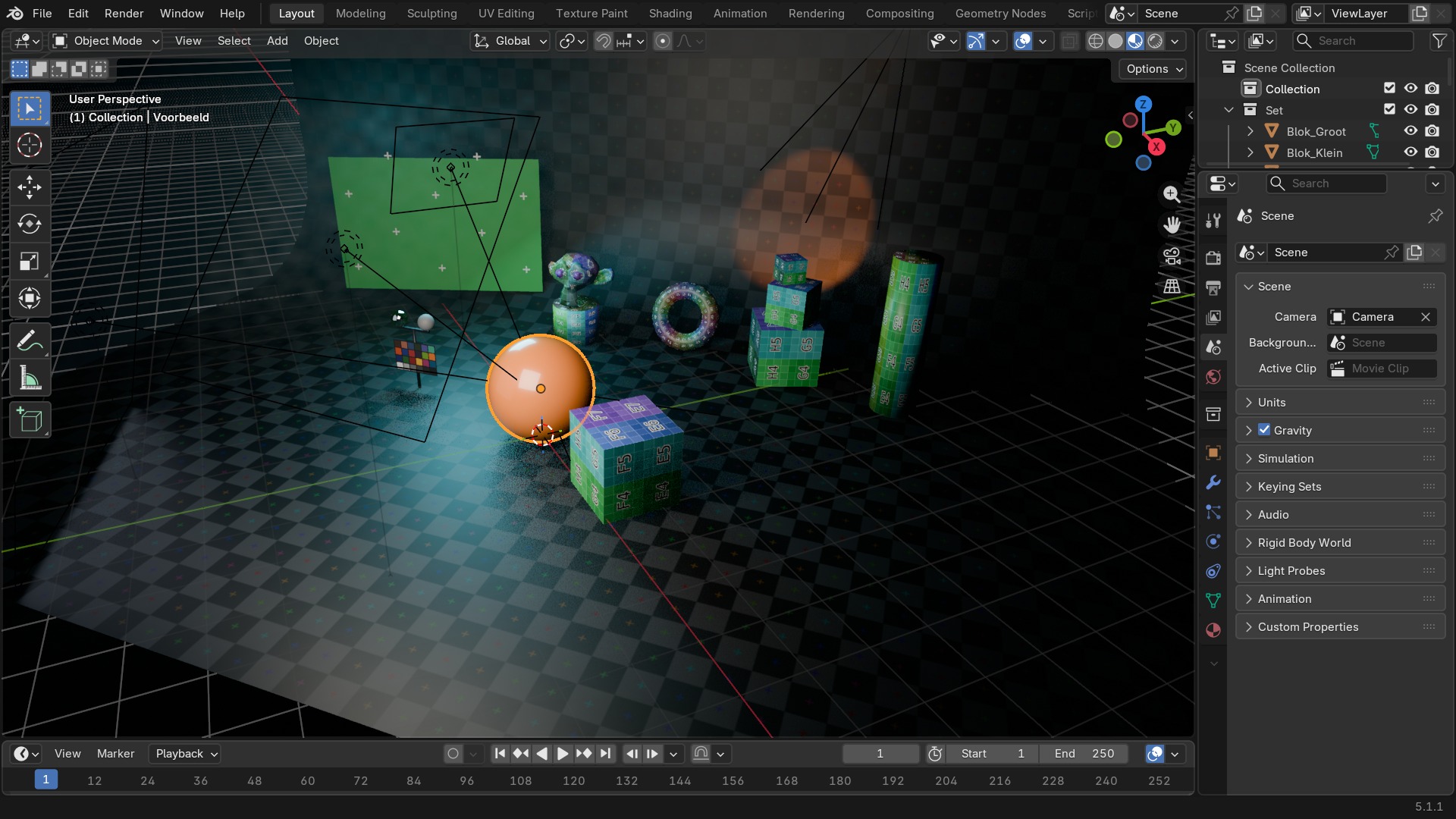
Een Keying Set ontleed
- 1Naam van de set
Een Keying Set is een naam voor een vaste groep eigenschappen die je in één keer wil keyframen — te vinden na het openklappen van “Keying Sets”, hier nog ingeklapt.
- 2Paden
De lijst eigenschappen die erbij horen, bv. location, rotation_euler, of een custom property van een rig-controller — ook in het ingeklapte paneel.
- 3Ctrl+I
Zet in één klik keyframes op alle paden van de actieve set tegelijk, in plaats van losse I-aanroepen per eigenschap.
- 4Toepasbaar op
Selected Objects of alleen het actieve object — bepaalt of de hele selectie meegaat bij het keyframen. Dit hele paneel staat in deze screenshot ingeklapt; klap “Keying Sets” open om het te zien.
Gravity en Audio: klein maar met gevolgen
Gravity (zwaartekracht) onder Physics-instellingen geldt scènebreed en stuurt elke Rigid Body-, Cloth- en Soft Body-simulatie tegelijk — één gewijzigde waarde hier raakt dus alle physics-objecten in de scène. Audio regelt volume en dopplereffect voor Speaker-objecten en de video-editor.
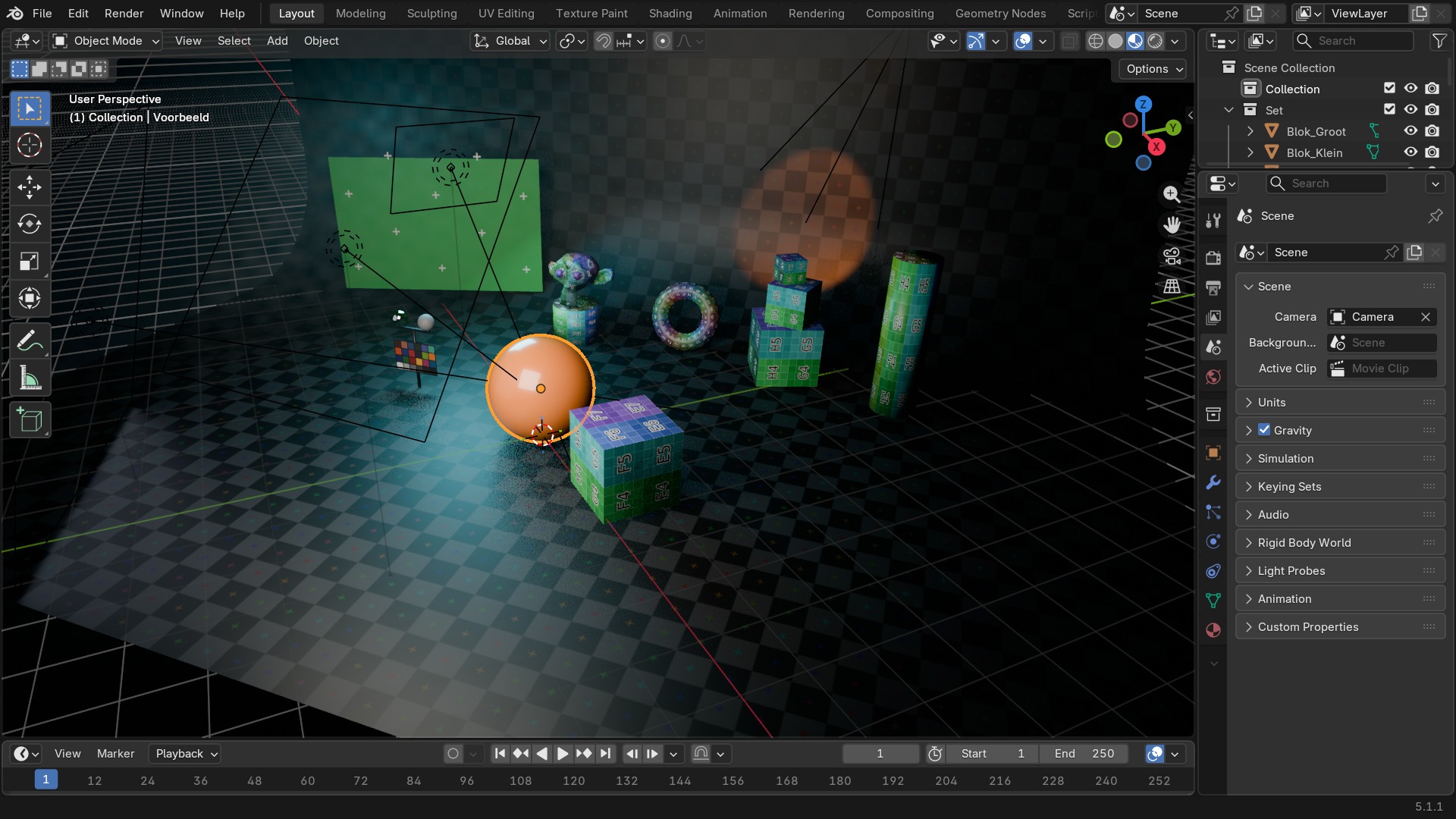 RECBLENDER 5.1 · SCENE-GRAVITY00:00:00:001920×1080
Zelf proberen: units kloppend zetten voor een architecturaal model
Zet een scène om naar metrisch met centimeter-precisie en controleer de schaal met een referentieobject.
- 1Open
blends/start_scene_units.blend(bevat een kubus van onbekende grootte). - 2Zet in Scene Properties > Units, Unit System op Metric.
- 3Zet Length op Centimeters en Unit Scale op 0.01.
- 4Voeg een Mesh > Cube toe en schaal 'm naar 180×60×40 cm met de N-sidebar.
- 5Vergelijk met de bestaande kubus om te zien of de oorspronkelijke schaal klopte.