Hoofdstuk 27Preferences — Save & Load en File Paths
Waar Blender zelf zijn bestanden bewaart, en hoe je externe programma's koppelt
Save & Load stuurt hoé een bestand wordt opgeslagen — auto-save, versies, of Preferences meteen na elke wijziging wegschrijven. File Paths stuurt wáár: temp-mappen, texture- en font-mappen, en de koppeling naar externe programma's zoals een teksteditor of een animatie-player.
 RECCONCEPT00:00:00:00schoolium
Save & Load — Blend Files
| Instelling | Type | Standaard | Bereik | Wat hij doet (tooltip uit Blender) |
|---|---|---|---|---|
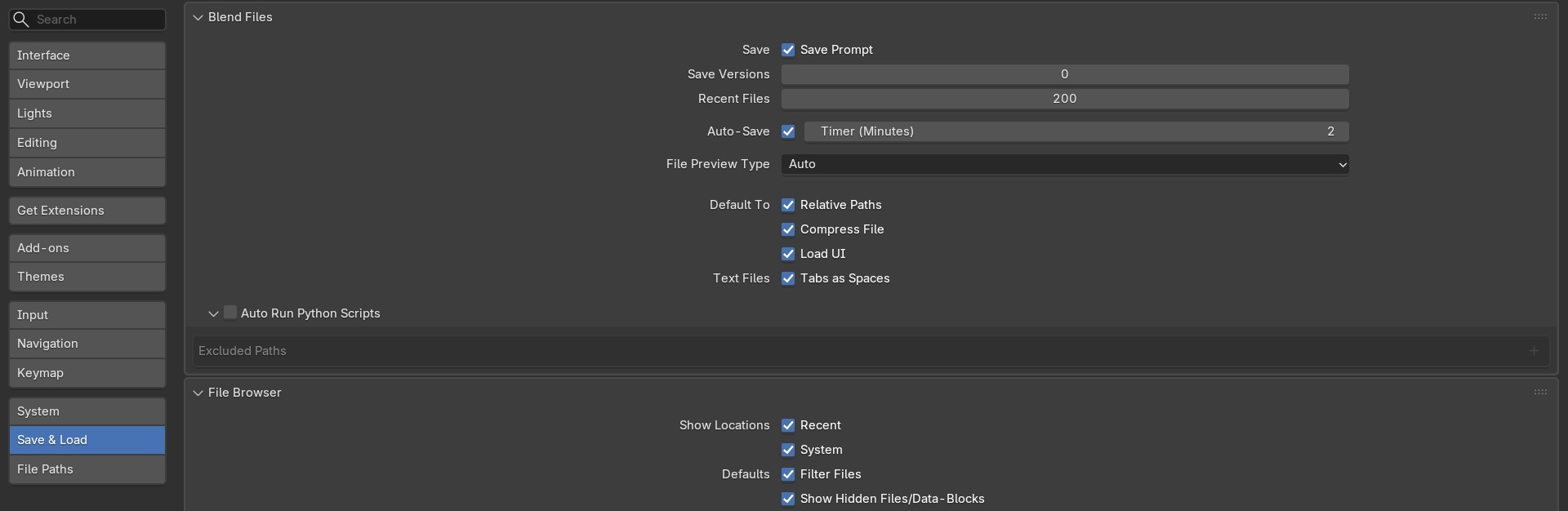
| Relative Paths | BOOLEAN | aan | – | Default relative path option for the file selector, when no path is defined yet |
| Compress File | BOOLEAN | aan | – | Enable file compression when saving .blend files |
| Load UI | BOOLEAN | aan | – | Load user interface setup when loading .blend files |
| Save Versions | INT | 1 | 0 – 32 | The number of old versions to maintain in the current directory, when manually saving |
| Auto Save Temporary Files | BOOLEAN | aan | – | Automatic saving of temporary files in temp directory, uses process ID. Warning: Sculpt and edit mode data won't be saved |
| Auto Save Time | INT | 2 | 1 – 60 | The time (in minutes) to wait between automatic temporary saves |
| Recent Files | INT | 200 | 0 – 1000 | Maximum number of recently opened files to remember |
Relative Paths: waarom dit een projectbeslissing is
Relative Paths (use_relative_paths) bepaalt of nieuw gekoppelde externe bestanden — textures, gelinkte libraries, geluid — met een pad relatief aan het .blend-bestand worden opgeslagen (//textures/hout.jpg) of met een absoluut pad (C:\Projecten\Keuken\textures\hout.jpg). Relatieve paden overleven het verplaatsen van een hele projectmap naar een andere schijf of computer; absolute paden breken zodra de mapstructuur verandert.
De instelling hier in Preferences is alleen het standaardgedrag voor nieuwe koppelingen — een bestaand bestand met al absolute paden verandert er niet automatisch door. Voor een bestaand bestand gebruik je File → External Data → Make Paths Relative (of Absolute) om alles in één keer om te zetten.
 RECBLENDER 5.1 · RELATIVE-VS-ABSOLUTE-PATH00:00:00:001920×626
Save & Load — File Browser
| Instelling | Type | Standaard | Bereik | Wat hij doet (tooltip uit Blender) |
|---|---|---|---|---|
| Show Hidden Files/Data-Blocks | BOOLEAN | aan | – | Show files and data-blocks that are normally hidden |
| Filter Files | BOOLEAN | aan | – | Enable filtering of files in the File Browser |
| Show Recent Locations | BOOLEAN | aan | – | Show Recent locations list in the File Browser |
| Show System Locations | BOOLEAN | aan | – | Show System locations list in the File Browser |
| File Preview Type | ENUM | AUTO | None, Auto, Screenshot, Camera View | What type of blend preview to create |
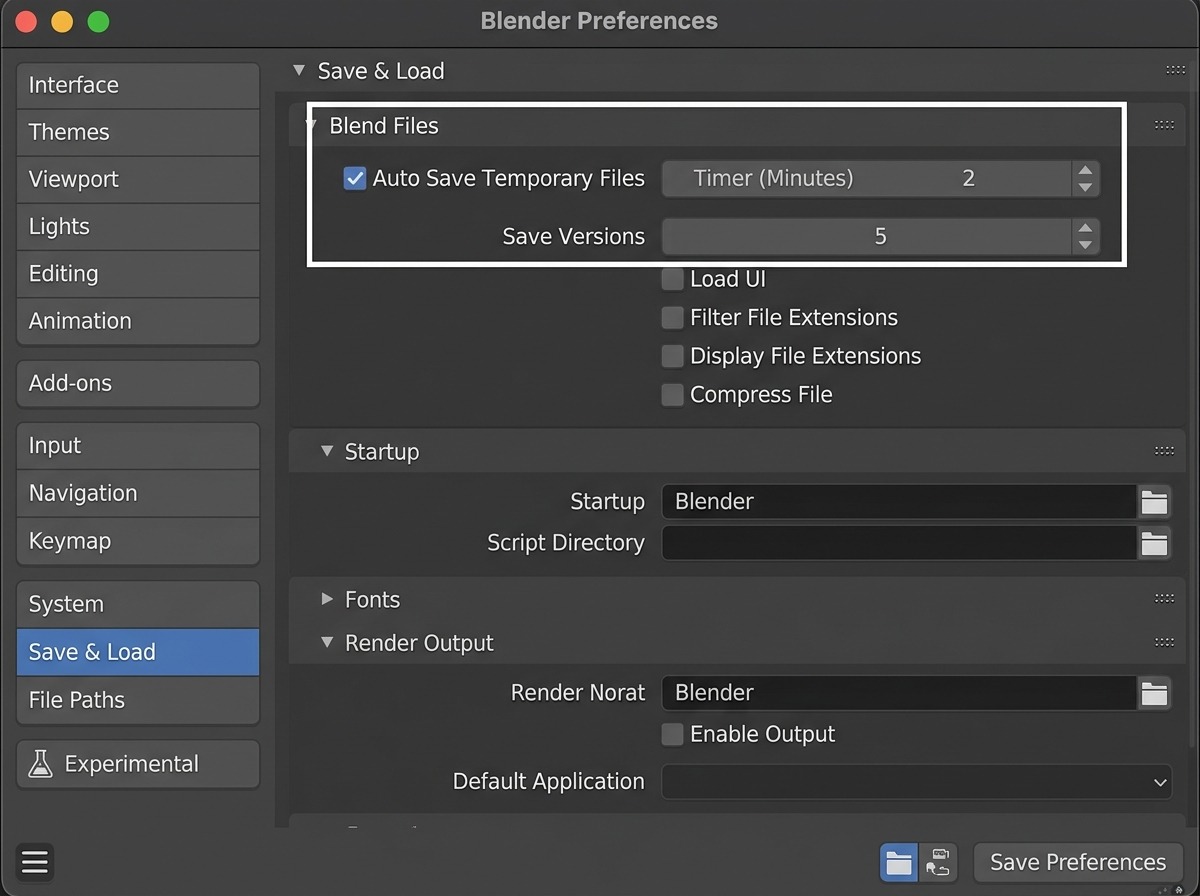
Auto Save Temporary Files en Save Versions naast elkaar
- 1Save Versions
Aantal .blend1/.blend2/...-backups dat bij élke gewone Save wordt bijgehouden — een vangnet tegen een verkeerde, opzettelijke Save.
- 2Auto Save Temporary Files + Auto Save Time
De periodieke achtergrond-save uit hoofdstuk 11, bedoeld voor crash-herstel, niet voor bewuste versies.
- 3Waarom je meestal beide aanzet
Save Versions beschermt tegen jezelf (een Save die je achteraf betreurt), Auto Save beschermt tegen een crash — ze overlappen niet, dus samen aan is de veiligste combinatie.
File Paths — mappen
| Instelling | Type | Standaard | Bereik | Wat hij doet (tooltip uit Blender) |
|---|---|---|---|---|
| Fonts Directory | STRING | – | – | The default directory to search for loading fonts |
| Textures Directory | STRING | – | – | The default directory to search for textures |
| Render Output Directory | STRING | – | – | The default directory for rendering output, for new scenes |
| Python Scripts Directory | COLLECTION | – | – | |
| Translation Branches Directory | STRING | – | – | The path to the '/branches' directory of your local svn-translation copy, to allow translating from the UI |
| Sounds Directory | STRING | – | – | The default directory to search for sounds |
| Temporary Directory | STRING | – | – | The directory for storing temporary save files. The path must reference an existing directory or it will be ignored |
| Render Cache Path | STRING | – | – | Where to cache raw render results |
File Paths — externe programma's en Asset Libraries
| Instelling | Type | Standaard | Bereik | Wat hij doet (tooltip uit Blender) |
|---|---|---|---|---|
| Auto Run Python Scripts | BOOLEAN | uit | – | Allow any .blend file to run scripts automatically (unsafe with blend files from an untrusted source) |
| Tabs as Spaces | BOOLEAN | aan | – | Automatically convert all new tabs into spaces for new and loaded text files |
| Online Access | BOOLEAN | uit | – | The user has been shown the "Online Access" prompt and made a choice |
| Image Editor | STRING | – | – | Path to an image editor |
| Text Editor | STRING | – | – | Command to launch the text editor, either a full path or a command in $PATH. Use the internal editor when left blank |
| Text Editor Args | STRING | – | – | Defines the specific format of the arguments with which the text editor opens files. The supported expansions are as follows: $filepath The absolute path of the file. $line The line to open at (Optional). $column The column to open from the beginning of the line (Optional). $line0 & column0 start at zero. Example: -f $filepath -l $line -c $column |
| Animation Player | STRING | – | – | Path to a custom animation/frame sequence player |
| Animation Player Preset | ENUM | INTERNAL | Internal, DJV, FrameCycler, RV, MPlayer, Custom | Preset configs for external animation players |
| Asset Libraries | COLLECTION | – | – | |
| Active Asset Library | INT | 0 | -32768 – 32767 | Index of the asset library being edited in the Preferences UI |
Auto Run Python Scripts: een bewuste veiligheidsafweging
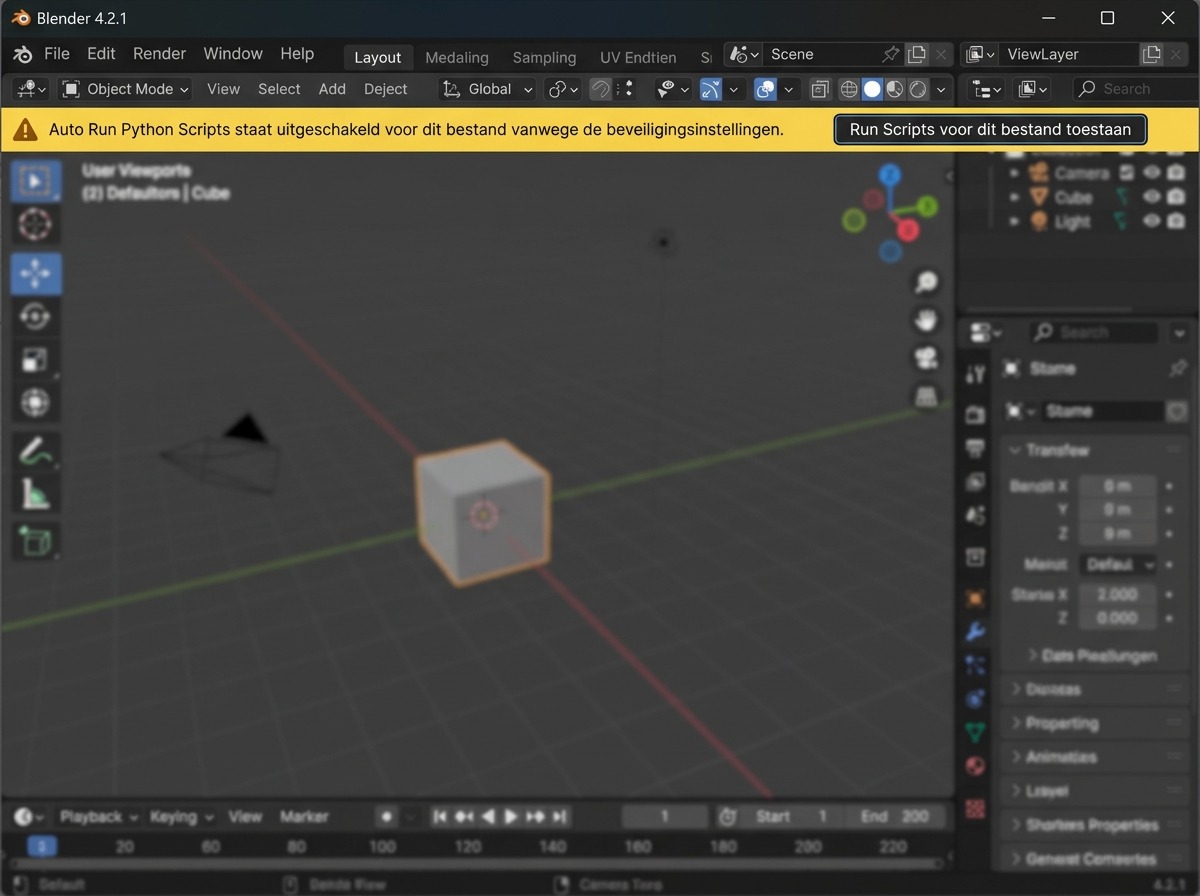
Auto Run Python Scripts (use_scripts_auto_execute) bepaalt of embedded Python-scripts in een .blend-bestand — bijvoorbeeld een driver-expressie of een tekst-datablock met Register aangevinkt — automatisch uitvoeren zodra je het bestand opent. Staat dit uit, dan toont Blender een waarschuwing en vraagt het expliciete toestemming per bestand. Voor een .blend-bestand van onbekende herkomst is dit een reële beveiligingsinstelling: Python-code in een bestand kan in principe alles doen wat een script normaal kan.
 RECCONCEPT00:00:00:00schoolium
Zelf proberen: een externe teksteditor koppelen en Relative Paths testen
Koppel je eigen teksteditor aan Blender voor het bewerken van scripts, en test het verschil tussen relatieve en absolute paden bij een texture.
- 1Ga naar Preferences → File Paths en vul bij Text Editor het pad naar een teksteditor op je systeem in (bv. VS Code of Kladblok).
- 2Open start_filepaths_test.blend, dat een niet-ingepakte texture gebruikt, en bekijk in de Image Editor het pad van die texture.
- 3Zet Relative Paths uit, sla het bestand op onder een andere naam in een andere map, en heropen: controleer of de texture nog gevonden wordt.
- 4Zet Relative Paths weer aan, verplaats het hele projectmapje (bestand + texture-map) naar een andere locatie, en heropen om te bevestigen dat de relatieve link dit wél overleeft.
- 5Zet Auto Save Time op een waarde naar keuze en Save Versions op minstens 2, als blijvende instelling voor de rest van de cursus.